e-Sign with PandaDoc

Project Presentation

Image 1
Image 2

Prepared by:

​[Sender.FirstName][Sender.LastName] ​

When you need to provide a brief overview of a project, our Project Brief Template is invaluable.

Table of Contents

2

logo

Problem/Pain Project Proposal Solution Key Benefits Project Goals Project Scope Project Resources Project Schedule Project Timeline Deliverables Success Criteria Budget Project Management Summary

Problem/Pain

3

logo

Describe the problem or the pain point that your solution aims to relieve. For instance, a service team is under strain because of the growing number of customers.

Make some notes about the pain point or put links to sources

How to present a project proposal?

This is the section where you should be concise and impactful. Do not delve into deep details; rather, provide a clear and comprehensive overview of your project. You should keep in mind the problem you pointed out in the previous slide and lead your audience gradually to the idea that your project is the ultimate cure.

Project Proposal

4

logo

  • Provide background information

  • Outline the purpose of your proposal

  • Define your goals

  • Accentuate what sets you apart

  • Briefly state the budget

  • Finish with a call to action and ask for a follow-up

Represent your project idea in several statements

Solution

5

logo

Outline how exactly your project solves the previously mentioned problem. For instance, an AI-based chatbot can ease the burden on your support team by handling incoming requests instantly.

Link to source

Link to source

Link to source

Image 3

Solution

6

logo

Place your images/video here

Key Benefits

7

logo

  • Reduced workload on the support team

  • Quicker customer service

  • Lower expenses on the support personnel

  • Enhanced customer communication

  • Greater client satisfaction

Briefly list the fundamental advantages of your project for the end user. The key benefits in our example may include

How to present project goals?

On this slide, it’s vital to be persuasive and engaging. You should capture your audience’s attention and make them hungry for the details of your project. Support your statements with evidence where needed, yet do not overload your speech with numbers and facts. Leave the extended information in the amendments and point out where your listeners can find it.

Project Goals

8

logo

  • Providing competent help to customers immediately

  • Reducing the number of calls to the support team

  • Enhancing company’s digital presence

  • Promoting corporate website

Take a moment to describe your goals more fundamentally.

For instance, AI-based chatbots are aimed at

How to present project scope?

It is crucial to understand the working process and roles of all parties, as it streamlines and simplifies task fulfillment. Therefore, this is the part where you should be clear, specific, and precise. Make sure everyone understands what should be put in, what to expect in the outcome, when to expect it, and at what cost. If any specific conditions or potential complications may alter the presented scope, point them out.

Project Scope

9

logo

Demonstrate the general scope of work your project encompasses.

This part usually comprises the following constituents

Overview

The essence and the goal of the project

Management

Approval process and responsibilities

Approach, phases, tasks

How will the project be handled

Deliverables

What will be developed and produced

Timeline

The specific terms of each project stage as well as of the entire project

Cost estimate, payment schedule

What is the project’s budget, and how should it be paid

Assumptions

What is and isn’t included

Project Resources

10

logo

Describe the resources required for project completion.

The scope of resources

Identify the resources required for the project

Resource allocation

Match the proper resources to the proper assignments

Time frame

Plan the adequate amount of time for each resource

Working schedule

Schedule resources according to projected availability

Progress management

Keep track of the project’s progress

Unforeseen events

Be ready to make adjustments due to human factor or other unexpected occurrences

Post-project analysis

Compare projected resources and their allocation to the actual ones

How to present the project schedule?

You can use charts to visualize your timeline. Indicate start and end dates and select the respective time intervals. Arrange the critical project phases along the timeline. Do not delve into each specific task, you’ll have time for that a bit later. If you envisage any priority issues, make sure to include them in your schedule.

Project Schedule

11

logo

Present the project schedule and list the project phases.

General Timeline

Create the overall project timeline with start dates, end dates, and key stages

Phases description

Outline the works that are necessary to attain the project deliverables at each phase

Tasks description

Determine the costs, resources, and dependencies related to each job

Responsibilities

Identify the team members accountable for each job

How to present project timeline?

A workflow diagram is the best way to visualize a detailed project timeline and correlate the tasks with crucial milestones. This will allow all stakeholders to quickly connect each job with the respective phase, providing more insight and enhancing decision-making.

Project Timeline

12

logo

Compose a detailed project timeline.

​

Jan

Feb

Mar

Apr

May

Jun

Jul

Aug

Sep

Oct

Nov

Dec

Plan

Assemble Recources

​

​

​

​

​

​

​

​

​

​

​

​

​

​

​

​

​

​

​

​

​

​

​

​

Working Plans

​

​

​

​

​

​

​

​

​

​

​

​

​

​

​

​

​

​

​

​

​

​

​

​

Subcontractor Selection

Helpdesk Content Plan

​

​

​

​

​

​

​

​

​

​

​

Test

​

​

​

​

​

Perfomance Validation

Test Complete

Monitoring

Phase Sync

​

​

​

​

​

​

​

​

​

Develop

​

​

​

​

Prototype

Alpha Build

​

​

​

​

​

​

​

​

​

​

​

​

​

​

​

​

​

​

​

​

​

​

Development Phase 1

Development Phase 2

V2 Development Begins

Launch

​

​

​

​

​

​

​

​

​

​

Blog Launch 07.03

​

​

​

​

​

​

WW Launch Event — 10.13

​

​

​

​

​

​

​

​

​

​

​

​

​

​

​

​

​

​

​

​

Website Live — 10.20

​

​

​

​

​

​

​

​

​

​

​

​

​

​

​

Press Release —08.04

​

​

​

​

​

​

​

How to present product deliverables?

Clearly stated project deliverables play a crucial role in fulfilling project timing and budget and minimizing friction. To organize the presentation clearly, you can classify deliverables according to the four criteria:
Product/process;
Internal/external.

Deliverables

13

logo

  • Product roadmap construction

  • Initial user interface wireframe

  • Customer journey map

  • User retention report

Set up all tangible and intangible outputs submitted within the project lifecycle.

An example of project deliverables

for the software team:

Success Criteria

14

logo

Establish expectations and requirements that a project must meet in the outcome.

COST

DELIVERABLES

BUSINESS GOALS

Comparison of the project's actual expenditure against the estimated budget.

Measuring the quality of the finished product based on the established deliverables.

Measuring the quality of the finished product based on the established deliverables.

​

​

​

TIMELINE

RESOURCE CAPACITY

STAKEHOLDER 
SATISFACTION

Whether the project completion occurs within the initially planned time frame.

Assessing the efficiency of resource allocation.

The level of stakeholder engagement 
 and satisfaction with the project accomplishments.

​

​

​

SCOPE

​

​

Evaluation of the project outcomes compared to the project scope.

​

​

Budget

15

logo

Report the total budget estimate for the project and a budget breakdown into the major categories.

Human resources

Salary rates of all workers involved in the project.

Material resources

All the items the project team might need to fulfill the job, such as software, equipment, or other materials.

Training fees

Workshops, training sessions, conferences, and more.

Research expenses

All kinds of studies or data that must support the project and maximize its value.

Professional services

Consultants, market researchers, legal advice, etc.

Contingency funds

Contingency reserves aim to increase flexibility and reduce the risks of budget overruns. They usually constitute 5-10% of the budget.

Project Management

16

logo

  • Project highlight one

  • Project highlight two

  • Project highlight three

  • Project highlight four

Provide an overview of the project methodology and point out project highlights. This helps to demonstrate your professional vision of the project and the way to its successful completion.

Summary

17

logo

1. Key statement one

2. Key statement two

3. Key statement three

4. Key statement four & etc.

List the key statements of the whole project presentation you wish your audience to memorize. Use this slide to reinforce the positive impression of your project and make an impactful statement in the end.

Thank you!

18

logo

​[Sender.Website]​

​[Sender.Email]​

​[Sender.Phone]​

Image 4

Do not forget to thank your audience for their time and attention. Add your contact information if you plan to leave or send this presentation for further review.

Useful resources

Featured Templates
Sales Proposals
NDA Agreements
Operating Agreements
Service Agreements
Sales Documents
Marketing Proposals
Rental and Lease Agreements
Quote Templates
Business Proposals
Agreement Templates
Purchase Agreements
Contract Templates

Project Presentation FAQ

  • The primary purpose of a project presentation is to explain the project, including the product and process, to its evaluators. Therefore, your presentation should be comprehensive, clear, and illustrative. Start with the fundamental goals of your project. Then, outline what you are going to do, how you will do it, what you will need to complete the process, and what output you will receive. Support your statements with facts, figures, research, charts, and pictures. Utilize a project presentation template to feel more confident.

  • A project proposal presentation is similar to a project presentation, but its purpose is to make the parties interested and involve them in your project implementation. Therefore, apart from introducing your project in terms of product and process, you also need to urge your audience to move further with your offer. To attain this, you should engage your audience with your explanation. Specify why your project will be demanded by end users and how it will benefit both stakeholders and customers. Repeat your main point three times: first, tell the listeners what you are going to say; then say it; finally, tell them what you’ve just said.

  • A typical presentation comprises an introduction, main body, and conclusion. In the introduction, you explain the background, including the market, the audience, and the problem your project is going to solve. The main body represents the product itself and how you are going to develop it. The conclusion summarizes the main points of your presentation. If you have extensive research or other materials that you want to include in your presentation, you can add them in the amendments section. The sample project presentation slides will efficiently guide you through the fundamental presentation structure.

  • Start your presentation by describing the project background. Where has the product idea come from? Then present the external factors, such as the market, target audience, and competitors. Where do the market opportunities for your solution lie? What are customer aspirations? Do your competitors cover customer needs? Afterward, go through your entire solution, stage by stage, presenting the product and the process. Highlight how the solution addresses the existing issue and which benefits it provides. Summarize the major points and state what you expect from your audience and what they will receive in the outcome.

Disclaimer

Materials (e.g. templates, educational articles, blog posts and informational content), made available through PandaDoc, including via any integrations, connectors, extensions, plugins, or third-party AI platforms (e.g. ChatGPT, Claude, or similar tools) are for general information purposes only and are provided "as is." These materials do not constitute legal, regulatory, or compliance advice and should not be construed as such. It is your responsibility to ensure materials meet your specific legal requirements. Consult a qualified attorney licensed in your jurisdiction before relying on these materials. PandaDoc disclaims all warranties, express or implied, including fitness for a particular purpose or non-infringement.

Related templates

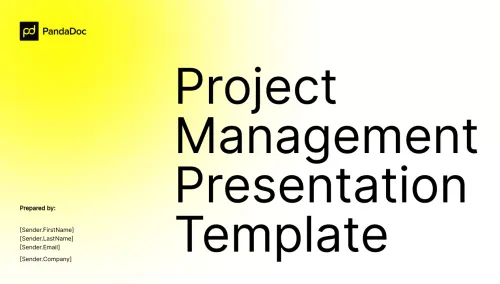
Project Management Presentation

Project Management Presentation

Share your project process with this free editable project management presentation template.

Project Scope Presentation Template

Project Scope Presentation Template

Present your project plan with this free project presentation template that you can customize in minutes.

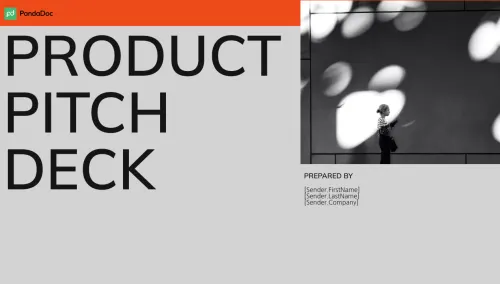
Product Pitch Deck

Product Pitch Deck

Tell about your product and gain its supporters using this free product pitch deck template.

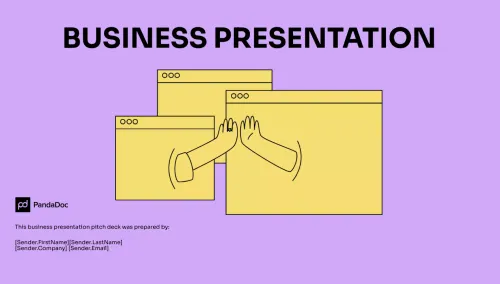
Business Presentation

Business Presentation

Present your business project with this free business presentation template that you can customize in minutes.

available

e-Sign with PandaDoc

Project Presentation

Used 4,923 times

AI BadgeAI assistant included

Simplify your job with the project presentation slides and excite your audience with your offer.

Use this template — free

Care to rate this template?

Your rating will help others.

Rate this template

Thanks for your rate!

Template preview
PandaDoc
TemplatesPresentations
Close
PandaDoc
TemplatesPresentations
Close