There are a lot of factors that can make rolling out CPQ software a slow and complicated process. This could include cleaning up product data, defining pricing logic, building approval workflows, and integrating with your CRM. The entire process can sometimes take months, especially when teams are trying to support complex products or introduce new products without a clear CPQ configuration strategy. But it doesn’t have to.
With the right structure and CPQ solution, you can launch your CPQ system in just 30 days. Yes, you read that right.
PandaDoc is designed to have fast deployment with no-code configuration, intuitive tools, and guided onboarding. Its built-in functionality helps teams automate key parts of the sales process, from quote generation to approvals, without heavy IT involvement.
Plus, all of our customers have the ability to work with a solutions engineer to help them speed up the setup process and avoid common pitfalls. (Learn more about this in our CPQ onboarding guide)
In this guide, however, we’re going to walk you through a practical, week-by-week plan to ensure a smooth CPQ setup and launch in 30 days.
What makes PandaDoc CPQ easy to launch?
Many CPQ tools require significant IT involvement and weeks of technical configuration. But with PandaDoc CPQ, your revenue teams will find managing setup much more accessible, without complex coding or lengthy consultations.
Here’s what speeds up a CPQ rollout:
No-code configuration
Configuring everything without code means your sales ops and pricing teams keep the control they need without having IT become a bottleneck. This streamlined CPQ configuration makes it easier to support evolving customer needs and shorten sales cycles.
For example, you can define:
- Product configuration rules
- Bundle and component-based pricing
- Discount thresholds and approval workflows
- Pricing variables like labor, materials, or overhead
Drag-and-drop quote builder
We’re talking about a visual editor that allows you to create dynamic and professional quotes very easily. This means your reps can simply select products, and the pricing, descriptions, and totals will update automatically. Pretty neat, right?
Templates that get you started fast
Some more good news is that you don’t have to start building from scratch! Your teams can use pre-built templates and customize them however you like. This accelerates document generation while giving you flexibility as your offerings evolve.
Native CRM integrations
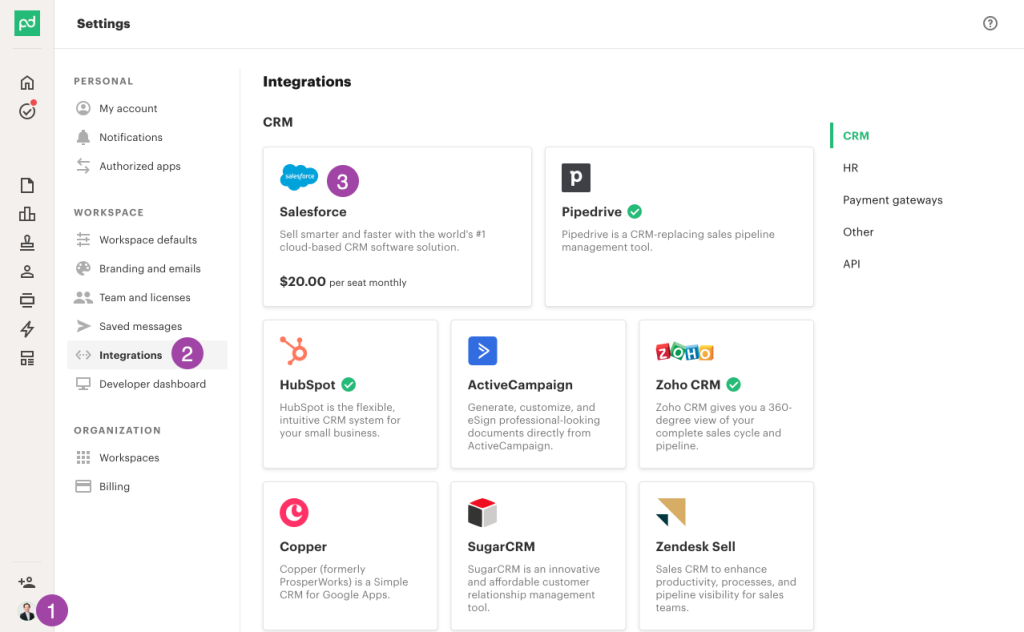
PandaDoc integrates natively with:
Plus other leading CRM platforms.
With these native integrations, your deals, contracts, and quote data will sync automatically, eliminating manual entry. Plus, your quoting process stays aligned with your CRM.
Read more: How to auto-generate quotes with document templates and CRM data
The result? Faster CPQ setup, a low learning curve for your sales team, and a smoother route to launch.
Want a deeper look at CPQ setup? Read our full CPQ implementation guide here.
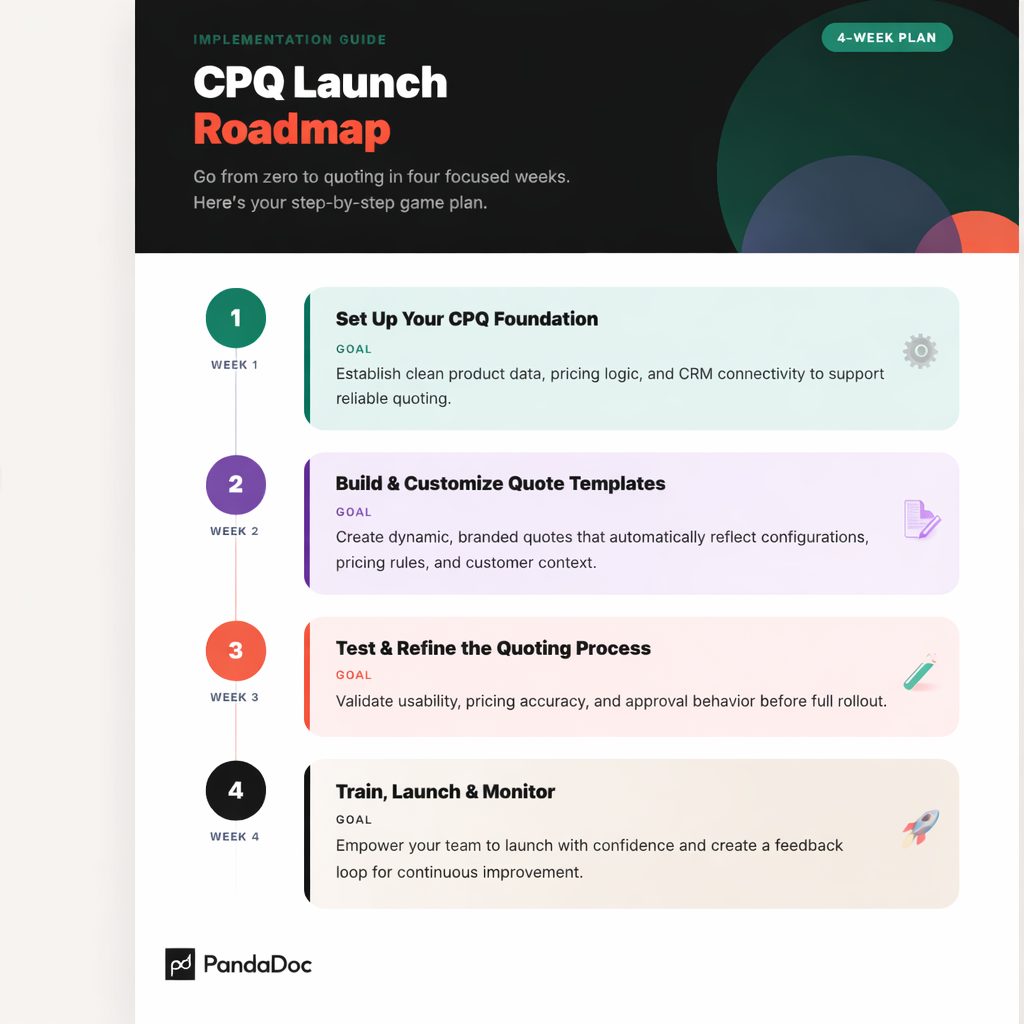
30-day launch plan at a glance
If you want to launch CPQ in just 30 days, you’ve got to follow a solid structure.
Here’s our roadmap:
- Week 1: Set up your CPQ foundation
- Week 2: Build and customize quote templates
- Week 3: Test and refine the quoting process
- Week 4: Train, launch, and monitor
Each of these phases builds on the previous one, so you don’t have to worry about rushing through configuration at the last minute.
Let’s go over each phase in more detail.
Week 1: Set up your CPQ foundation
Goal: You want to establish clean product data, pricing logic, and CRM connectivity to support reliable quoting.
Start by importing your product catalog, including SKUs, bundles, and configurable products. Focus first on what sales actively sells, especially if you manage complex products.
Next, define your product configuration rules. These rules power effective guided selling, helping reps navigate options that align with customer needs while preventing invalid combinations.
Then build your pricing framework, including:
- Bundle and component-based pricing logic
- Quantity-based or segment-based pricing rules
- Customer-specific pricing where applicable
- Volume-based pricing tiers
You’ll also want to define pricing variables at the quote or line-item level. This could be labor, materials, or overhead. When you map estimating inputs like labor and materials, your pricing will be more consistent, and you’ll have more accurate manufacturing estimates.
To maintain margin control, you can add approval workflows that have clearly defined discount thresholds and exception rules. This will make sure everything is governed properly without having to slow down standard deals.
Finally, connect your CRM so deals, contacts, and quote data sync automatically. This supports consistent document generation and reduces friction across the sales process.
By the end of week one, you will have a governed, scalable CPQ configuration that produces reliable and error-free quotes.
Week 2: Build and customize quote templates
Goal: Create dynamic, branded quotes that automatically reflect configurations, pricing rules, and customer context.
This is where your CPQ features begin driving visible value.
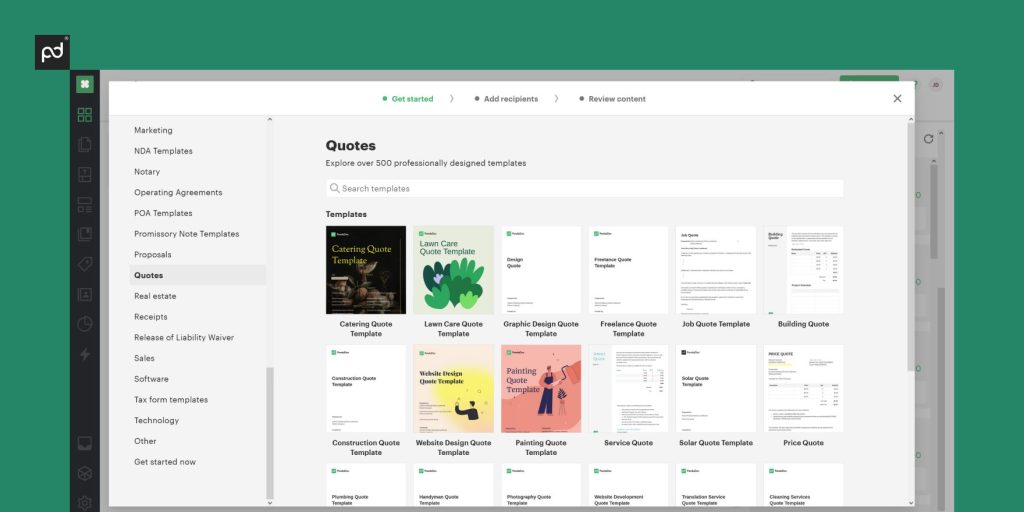
You can start by building branded, dynamic quote templates that can pull in CRM data and automatically update based on whatever products are selected. Your templates should be flexible enough to handle both simple and complex configurations.
Add your line-item logic so that quotes will clearly reflect:
- Bundle pricing
- Component-level detail
- Calculated totals
Another thing you can do is configure upsell and cross-sell suggestions that are based on compatible or commonly paired products. This helps you leverage your CPQ system for real revenue growth.
Discount logic should also tie directly to deal size, customer tier, or margin thresholds. You can apply customer-specific pricing and volume-based tiers to maintain accuracy across segments wherever necessary.
You also don’t want to forget commercial terms. This means lead times, delivery assumptions, and product disclaimers. This will make sure all quotes align with your operational standards. Consistency in these details increases trust and improves customer satisfaction.
Before moving on to the next phase, you should preview and validate how quotes change across all the different configurations, deal sizes, and customer types. You should be pretty confident in how your CPQ solution configures deals before moving on.
Week 3: Test and refine your quoting process
Goal: Validate usability, pricing accuracy, and approval behavior before full rollout.
This important phase is for stress-testing your CPQ launch.
Your sales reps should practice creating quotes for both standard and complex configurations that replicate real-world deal scenarios.
You can then evaluate pricing accuracy across:
- Different bundles
- Various quantities
- Pricing variables and calculated fields
Trigger your approval workflows intentionally here by applying larger discounts or custom pricing. Make sure that routing works correctly and that there’s no stalling when it comes to approvals.
Review margin performance across product types and customer segments. Identify any remaining gaps in CPQ configuration that could affect accurate quotes.
What’s most important is collecting feedback. Make sure to ask your reps whether they like the system, if it feels intuitive, and whether configured quotes are represented clearly for customers. This insight will help you refine your configuration rules, pricing logic, and templates before a full CPQ rollout.
Week 4: Train, launch, and monitor
Goal: Empower your team to launch with confidence and create a feedback loop.
Start by conducting role-based training sessions for your sales reps, sales ops members, and pricing stakeholders. Your sessions should be practical in nature and always focused on real quoting scenarios. The more relevant to real-world scenarios, the better!
You can provide short walkthroughs that cover:
- Building configured quotes
- Applying discounts correctly
- Handling approval workflows
Once you finish training everyone, you can launch PandaDoc CPQ to your full team! Remember to clearly communicate expectations and identify individuals who can support adoption internally.
You can also schedule a formal review 7-14 days after launch to assess early performance. In this review, you can track metrics like:
- Quote creation time
- Approval cycle time
- Pricing consistency
- Configuration errors
This performance data will help you to fine-tune pricing rules, configuration logic, and approval thresholds.
Keep in mind that a successful CPQ launch is iterative, not one-and-done.
Common blockers — and how to avoid them
Even the clearest plans can have challenges that slow your CPQ rollout.
Here are a few to look out for:
Too much customization upfront. Remember to start with the core products and essential rules. You can always expand gradually once the system is live.
Over-engineering product data. It’s better to optimize for quoting accuracy than to try to perfect back-end alignment.
Not involving sales early. Your reps should be hands-on during week 2. Early participation from your team will increase adoption and will reveal usability issues before the real launch.
Final tips for a smooth CPQ rollout
Remember to keep your first version very simple and scalable. Always collect feedback early and often. And of course, celebrate your win when you successfully launch CPQ in just 30 days!
It doesn’t have to take months when you use a platform meant for speed and usability.
Faster CPQ implementation starts with the right platform
A successful CPQ setup won’t slow you down. PandaDoc will help your revenue team complete a full CPQ launch in just 30 days with no-code configuration, dynamic templates, and native CRM integrations.
Ready to get started with PandaDoc CPQ? Contact us to schedule a demo or start a free 14-day trial.