After weeks of evaluating CPQ platforms, you’ve found the one that fits your budget and will help your team streamline sales, reduce quoting errors, and increase win rates.
Sure, speed matters, but the real value of CPQ software is in the customer data and analytics. If you’re not using CPQ analytics to understand what’s working (and what isn’t), you’re missing out on strategic advantages your competitors might already use, especially in fast-moving industries like SaaS.
Learn more about CPQ analytics, why it matters, how it can drive smarter business decisions, and what reporting features to look for in a CPQ platform.
What is CPQ software and why it matters
CPQ (Configure, Price, Quote) software helps your sales team build faster quotes for complex products, price accurately, and eliminate manual processes that slow down deals (and your team members).
CPQ solutions help teams:
- Bundle products and services
- Use pre-configured pricing tables
- Apply discount rules and approval workflows
- Automate quote and proposal generation
- Sync quote data with CRM systems
By centralizing pricing logic and approvals, CPQ ensures every quote follows your company’s pricing structure and business rules.
Read more: What is CPQ (Configure, Price, Quote)?
What is CPQ analytics?
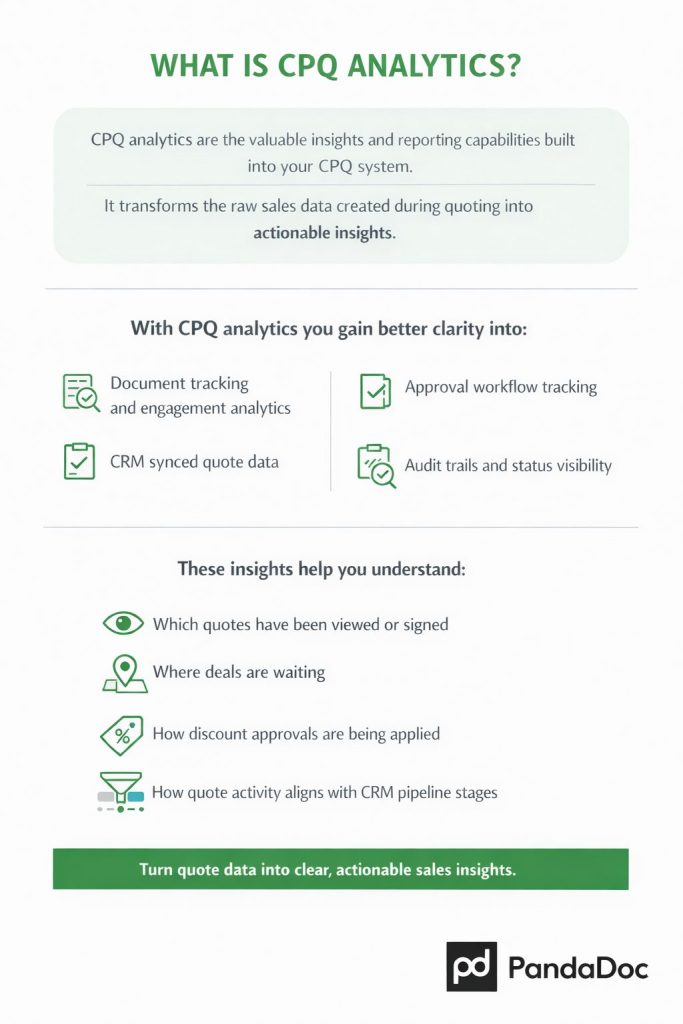
CPQ analytics are the valuable insights and reporting capabilities built into your CPQ system. It transforms the raw sales data created during quoting into actionable insights.
With PandaDoc CPQ, analytics primarily come from:
- Document tracking and engagement analytics
- Approval workflow tracking
- CRM-synced quote data
- Audit trails and status visibility
These insights help you understand:
- Which quotes have been viewed and signed
- Where deals are waiting (e.g., approvals or customer review)
- How discount approvals are being applied
- How quote activity aligns with CRM pipeline stages
How CPQ analytics drives smarter decisions
Raw data means nothing without context. When you analyze your quoting activity, you can make smarter pricing, product, and process decisions that directly impact revenue.
Refine pricing and discounting strategies
Review historical quote and discount data to set smarter thresholds to increase conversions.
Focus on profitable products
See which products or bundles are quoted and closed most often to guide packaging, promotions, and product strategy. This also helps tailor offers based on customer preferences.
Streamline sales workflows
Spot where quotes stall, from approvals to pricing reviews, and remove friction that slows your team down. This improves the overall sales cycle and enhances the customer experience.
Improve forecasting and performance
When you connect quote and pricing data with your CRM or BI tools, you can forecast more accurately and coach reps toward higher conversion rates. You can also identify buying patterns that reveal new cross-selling or upselling opportunities.
When you use CPQ analytics strategically, you can make faster, data-backed decisions, leading to higher margins, smarter product strategies, and stronger sales performance. For more ways to get the most from your system, check out these CPQ best practices.
CPQ analytics and reporting features to look for
Some CPQ tools offer basic tracking, while others go deep with real-time dashboards, customizable reports, and predictive insights.
Here’s what to look for:
Quote tracking and engagement analytics
If you can track it, you can change it. PandaDoc CPQ gives you visibility into every quote–from creation to signature.
Track which quotes have been viewed, where deals get stuck, and which proposals are driving the fastest closes. Built-in audit trails and document analytics show engagement activity, helping reps prioritize follow-up and managers spot bottlenecks.
Discount visibility and approval insights
Discounting can make or break your margins. PandaDoc CPQ lets you monitor discount patterns through approval workflows and pricing tables. You can identify over-discounting trends, enforce guardrails, and ensure managers approve only what meets your pricing strategy.
CRM-connected analytics and dashboards
PandaDoc CPQ connects with tools like Salesforce, HubSpot, and Pipedrive, allowing you to pull quote data directly into CRM reports and dashboards. That means your team gets real-time visibility into quote volume, conversion rates, and revenue impact without extra manual reporting.
Workflow and approval tracking
Automatically track approval timelines, document status, and turnaround speed. These insights help you identify process delays, streamline approvals, and boost overall sales velocity.
Data export and integration flexibility
Whether you use Salesforce, HubSpot, Power BI, or another analytics platform, your CPQ should integrate easily so your quote and pricing data can be analyzed with the rest of your sales metrics.
Forecasting through CRM alignment
PandaDoc CPQ enhances your forecasting accuracy by syncing live quote activity to your CRM pipeline. You’ll see opportunities and which quotes are actively moving toward close. This enables more accurate quotes and tighter alignment with customer satisfaction goals.
The best CPQ platforms don’t stop at reporting. They also help teams overcome common sales challenges like pricing errors, approval delays, and inconsistent quoting. PandaDoc CPQ combines configurable pricing, approvals, and CRM integrations to automate the entire quote-to-close process.
Popmenu needed a CPQ solution that could generate quotes and add structure, accuracy, and automation to their sales process. They switched to PandaDoc and it helped them to consolidate tools and roll out smarter, easier processes.
“If you’re looking for a CPQ and agreement tool that’s flexible, reliable, and actually makes your process better, PandaDoc is the way to go. It forces you to really evaluate your workflows, and you come out with a process that’s optimized and scalable.”
—Lewis Kim, Sales Operations Analyst at Popmenu
Investing in a CPQ solution is an essential step toward faster, more accurate quoting. But a CPQ solution with robust analytics means predictable growth, higher profitability, and smarter sales execution.
Turn your data into deals with CPQ analytics and reporting
If you’re ready to turn your quoting data into actionable insights to gain a competitive edge, see what PandaDoc CPQ can do for you. Start your 14-day trial today!
Frequently asked questions
-
CPQ analytics drive revenue growth by turning quote and sales data into actionable insights. This can help teams improve pricing strategies, speed up the sales cycle, and increase deal conversion rates.
By analyzing discount trends, approval bottlenecks, and buying patterns, businesses can identify opportunities for upselling, cross-selling, and product optimization. CPQ analytics also enhance forecasting accuracy, align quotes with customer preferences, and improve overall customer satisfaction, leading to higher win rates and more predictable revenue.
-
CPQ analytics enable better decision-making by providing visibility into quoting activity, pricing effectiveness, and sales performance.
With data on discount usage, deal velocity, and customer behaviors, sales leaders can identify what’s working, eliminate inefficiencies, and adjust strategies proactively. These insights support data-driven decisions around product offerings, pricing models, and sales processes.
-
CPQ analytics help optimize pricing strategies by showing how different price points, discounts, and configurations impact deal outcomes.
By analyzing quote data and customer response patterns, businesses can identify underperforming pricing models, enforce consistent discounting, and set more effective price thresholds.