Help centerLog inHelp center
Mobile Site Logo
Desktop Site Logo
    • Platform

      • Product overview
      • Contract Management
      • CPQ
      • Enterprise
    • Features

      • Image - Document generation - Icon
        Document generationAutomate document creation with customizable templates
      • Image - Payments - Icon
        PaymentsGenerate error-free quotes
tailored for every buyer
      • Image - Deal room - Icon
        Deal RoomsCollaborate and close deals in one personalized deal room
      • Image - Smart content - Icon
        Smart contentAdapt documents to the recipient's requirements
      • All features
    •  

      • automation icon
        Workflow AutomationsStreamline your workflow and reduce manual tasks
      • Approval workflow
        Approval workflowSimplify internal sign-offs before document delivery
      • Workspaces
        WorkspacesDistribute content across teams and departments
      • Tracking & analytics
        Tracking & analyticsGet insights into how users interact with your document
      • All features
    • Request a demo
    • Contact sales
    Product (Dropdown) - Featured Image
    Compare
    • vs DocuSign
    • vs Dropbox Sign
    • vs Adobe Sign
    • vs Proposify
    • View more
    • Image - Use case - Icon

      Use case

      • eSignatures
      • Proposals
      • Contracts
      • Quotes
      • Payments
      • All use cases
    • Image - Industry - Icon

      Industry

      • Software & technology
      • Professional services
      • Education
      • Healthcare
      • Construction
      • All industries
    • Image - Team - Icon

      Team

      • Sales
      • HR
      • Marketing
      • Customer success
      • Legal
      • All teams
    • Request a demo
    • Contact sales
    Customer stories
    • Image - Solution dropdown - Autodesk
      Autodesk now tracks sales metrics across its entire org
    • Image - Solution dropdown - Nomad
      Nomad cut customer acquisition costs by 20%
    • Image - Solution dropdown - TheKey
      TheKey saves 3,000 hours per year using PandaDoc
    • All customer stories
    • Sales and CRM

      • Hubspot
        Hubspot
      • Salesforce
      • pipedrive
        Pipedrive
      • monday.com
        Monday
    • Payment gateways

      • Square Logo
        Square
      • Stripe
        Stripe
      • Authorize Logo
        Authorize.net
      • Paypal Logo
        PayPal
      • QuickBooks
        QuickBooks Payments
      • FreshBooks Logo
        FreshBooks
    • Collaboration and more

      • Zapier
      • Greenhouse
        Greenhouse
      • QuickBooks
        QuickBooks
      • Slack Logo
        Slack
      • All integrations
    • API
    • Documentation
    Integration (Dropdown) - Featured Image
    CPQ Solutions
    • pipedrive
      Pipedrive CPQ
    • Hubspot
      Hubspot CPQ
    • Salesforce CPQ
      Salesforce CPQ
    • Image - Learn- Icon

      Learn

      • Customer stories
      • Community
      • Blog
      • Templates
      • Webinars
      • Learning academy
      • Security
      • Resource library
      • AI Skills Lab
    • Image - Support - Icon

      Support

      • Help center
      • Contact us
      • Onboarding services
      • Professional services
      • Premium support
      • Partner Directory
    • Image - Developers - Icon

      Developers

      • API
      • Document embedding
      • Documentation
    • Request a demo
    • Contact sales
    Resources (Dropdown) - Featured Image
    Security & Compliance
    • Signature certificate
    • Two-factor authentication
    • HIPAA compliance
    • View more
  • API
  • Pricing
Request a demoStart a trialContact Sales
Product
  • Pricing
  • Integrations
  • Features
  • Updates
  • Security
  • HIPAA
Use cases
  • Proposals
  • eSignatures
  • Quotes
  • Contracts
  • Payments
  • Forms
  • Notary
  • API
  • CPQ
  • Deal Rooms
  • All use cases
Resources
  • Help center
  • Community
  • Templates
  • Blog
  • Electronic signature law
  • How to guides
  • Developer center
  • System status
  • Onboarding services
  • Partner Directory
  • Recipes
  • AI Skills Lab
Compare
  • vs DocuSign
  • vs Dropbox Sign
  • vs Adobe Sign
  • vs Proposify
  • vs Docsend
  • All alternatives
Company
  • About us
  • Culture
  • Careers
  • Stand with Ukraine
  • Become a partner
  • Press
  • Contact us
  • Marketing Preferences

© 2026 PandaDoc Inc. All rights reserved.

Privacy Notice
    Legal
        Accessibility Statement
          Do Not Sell My Personal Information
            AI Information
              • LinkedIn
              • Facebook
              • X

              Complete your affidavit of residency Texas form, a document that you may use to obtain a driver’s license, identification card, etc. Sign and notarize your form online.

              What is a Texas residency affidavit?

              The affidavit of recidency confirms the person’s residence or being domiciled in Texas. The affidavit can be used after it has been properly filled out and notarized. It consists of several sections, which must be filled with pre-prepared and reliable information.

              When to use an affidavit of residency in Texas?

              The Texas residency affidavit form is used in the following situations:

              • When transferring to another educational institution, you need to confirm your place of residence.

              • Proof of residency is required by the court or a particular business.

              • Confirm the residence of the deceased person to receive an inheritance or release the money.

              • In some cases, students may benefit from a more affordable tuition rate due to proof of residency. But much also depends on the specific location of the student.

              • If a person owns more than one property, he or she needs to list the house or apartment where he or she resides to pay taxes. Tax conditions and rates may differ depending on the chosen residence, so it is worth considering this factor. The situation when you need an affidavit of residency depends largely on the jurisdiction in which you are located.

              • Sometimes this document may additionally be required for vehicle registration, voter registration, or driver’s license.

              Residency affidavit Texas requirements: 2022-2023

              This document is executed according to the Texas state sample. We recommend using PandaDoc, where you can prepare the necessary documentation.

              The requirements are not only the proper drafting of the affidavit but also the attachment of the necessary documents and information.

              • Provide the basic data about the person who wants to execute this document. Your name, surname, and, of course, place of residence are entered.

              • Support it with your signature and date of the affidavit.

              • Attach the documents that the customer wants to legalize if any. These can be originals or copies.

              How to notarize Texas residency affidavit online?

              You can get a Texas residency permit from the comfort of your home, thanks to PandaDoc. Follow this step-by-step procedure to fill it out:

              1. Register

              Access PandaDoc with your email and open the blank Texas residency form. You can edit the document template straight away.

              2. Complete and Sign

              Provide the required information following the instructions below on how to complete the form. Once you finish, add your e-signature and review the document making sure everything is correct on your part.

              3. Notarize online

              To notarize your Texas residency form online, you need to go to the upper menu and select the Notary option. The PandaDoc platform connects you with a real-time notary via a video conference. The notary’s job is to confirm your identity. For this, you’ll need to select one of the suggested document options.

              4. Download / Share the Form

              When the notary e-signs the form, you may use your Texas residency affidavit as a legal document. Download your pdf form, share it online or print it out.

              The advantage of remote notarization is that you don’t have to go to a notary or get on a waiting list. Everything can be done fairly quickly online.

              How to fill out Texas residency affidavit?

              First, decide the purpose of your document and study the terms that apply to filling it out correctly. Take into account only relevant information. Find a ready-made affidavit template and start filling out the information.

              When compiling a Texas residency affidavit do not forget to check all the data for errors.

              Take care of the necessary documents. First and foremost, these are the ones that prove your identity.

              Provide original documents that need to be legalized and that will be mentioned in the application. In some cases, you may need an identification code or taxpayer number. In the form you will need to enter:

              • First name and last name;

              • Residence Address;

              • City;

              • State;

              • Zip Code;

              • Applicant`s Signature;

              • Date.

              FAQ

              What is the Texas residency affidavit?

              An affidavit of residence is a legal document that confirms a certain person’s place of residence. It can be supported by additional documents. It must be notarized and signed. Often a signature under oath is required.

              How to write a Texas residency affidavit?

              It must be written in a special form following generally accepted legal norms. It’s enough to go to the PandaDoc website, enter the name of the document and instantly go to the page with a ready-made affidavit template. Familiarize yourself with the terms and peculiarities of its filling in your individual case and proceed to fill it out. It will be easier to contact online specialists. Make sure your document is on the list of documents allowed for the affidavit. Fill out the data as required, avoiding errors. Notarize the document.

              How to fill out section b of the Texas residency affidavit?

              The affidavit can be filled out in a short time, if you have experience and understanding of how this document should look under all the rules. Even though there is a ready-made template, you should fill it out responsibly, so that the document will be accepted by the authorities..

              Where to get a notarized affidavit of residency in Texas?

              You may get a Texas affidavit of residency and even have it notarized at PandaDoc. The service lets you handle the complete document preparation process online – from completion, signing, and notarization, all in one place.

              Texas residency affidavit what happens?

              Once the affidavit is filled it can be used according to your needs. A person can submit it to a university, school, bank, etc.

              Disclaimer

              Materials (e.g. templates, educational articles, blog posts and informational content), made available through PandaDoc, including via any integrations, connectors, extensions, plugins, or third-party AI platforms (e.g. ChatGPT, Claude, or similar tools) are for general information purposes only and are provided "as is." These materials do not constitute legal, regulatory, or compliance advice and should not be construed as such. It is your responsibility to ensure materials meet your specific legal requirements. Consult a qualified attorney licensed in your jurisdiction before relying on these materials. PandaDoc disclaims all warranties, express or implied, including fitness for a particular purpose or non-infringement.

              Related templates

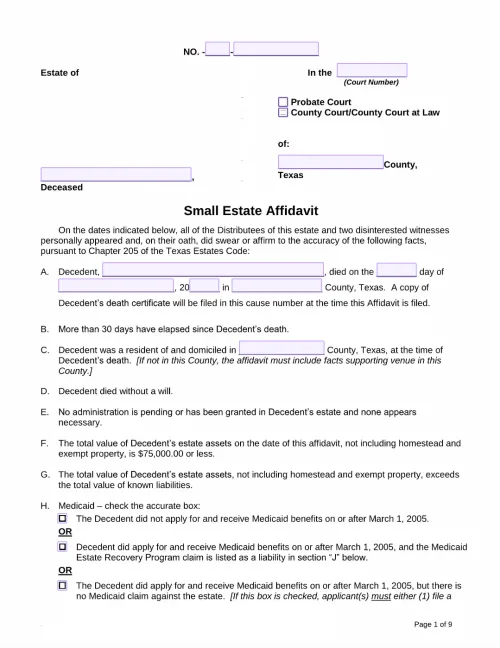
              Small Estate Affidavit Texas (TX) Form

              Small Estate Affidavit Texas (TX) Form

              If the inherited estate meets the requirements under Small Estate Affidavit Texas intestacy law, a tiny estate affidavit may be able to spare family members from an arduous process in such circumstances.

              Texas Non-disclosure Agreement Template

              Texas Non-disclosure Agreement Template

              A Non-Disclosure Agreement is a legal document that binds the parties who signed it to certain information confidentiality. Use this professionally-written Texas Non-disclosure Agreement Template.

              Small Estate Affidavit Tennessee

              Small Estate Affidavit Tennessee

              By skipping the probate process, a Small Estate Affidavit Tennessee enables you to expedite your claim for inheritance and save the necessary time and costs.

              Small Estate Affidavit New York Form

              Small Estate Affidavit New York Form

              An Affidavit of Voluntary Administration, also known as a Small Estate Affidavit New York, is a legal instrument that enables the transfer of a decedent's assets and their controlled distribution among the decedent's heirs.

              TemplatesAffidavit Forms

              Texas Residency Affidavit Form

              Use this template

              No credit card required

              Texas Residency Affidavit Form