Help centerLog inHelp center
Mobile Site Logo
Desktop Site Logo
    • Platform

      • Product overview
      • Contract Management
      • CPQ
      • Enterprise
    • Features

      • Image - Document generation - Icon
        Document generationAutomate document creation with customizable templates
      • Image - Payments - Icon
        PaymentsGenerate error-free quotes
tailored for every buyer
      • Image - Deal room - Icon
        Deal RoomsCollaborate and close deals in one personalized deal room
      • Image - Smart content - Icon
        Smart contentAdapt documents to the recipient's requirements
      • All features
    •  

      • automation icon
        Workflow AutomationsStreamline your workflow and reduce manual tasks
      • Approval workflow
        Approval workflowSimplify internal sign-offs before document delivery
      • Workspaces
        WorkspacesDistribute content across teams and departments
      • Tracking & analytics
        Tracking & analyticsGet insights into how users interact with your document
      • All features
    • Request a demo
    • Contact sales
    Product (Dropdown) - Featured Image
    Compare
    • vs DocuSign
    • vs Dropbox Sign
    • vs Adobe Sign
    • vs Proposify
    • View more
    • Image - Use case - Icon

      Use case

      • eSignatures
      • Proposals
      • Contracts
      • Quotes
      • Payments
      • All use cases
    • Image - Industry - Icon

      Industry

      • Software & technology
      • Professional services
      • Education
      • Healthcare
      • Construction
      • All industries
    • Image - Team - Icon

      Team

      • Sales
      • HR
      • Marketing
      • Customer success
      • Legal
      • All teams
    • Request a demo
    • Contact sales
    Customer stories
    • Image - Solution dropdown - Autodesk
      Autodesk now tracks sales metrics across its entire org
    • Image - Solution dropdown - Nomad
      Nomad cut customer acquisition costs by 20%
    • Image - Solution dropdown - TheKey
      TheKey saves 3,000 hours per year using PandaDoc
    • All customer stories
    • Sales and CRM

      • Hubspot
        Hubspot
      • Salesforce
      • pipedrive
        Pipedrive
      • monday.com
        Monday
    • Payment gateways

      • Square Logo
        Square
      • Stripe
        Stripe
      • Authorize Logo
        Authorize.net
      • Paypal Logo
        PayPal
      • QuickBooks
        QuickBooks Payments
      • FreshBooks Logo
        FreshBooks
    • Collaboration and more

      • Zapier
      • Greenhouse
        Greenhouse
      • QuickBooks
        QuickBooks
      • Slack Logo
        Slack
      • All integrations
    • API
    • Documentation
    Integration (Dropdown) - Featured Image
    CPQ Solutions
    • pipedrive
      Pipedrive CPQ
    • Hubspot
      Hubspot CPQ
    • Salesforce CPQ
      Salesforce CPQ
    • Image - Learn- Icon

      Learn

      • Customer stories
      • Blog
      • Templates
      • Webinars
      • Learning academy
      • Security
      • Resource library
      • AI Skills Lab
    • Image - Support - Icon

      Support

      • Help center
      • Contact us
      • Onboarding services
      • Professional services
      • Premium support
      • Partner Directory
    • Image - Developers - Icon

      Developers

      • API
      • Document embedding
      • Documentation
    • Request a demo
    • Contact sales
    Resources (Dropdown) - Featured Image
    Security & Compliance
    • Signature certificate
    • Two-factor authentication
    • HIPAA compliance
    • View more
  • API
  • Pricing
Contact salesStart a trialContact Sales
Product
  • Pricing
  • Integrations
  • Features
  • Updates
  • Security
  • HIPAA
Use cases
  • Proposals
  • eSignatures
  • Quotes
  • Contracts
  • Payments
  • Forms
  • Notary
  • API
  • CPQ
  • Deal Rooms
  • All use cases
Resources
  • Help center
  • Templates
  • Blog
  • Electronic signature law
  • How to guides
  • Developer center
  • System status
  • Onboarding services
  • Partner Directory
  • Recipes
  • AI Skills Lab
Compare
  • vs DocuSign
  • vs Dropbox Sign
  • vs Adobe Sign
  • vs Proposify
  • vs Docsend
  • All alternatives
Company
  • About us
  • Culture
  • Careers
  • Stand with Ukraine
  • Become a partner
  • Press
  • Contact us
  • Marketing Preferences

© 2026 PandaDoc Inc. All rights reserved.

Privacy Notice
    Legal
        Accessibility Statement
          Do Not Sell My Personal Information
            AI Information
              • LinkedIn
              • Facebook
              • X

              What is a commercial loan application form used for?

              When companies want to take on large projects, they may not have funds on hand to cover the costs upfront.

              If they do have cash reserves, they may want to preserve those funds for an emergency. In either case, the business can choose to take out a commercial loan to get the funds they need to complete their project.

              A commercial loan application is a form they use to apply for a loan in the first place. Lending institutions use these forms to judge whether giving a business a loan is a good investment.

              If a company doesn’t have a good financial history or a solid repayment plan, lenders may choose not to extend them a loan.

              What does the loan application process involve?

              There are generally three phases to a commercial loan application. First, the applicant business will submit the relevant information through an application form.

              The lender will examine the submission and run initial checks on the company to see whether the application is worth pursuing.

              If the business passes these first checks, the lender may request an in-person meeting along with additional information. This phase involves more in-depth research to look for unusual risks that may not be obvious on the initial form.

              Finally, if the lender believes the business is a good investment, they will make a loan offer with repayment terms. The company that requested the loan can then choose to accept or decline the offer.

              What should a commercial loan application form include?

              The purpose of a loan application is to collect relevant information about the business so a lender can judge whether to offer a loan. To do this, the application form gathers information, including:

              • ‌Applicant contact information:The applicant’s name, address, phone number, and any other important information.

              • ‌The loan amount:How much money the applicant is requesting to borrow.

              • ‌The purpose of the loan:What the business will use the money for, such as new facilities or equipment.

              • ‌ A description of the business and its history:What the applying business does, how long it’s been in business, and any critical events.

              • ‌The management team for the business and their responsibilities:The members of the senior decision-makers and their roles.

              • ‌The business’s financial history:Major financial events in the business’s history and its current financial status.

              • ‌The financial projections demonstrating how the loan will be paid back:The applicant’s plan for paying off the loan over time and where those funds will come from.

              • ‌Any collateral for the loan‌:A description of any property the company offers in exchange if they aren’t able to pay off the loan, like equipment or buildings.

              • A signature field to ensure that the application is legally sound:The signature should be that of the business owner.

              Is a commercial loan application form the same as a small business loan application?

              Commercial loans and small business loans are related, but they have different eligibility requirements. A small business loan, also called an SBA loan, is a loan backed in part by the federal government.

              Lenders offering SBA loans face less risk because the government has guaranteed that they will receive a certain amount back no matter what.

              That allows lenders to be more relaxed with their eligibility requirements. So, if a business owner meets the SBA’s requirements, they can get an SBA loan with fewer hurdles.

              On the other hand, a commercial loan is not backed by the government. Businesses do not need to meet SBA requirements to get a commercial loan. Still, they will face stricter terms and eligibility requirements from the lender.

              FAQ

              Should you use a template to create a commercial loan application form?

              If you regularly use commercial loan applications in your financial organization, you will likely benefit from using a template to create them.

              Anytime you need a new form, you can use the template to ensure you’ve included all the required sections and maintained robust legal elements. Furthermore, by removing the need to write new forms from scratch, you can save time, money, and effort.

              Download the free template from PandaDoc to get started. It’s fully customizable, free, and can be used as the basis for your commercial loan application forms going forward.‌

              What are the benefits of online commercial loan application forms? 

              Using an online commercial loan application form as the first step of the application process offers several benefits.

              Lenders appreciate these forms because they:

              • Provide a straightforward method to collect relevant information and documentation in one place

              • ‌Offer the opportunity to filter potential clients upfront

              • ‌Allow simple transfer of information into databases

              • ‌Lower costs by reducing the need to print and store paper

              • ‌Simplify form creation with the use of templates to reduce time and effort spent

              ‌Any organization that offers commercial loan services will need to collect applicant information; custom loan application forms are the simplest way to do so.

              What is a commercial loan application form?

              A commercial loan application form is a document that businesses use to request a loan from a lender like a bank or credit union. Application forms are the first step of a more extensive application process.

              They give lending organizations the initial information they need to judge whether a business is a good investment and how much interest to charge on the loan.

              Who can apply for commercial loan?

              Commercial loans can be taken on by anyone who operates a business or runs a financial institution. This includes self employed people, or entities such as limited liability companies, partnership firms, trusts, corporations, sole proprietorships, and more. In most cases, small and medium businesses opt for a commercial loan.

              What documents should I look for in a commercial loan?

              To apply for a commercial loan, you will need documents such as your personal credit score, business credit score, company permits and licenses, information about your company and/or yourself, such as entity type, EIN number, Tax ID, etc. You will also need to show tax returns of yourself and your business, bank statements, profit and loss statements, debt schedule, business plan, etc.

              Disclaimer

              Materials (e.g. templates, educational articles, blog posts and informational content), made available through PandaDoc, including via any integrations, connectors, extensions, plugins, or third-party AI platforms (e.g. ChatGPT, Claude, or similar tools) are for general information purposes only and are provided "as is." These materials do not constitute legal, regulatory, or compliance advice and should not be construed as such. It is your responsibility to ensure materials meet your specific legal requirements. Consult a qualified attorney licensed in your jurisdiction before relying on these materials. PandaDoc disclaims all warranties, express or implied, including fitness for a particular purpose or non-infringement.

              Related templates

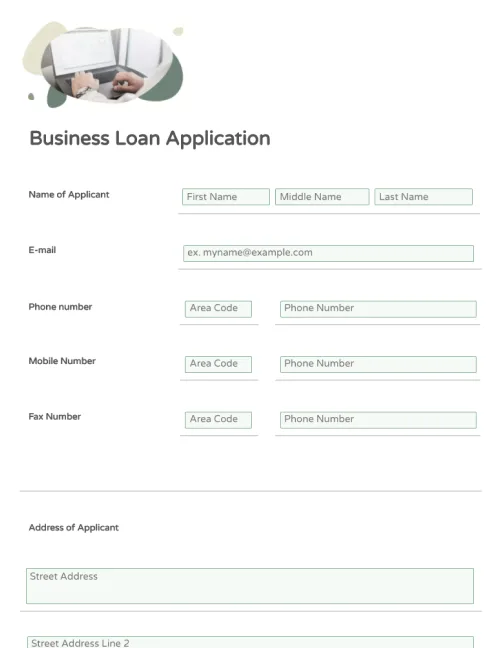
              Business Loan Application Form

              Business Loan Application Form

              Build business loan application forms quickly and easily with PandaDoc’s drag-and-drop template. Customize your forms in minutes and streamline your financial organization’s document workflow.

              Bank Loan Proposal Template
              TOP RATED

              Bank Loan Proposal Template

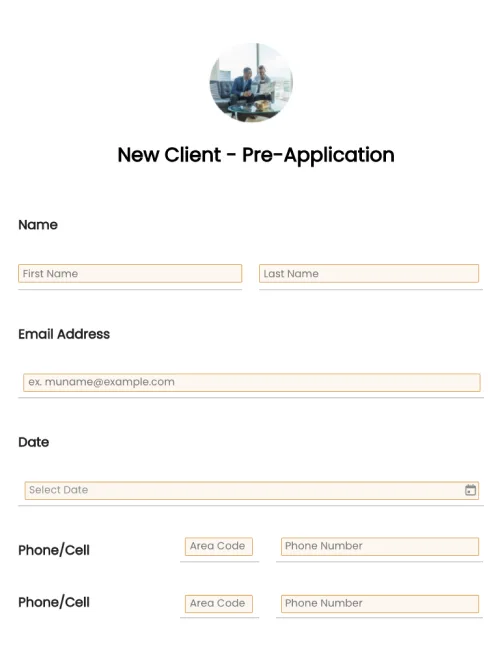
              Loan Pre-Application Form

              Loan Pre-Application Form

              Easily create a customized loan pre-application form in a few clicks. Streamline contract management of the loan process in a timely manner. ‌

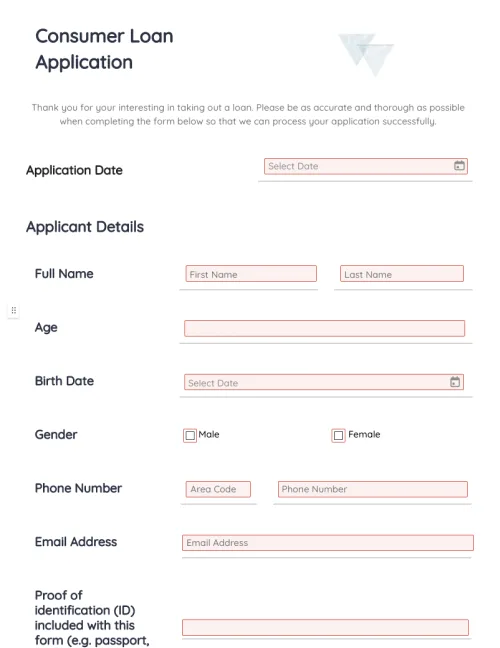
              Consumer Loan Application Form

              Consumer Loan Application Form

              Create your consumer loan application form in a few clicks. Add unique links and drag-and-drop information fields. Streamline your document workflows, get reliable data, and save time and resources.

              TemplatesForms

              Commercial Loan Application Form

              Create commercial loan application forms in minutes, complete with electronic signatures and drag-and-drop information fields. Streamline your document workflows and save time and resources for your financial organization.

              Use this template

              No credit card required

              Commercial Loan Application Form