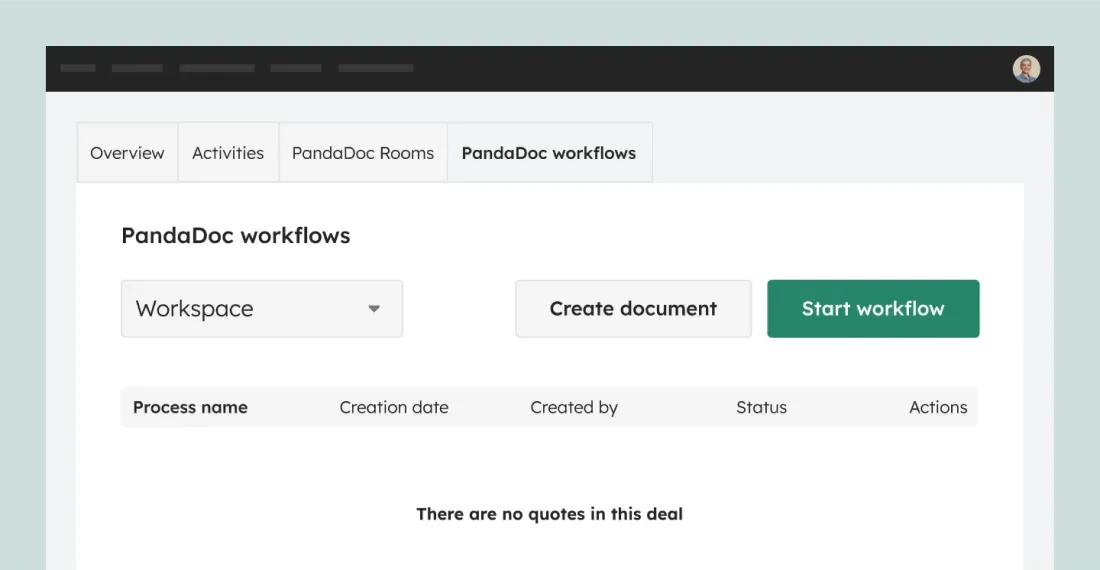

Eliminate manual errors
Leave no room for error. Automate calculations and apply logic-based rules based on your CRM data as a singular source of truth to ensure that every quote is accurate.
PandaDoc CPQ makes quoting seamless — set pricing rules,
get approvals fast, and send for signature, all without leaving
your CRM.
No credit card required












Configure, price, quote (CPQ) solutions are designed to simplify and automate sales processes. These tools are critical in modern quoting processes, where solutions are customized and units are modular. Every line item counts.
Unfortunately, modern CPQ solutions can cause more problems than they solve. Many are difficult to adopt or lack the functionality required to fully connect with your existing tech stack.
PandaDoc CPQ focuses on user-friendly tools and effortless integration with leading CRMs like HubSpot and Salesforce. Our flexible document editor, and powerful integrations work together to help reps create custom quotes in a matter of seconds.
That’s the magic of PandaDoc CPQ.

Leave no room for error. Automate calculations and apply logic-based rules based on your CRM data as a singular source of truth to ensure that every quote is accurate.

Build complex, custom quotes in minutes with powerful rules-based pricing engines. Automatically add in upsells and discounts to incentivize customers to extend the duration of their contract or add in supplemental products. Customers can select what they want and quotes will update in real time.

Tired of slow signoffs? Use built-in signing order rules and approval workflows to route quotes to the right people instantly and keep deals moving. Easily track changes and see them reflected within your CRM with two way integrations.
Our native integrations bring PandaDoc into your CRM for an enhanced configure, price, quote process that generates professional quotes, ensures pricing accuracy, and closes deals faster.

PandaDoc CPQ for Pipedrive
Our Pipedrive CPQ integration accelerates growing revenue teams with easy-to-use, enterprise-grade functionality.

PandaDoc CPQ for Salesforce
Lockdown quote compliance and turn deals around fast with a CPQ solution built for businesses powered by Salesforce.

PandaDoc CPQ for Hubspot
Reduce bottlenecks and escalations with guided selling tools that let reps run entire deals without ever leaving Hubspot.

Complete solutions often require complex configurations. Many products or services are contingent upon individual components, which reps can easily overlook while building custom quotes.
PandaDoc CPQ allows administrators to create bundles and pre-defined rulesets, ensuring that all necessary components are included during the quoting process. This eliminates guesswork and errors, so that reps can build quotes without needing to worry about missed add-ons or compatibility.

Between loyalty programs, discount deals, and long-standing contacts, pricing changes are easy to overlook and a headache to resolve.
Using its real-time pricing engine, PandaDoc CPQ can automatically apply discounts, calculate custom pricing, and adhere to customer-specific rules set by your team. You can even set approval workflows so that pricing beyond a specific limit triggers a separate review process.

Live document creation is central to the PandaDoc platform. Sales leads can use the onboard editor to design great-looking quote templates and plug them into the CPQ process as a turnkey quoting solution. Quotes can include pricing tables, terms and conditions, multimedia, and other essential business details.
Because PandaDoc CPQ pulls data from your CRM, it’s possible to combine customer details, custom product configurations, and dynamic pricing with stunning layouts to create an unforgettable presentation.

















PandaDoc utilizes two-way data synchronization between leading CRMs and its document creation tools. Customer data can be used to pre-populate documents within PandaDoc, while quotes are also passed back to customer profiles within your CRM.
This frictionless handoff between tools ensures that you’re always working with up-to-date data when building quotes, further reducing the potential for errors while accelerating your document workflow.

Robust product catalogs can lead to sales paralysis and rep confusion. Guided selling tools walk reps through the configuration and help them select the best products and services for customers.
PandaDoc CPQ enables teams to automate these best practices by embedding rules directly into the sales workflow. That way, team members can deliver accurate, tailored quotes even when lacking product knowledge or specific expertise.

Quotes that meet certain conditions, like specific pricing thresholds, may need to be reviewed by a manager or member of the finance team.
PandaDoc keeps the sales process moving with automated approval workflows. Create rules to trigger the review process. When thresholds are met, documents are immediately routed to the appropriate parties, where they can be approved or rejected with a single click.

Manual quotes take time to prepare — time that could cost you the deal. With PandaDoc CPQ, teams can generate and deliver professional quotes to hot leads in record time.

Pricing errors and misconfigured solutions erode trust and destroy deals. PandaDoc CPQ offers dynamic pricing rules and click-to-add order creation, so every quote remains accurate during negotiation.

Import your CRM data to your quotes. Tie your quotes to CRM-based opportunities and customer profiles. Easily transfer data and details between PandaDoc and leading CRMs.

PandaDoc’s HubSpot integration is second to none in comparison to competitors. It allows us to get a lot of information from the CRM directly into PandaDoc.
92%
reduction in proposal creation time
20%
reduction in customer acquisition costs

PandaDoc has a personal touch — they listen, adapt, and support us like true partners. This has made all the difference. I know I can reach out to them anytime. They take their time to walk us through everything, and I can trust that they’ll help us resolve any issues quickly.
25%
more documents sent per month
46x
faster to get a signature compared to Docusign

PandaDoc has enhanced the purchasing experience for our buyers and sales team. We’ve halved proposal creation time while demonstrating value in every single proposal. It’s helped us close more deals, save time and maintain our brand’s integrity.
50%
reduction in proposal creation time
84%
of proposals viewed by prospects
Sales teams
Close deals faster with accurate, professional quotes designed around customer needs. Dynamic pricing and product configurations eliminate errors and guesswork, so reps can deliver consistent solutions in record time.

Level up your sales workflow with PandaDoc CPQ. Talk to a product specialist for a personalized product walkthrough.
Tailored to your needs
Answers all your questions
No commitment to buy

While most CPQ solutions offer a means to optimize workflows and minimize errors, many have extensive implementation and training requirements. Some require manual product inputs or lack the integration capabilities needed to create a truly seamless workflow.
PandaDoc CPQ combines a user-friendly interface with deep CRM integrations and onboard document generation (a must when optimizing your sales cycles!). Teams can build quotes more with automation tools while maintaining control over their data and the look and feel of their documentation.
As a platform, PandaDoc integrates with dozens of productivity tools and most leading CRMs.
However, our CPQ functionality is most deeply integrated with HubSpot and Salesforce via their respective apps. PandaDoc CPQ can also function as a standalone product.
Quote rules allow sales managers to solve complex workflow problems by changing how products and data interact with quotes.
Rules are set up using WHEN/THEN logic, and administrators can specify which conditions must be met before the rule triggers. This logic provides a wide range of flexibility, allowing managers to accommodate specific accounts, package requirements, or specialized pricing.
This depends on how you choose to use PandaDoc CPQ.
If you’re using HubSpot or Salesforce with PandaDoc CRM, your data and product information will remain there and can be accessed when building quotes directly inside the CRM interface.
However, PandaDoc also has its own CRM and product catalog. If you’re a smaller organization in need of a complex quoting solution, PandaDoc offers onboard data tools to help you store product and customer information.
PandaDoc CPQ is an optional (paid) add-on for PandaDoc Enterprise plans.