Help centerLog inHelp center
Mobile Site Logo
Desktop Site Logo
    • Platform

      • Product overview
      • Contract Management
      • CPQ
      • Enterprise
    • Features

      • Image - Document generation - Icon
        Document generationAutomate document creation with customizable templates
      • Image - Payments - Icon
        PaymentsGenerate error-free quotes
tailored for every buyer
      • Image - Deal room - Icon
        Deal RoomsCollaborate and close deals in one personalized deal room
      • Image - Smart content - Icon
        Smart contentAdapt documents to the recipient's requirements
      • All features
    •  

      • automation icon
        Workflow AutomationsStreamline your workflow and reduce manual tasks
      • Approval workflow
        Approval workflowSimplify internal sign-offs before document delivery
      • Workspaces
        WorkspacesDistribute content across teams and departments
      • Tracking & analytics
        Tracking & analyticsGet insights into how users interact with your document
      • All features
    • Request a demo
    • Contact sales
    Product (Dropdown) - Featured Image
    Compare
    • vs DocuSign
    • vs Dropbox Sign
    • vs Adobe Sign
    • vs Proposify
    • View more
    • Image - Use case - Icon

      Use case

      • eSignatures
      • Proposals
      • Contracts
      • Quotes
      • Payments
      • All use cases
    • Image - Industry - Icon

      Industry

      • Software & technology
      • Professional services
      • Education
      • Healthcare
      • Construction
      • All industries
    • Image - Team - Icon

      Team

      • Sales
      • HR
      • Marketing
      • Customer success
      • Legal
      • All teams
    • Request a demo
    • Contact sales
    Customer stories
    • Image - Solution dropdown - Autodesk
      Autodesk now tracks sales metrics across its entire org
    • Image - Solution dropdown - Nomad
      Nomad cut customer acquisition costs by 20%
    • Image - Solution dropdown - TheKey
      TheKey saves 3,000 hours per year using PandaDoc
    • All customer stories
    • Sales and CRM

      • Hubspot
        Hubspot
      • Salesforce
      • pipedrive
        Pipedrive
      • monday.com
        Monday
    • Payment gateways

      • Square Logo
        Square
      • Stripe
        Stripe
      • Authorize Logo
        Authorize.net
      • Paypal Logo
        PayPal
      • QuickBooks
        QuickBooks Payments
      • FreshBooks Logo
        FreshBooks
    • Collaboration and more

      • Zapier
      • Greenhouse
        Greenhouse
      • QuickBooks
        QuickBooks
      • Slack Logo
        Slack
      • All integrations
    • API
    • Documentation
    Integration (Dropdown) - Featured Image
    CPQ Solutions
    • pipedrive
      Pipedrive CPQ
    • Hubspot
      Hubspot CPQ
    • Salesforce CPQ
      Salesforce CPQ
    • Image - Learn- Icon

      Learn

      • Customer stories
      • Blog
      • Templates
      • Webinars
      • Learning academy
      • Security
      • Resource library
      • AI Skills Lab
    • Image - Support - Icon

      Support

      • Help center
      • Contact us
      • Onboarding services
      • Professional services
      • Premium support
      • Partner Directory
    • Image - Developers - Icon

      Developers

      • API
      • Document embedding
      • Documentation
    • Request a demo
    • Contact sales
    Resources (Dropdown) - Featured Image
    Security & Compliance
    • Signature certificate
    • Two-factor authentication
    • HIPAA compliance
    • View more
  • API
  • Pricing
Start a trialRequest a demo

AI Data Extraction

Get clear insights from every contract

Capture document details automatically and eliminate manual data entry. Turn every agreement into clear, searchable insights for your business.

Request a demo
Start free 14-day trial

No credit card required.

Hubspot G2
G2 Fall 2026 - Best Results badge
Video thumbnail

Over 60,000 companies rely on PandaDoc to streamline document creation

Autodesk
HP
TomTom
Boeing
Sylvan Learning
Rakuten
SGS
Konika Minolta
PepsiCo
Zoetis
Bonusly
Tata Steel

What is AI data extraction?

AI data extraction automatically identifies and pulls key information from your agreements — like dates, terms, parties, and values — then converts it into structured data.

Document extraction AI works with both new and legacy agreements, building a comprehensive database over time. This data becomes searchable across your entire agreement library, so you can generate accurate reports and gain visibility into terms and deadlines without any manual data entry work.

Get more done with AI document extraction

AI Proposal data extraction

Transform contracts into organized data

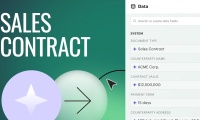
Upload any contract and AI automatically extracts critical details, organizing them into structured data fields you can easily track and manage.

Ai Document Types 2

Eliminate manual work and errors

Stop copying contract details into spreadsheets. AI handles data capture automatically while you focus on strategic work that drives results.

Search Contract Details

Find contract details instantly

Need contracts over $50K expiring next quarter? Easily search, filter, and generate reports for complete visibility into your commitments.

Why teams use AI-powered data extraction

  • Sales

    Better tracking for deal terms and contract renewals

    Extracting key data from contracts and deals — including terms, renewal timelines, customer details, and total value — allows sales teams to easily stay on top of active contracts and identify new opportunities for growth and expansion.

    Learn more
    Sales
  • Legal

    Maintain visibility into organizational risk and compliance

    Legal teams can use captured contract data to monitor commitments and terms while reducing organizational risk across large volumes of agreements. This automated approach ensures nothing falls through the cracks during review processes.

    Learn more
    Legal amethyst
  • Finance

    Improve reporting with accurate contract data insights

    Agreement data supports comprehensive reporting and forecasting. Finance teams can analyze contract information more efficiently and use extracted data to improve decision-making, budget planning, and renewal projections across the organization.

    Learn more
    Finance Amethyst
  • Operations

    Streamline document workflows at scale across teams

    Automated data extraction across all document types speeds up internal workflows by dramatically reducing the time required to manage documents across your workspace. Teams can focus on critical work instead of manual data entry and processing tasks.

    Learn more
    Operations

Turn every contract into usable data

Ai Extract Key Data

Extract key data from contracts automatically

Our AI powered document extraction identifies over 100 document types and critical data fields. Machine learning and OCR technology enables fast, accurate data capture without any manual effort or setup required.

Folder Contract Repository Expiration Date@2x

Compile and categorize captured data

Extracted information is automatically categorized into clean, searchable fields making it easier to compare and manage agreements across your portfolio. Transform static PDFs into actionable data you can search and analyze.

Arrow Ai Extracted Data

Review and approve all extracted data

Our AI presents exactly what it’s found, and you can validate, edit, or approve results before anything is finalized in your system. Maintain complete control over your data while benefiting from powerful automation capabilities.

Renewal and Expiration organized UI.

Build a comprehensive contract database

Validated data automatically joins your searchable contract repository with every business agreement you process. As you add more contracts over time, your insights become increasingly comprehensive and valuable for decision-making.

Learn how to get started with PandaDoc AI data extraction

Learn more about PandaDoc AI tools

Link: Learn more
ai-content@2x

Document management with PandaDoc’s AI Assistant

Learn more
Link: Learn more
Ai Transforming Contract

How AI is transforming contract management

Learn more
Link: Learn more
Ai Tools

12 best AI tools for productivity

Learn more

Get instant visibility across every document

Get personalized 1:1 demo with our product specialist.

  • Tailored to your needs

  • Answers all your questions

  • No commitment to buy

Chili Piper

ChiliPiper increased their close rate by 28% after implementing PandaDoc.

Schedule your free live demo

  1. 1Fill out the form
  2. 2Book a time slot
  3. 3Attend a demo

By submitting this form, I agree that theTerms of ServiceandPrivacy Noticewill govern the use of services I receive and personal data I provide respectively.

Frequently asked questions

  • Data extraction AI solutions are designed to extract specific data from documents you upload or create in PandaDoc, but it can’t be used to scrape external websites.

    Within PandaDoc, metadata extraction is processed directly into your workspace and held securely for use in end-to-end process, reporting, and analysis.

  • While not strictly necessary, artificial intelligence data extraction offers scalability and optimization opportunities that would be tedious and time-consuming to replicate with manual labor.

    For example, AI based data extraction can process and categorize data across thousands of documents very quickly. To create something similar, human users would need to manually scan every document, find data and add it to an Excel or Google Docs spreadsheet, then export that CSV to another tool for further analysis. Even then, the data may carry mistakes due to typos and other human errors.

  • With PandaDoc, AI data extract relies on artificial intelligence, OCR, and machine learning models to analyze documents and extract information.

    Data is captured and organized into structured fields, and teams can validate that information before it becomes searchable and reportable.

  • Document data extraction AI supports scalability by processing large volumes of documents without increasing manual workflow.

    Teams can streamline data capture, maintain high-quality data, and continue managing documents efficiently as volume increases.

  • Yes, PandaDoc uses OCR to process scanned documents and PDFs. PandaDoc’s AI extraction solutions are looking for specific data — such as pricing information or contract terms — within each document.

Product
  • Pricing
  • Integrations
  • Features
  • Updates
  • Security
  • HIPAA
Use cases
  • Proposals
  • eSignatures
  • Quotes
  • Contracts
  • Payments
  • Forms
  • Notary
  • API
  • CPQ
  • Deal Rooms
  • All use cases
Resources
  • Help center
  • Templates
  • Blog
  • Electronic signature law
  • How to guides
  • Developer center
  • System status
  • Onboarding services
  • Partner Directory
  • Recipes
  • AI Skills Lab
Compare
  • vs DocuSign
  • vs Dropbox Sign
  • vs Adobe Sign
  • vs Proposify
  • vs Docsend
  • All alternatives
Company
  • About us
  • Culture
  • Careers
  • Stand with Ukraine
  • Become a partner
  • Press
  • Contact us
  • Marketing Preferences

© 2026 PandaDoc Inc. All rights reserved.

Privacy Notice
    Legal
        Accessibility Statement
          Do Not Sell My Personal Information
            AI Information