Help centerLog inHelp center
Mobile Site Logo
Desktop Site Logo
    • Platform

      • Product overview
      • Contract Management
      • CPQ
      • Enterprise
    • Features

      • Image - Document generation - Icon
        Document generationAutomate document creation with customizable templates
      • Image - Payments - Icon
        PaymentsGenerate error-free quotes
tailored for every buyer
      • Image - Deal room - Icon
        Deal RoomsCollaborate and close deals in one personalized deal room
      • Image - Smart content - Icon
        Smart contentAdapt documents to the recipient's requirements
      • All features
    •  

      • automation icon
        Workflow AutomationsStreamline your workflow and reduce manual tasks
      • Approval workflow
        Approval workflowSimplify internal sign-offs before document delivery
      • Workspaces
        WorkspacesDistribute content across teams and departments
      • Tracking & analytics
        Tracking & analyticsGet insights into how users interact with your document
      • All features
    • Request a demo
    • Contact sales
    Product (Dropdown) - Featured Image
    Compare
    • vs DocuSign
    • vs Dropbox Sign
    • vs Adobe Sign
    • vs Proposify
    • View more
    • Image - Use case - Icon

      Use case

      • eSignatures
      • Proposals
      • Contracts
      • Quotes
      • Payments
      • All use cases
    • Image - Industry - Icon

      Industry

      • Software & technology
      • Professional services
      • Education
      • Healthcare
      • Construction
      • All industries
    • Image - Team - Icon

      Team

      • Sales
      • HR
      • Marketing
      • Customer success
      • Legal
      • All teams
    • Request a demo
    • Contact sales
    Customer stories
    • Image - Solution dropdown - Autodesk
      Autodesk now tracks sales metrics across its entire org
    • Image - Solution dropdown - Nomad
      Nomad cut customer acquisition costs by 20%
    • Image - Solution dropdown - TheKey
      TheKey saves 3,000 hours per year using PandaDoc
    • All customer stories
    • Sales and CRM

      • Hubspot
        Hubspot
      • Salesforce
      • pipedrive
        Pipedrive
      • monday.com
        Monday
    • Payment gateways

      • Square Logo
        Square
      • Stripe
        Stripe
      • Authorize Logo
        Authorize.net
      • Paypal Logo
        PayPal
      • QuickBooks
        QuickBooks Payments
      • FreshBooks Logo
        FreshBooks
    • Collaboration and more

      • Zapier
      • Greenhouse
        Greenhouse
      • QuickBooks
        QuickBooks
      • Slack Logo
        Slack
      • All integrations
    • API
    • Documentation
    Integration (Dropdown) - Featured Image
    CPQ Solutions
    • pipedrive
      Pipedrive CPQ
    • Hubspot
      Hubspot CPQ
    • Salesforce CPQ
      Salesforce CPQ
    • Image - Learn- Icon

      Learn

      • Customer stories
      • Blog
      • Templates
      • Webinars
      • Learning academy
      • Security
      • Resource library
      • AI Skills Lab
    • Image - Support - Icon

      Support

      • Help center
      • Contact us
      • Onboarding services
      • Professional services
      • Premium support
      • Partner Directory
    • Image - Developers - Icon

      Developers

      • API
      • Document embedding
      • Documentation
    • Request a demo
    • Contact sales
    Resources (Dropdown) - Featured Image
    Security & Compliance
    • Signature certificate
    • Two-factor authentication
    • HIPAA compliance
    • View more
  • API
  • Pricing
Request a demoStart a trialContact Sales

SIGNATURE REQUESTS

Unlimited digital signatures for docs and forms

Tired of signing and uploading printed documents? Annoyed by transaction limits on e-signing platforms?

Request a demo
Start free 14-day trial

No credit card required

G2 Leader Mid-Market
G2 Best Usability Mid-Market
G2 Fastest Implementation Mid-Market
G2 Users Most Likely To Recommend Mid-Market
Signature Request

68,000 businesses use PandaDoc for e-signing & document creation

Autodesk
Boeing
SGS
AOL
Konika Minolta
Rakuten
TomTom
HP
PepsiCo
Zoetis
Bonusly
Chick-fil-A

What is a digital signature request?

A digital signature request is an invitation to sign a document using electronic means. Rather than printing, signing, and scanning a document, recipients can add legally binding signatures with a few clicks from a computer or mobile device.

Most providers offer e-signing functionality in conjunction with limited document preparation. Files can be uploaded to an e-signing platform and converted to PDFs where users can (painstakingly) add e-signature blocks or related fields before distributing the document to the signer’s email address.

Many e-signature providers also set transaction and envelope limits to restrict the number of signatures that can be collected before users incur additional fees.

At PandaDoc, we offer a digital signature solution that far exceeds the standard experience. Teams can create document templates entirely from scratch with a wide range of dynamic content options, build robust forms, collaborate with important stakeholders before sending, and much more. It’s even possible to set a signing order or request signatures from multiple parties at once!

At the end of the document workflow, it’s possible to request signatures via email, link, or SMS and finalize documents via a secure and trackable process.

And the best part? With PandaDoc, there is no limit to the number of signature requests you can send.

Close deals faster with automated signature requests

Ensure all documents are legally binding

Ensure all documents are legally binding

PandaDoc complies with laws like the ESIGN Act and eIDAS so that captured signatures are legally enforceable.

Gather consensus from multiple parties

Gather consensus from multiple parties

Need signatures from several recipients? Add multiple signature requests and specific signing orders to your document.

Simplify the digital signing process

Simplify the digital signing process

Meet signers where they are. With PandaDoc, recipients can sign from any device with an internet connection. Simply send them a link via text or messaging app, or collect a digital signature in person on your device.

How to use signature requests

for your org

Workflow Approval

Create a signature request workflow that works

Juggling document creation and signing processes across multiple platforms can be frustrating.

PandaDoc streamlines the entire document strategy so that all aspects of your process, from internal document review and approval, to automated signature request reminders, are simple and easy.

Create documents from scratch, add custom fields, and sign documents all in one place.

Activity

Track signature requests and take action

PandaDoc offers complete visibility over your entire signature request workflow.

Teams can easily track document progress in real time. When processes stall, it’s easy to send email notifications and automated reminders to get workflows back on track.

For complex documents, tools like a pre-set e-signing order can help to accelerate processes by ensuring that documents are reviewed and approved in the correct sequence.

Security

Give your documents legal standing

PandaDoc defends against non-repudiation by ensuring that all electronic signatures are legally valid.

We also provide extensive audit trails and generate one-of-a-kind digital signature certificates so that you’ll have a detailed history of the entire signing process.

Verification Sms

Easily ensure signer validity

Every PandaDoc signature request is supported by robust security measures to guarantee document authenticity.

PandaDoc utilizes public key infrastructure (PKI) technology to ensure that document details and signatures are encrypted.

Users can also enable advanced authentication methods like SMS codes, knowledge-based authentication, one-time passwords, and more to add an extra layer of security.

Security Signature

Get a unique certificate when signing is complete

Once your document has been signed by all parties, PandaDoc will generate a unique certificate with timestamps that confirms the document is complete.

You can also set up an automation email notification that includes a PDF copy of both the document and the certificate.

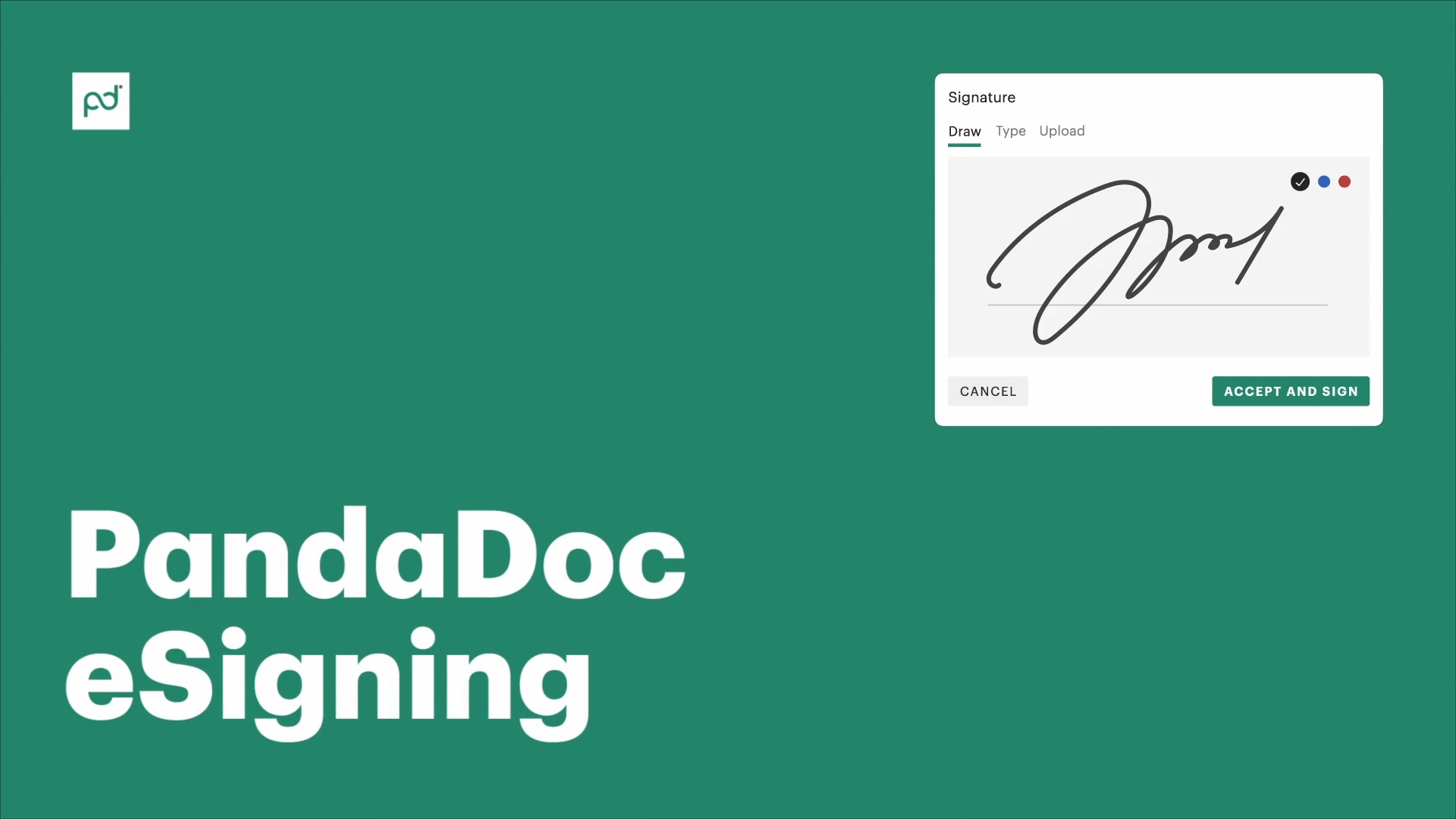
See how the content library works

Video thumbnail
Kelsey Boyd

Kelsey Boyd

Director of Business Systems & Processes

Kelsey Boyd brand

PandaDoc is making this so much more efficient than it once was. The Hiring Packages are a breeze to send to candidates… this would’ve been a time-consuming administrative burden if it weren’t for PandaDoc.

Kelsey Boyd

Kelsey Boyd

Director of Business Systems & Processes

Read full story

Signature requests where you need them

Document Contracts Agreements

Contracts and agreements

Almost every contract or agreement requires an electronic signature in order to be enforceable.

PandaDoc helps users effortlessly send, sign, and manage all signature requests that are dispatched with a document.

Onboard analytics tools and notifications will also let teams know when documents are opened, signed, and completed.

Document Proposals Quotes

Proposals and quotes

Attaching a signature field to a proposal or quote gives signers an easy way to agree to specific pricing or terms.

With PandaDoc, adding an e-signature to a custom quote is as easy as attaching a signature block and assigning it to your intended recipient.

You can even accelerate your contracting process by including your standard terms and conditions as part of your proposal. That way, every signed proposal becomes a legally binding contract.

Document Hiring Documentation

Hiring documentation

Between offer letters, tax forms, non-competes, and hiring agreements, the onboarding process can be paperwork-intensive.

PandaDoc users can attach signature requests to PDF files or to forms created inside the PandaDoc editor.

New hires can fill out their paperwork digitally, e-sign documents, and return those documents without the need to download or process files outside your workspace.

Docs Surveys Questionnaires

Submission forms

Registrations, surveys, feedback forms, waivers, and other documents can be sent to recipients for completion and signature.

Forms created with PandaDoc are also embeddable, meaning that users can fill out information directly on your website, sign it for authenticity, and send it to your PandaDoc workspace automatically.

Signature requests for every team

  • Sales

    Sales

    Want to streamline your entire sales process?

    With PandaDoc, teams can send proposals, quotes, contracts, and more to prospective customers and close deals in minutes.

    Learn more
    Sales
  • Legal

    Legal

    Legally binding e-signature helps to ensure compliance and minimize risk.

    Teams can use signature requests to ensure that all signatures are captured in a legally compliant manner. Comprehensive audit trails also provide a detailed record of every signing action for added security and peace of mind.

    Learn more
    Legal
  • Human resources

    Human resources

    When used as part of an HR process, e-signing requests can help users tackle essential paperwork at speed.

    Offer letters, employment contracts, benefits forms, and other paperwork can be bundled together and sent for electronic signature, reducing the amount of documents that need to be managed and improving the employee experience.

    Learn more
    Human resources
  • Finance

    Finance

    Payment agreements and other financial documents required for cashflow can be expedited via e-signature requests.

    Keeping these agreements inside the PandaDoc platform reduces processing times, minimizes errors, and maintains a clear audit trail in the event of a payment dispute.

    Learn more
    Finance

Tutorials for better signature requests

Link: Learn more
Set a signing order for your document

Set a signing order for your document

Learn more
Link: Learn more
Add multiple signers to a document

Add multiple signers to a document

Learn more
Link: Learn more
Collect signatures with forms

Collect signatures with forms

Learn more

Try PandaDoc in your document workflow

Get a personalized 1:1 demo with our product specialist.

  • Tailored to your needs

  • Answers all your questions

  • No commitment to buy

Request a demo
Demo Call

Frequently asked questions

  • Yes.

    Unlike many other e-signing platforms (DocuSign, Acrobat Sign, etc.), PandaDoc offers no-limit electronic signature requests on all paid plans.

    This means you can send as many documents as necessary, separately or as part of a bundle, to capture signatures without limitation or additional fees.

  • Requesting a signature with PandaDoc follows the same process, regardless of whether you need users to sign a PDF document or a form.

    Inside the PandaDoc editor, use drag-and-drop tools to add the e-signature form field to your document.

    If your document has more than one signer, you’ll need to assign e-signature blocks to specific signers.

    When that’s done, send your document to recipients, who can open and sign PDFs or forms directly inside PandaDoc.

    Exporting to a tool like Microsoft Word, Excel or Adobe Acrobat / Acrobat Reader isn’t required.

  • Yes.

    Depending on your preference, PandaDoc sends a signature request email or generates a unique signing link for recipients.

    Recipients can use both the email and the link to access the document from anywhere.

    As an added bonus, you can also track the progress for your digital signatures inside our mobile app on both iOS and Android.

  • Of course.

    PandaDoc allows users to build documents entirely from scratch.

    When you create your template, add an e-signature block and save your template and it will be present the next time you generate the template.

    Keep in mind that teams will need to designate the intended recipient when the document is generated. The signature block should be automatically assigned.

  • Any PandaDoc document, including forms, can be attached to an e-signature request.

    You’ll also have other options

    For example, in addition to signature blocks, you can add mandatory checkboxes or initials fields throughout your document.

    This approach ensures that critical aspects of your document are acknowledged without forcing users to sign a document multiple times.
Product
  • Pricing
  • Integrations
  • Features
  • Updates
  • Security
  • HIPAA
Use cases
  • Proposals
  • eSignatures
  • Quotes
  • Contracts
  • Payments
  • Forms
  • Notary
  • API
  • CPQ
  • Deal Rooms
  • All use cases
Resources
  • Help center
  • Templates
  • Blog
  • Electronic signature law
  • How to guides
  • Developer center
  • System status
  • Onboarding services
  • Partner Directory
  • Recipes
  • AI Skills Lab
Compare
  • vs DocuSign
  • vs Dropbox Sign
  • vs Adobe Sign
  • vs Proposify
  • vs Docsend
  • All alternatives
Company
  • About us
  • Culture
  • Careers
  • Stand with Ukraine
  • Become a partner
  • Press
  • Contact us
  • Marketing Preferences

© 2026 PandaDoc Inc. All rights reserved.

Privacy Notice
    Legal
        Accessibility Statement
          Do Not Sell My Personal Information
            AI Information