Help centerLog inHelp center
Mobile Site Logo
Desktop Site Logo
    • Platform

      • Product overview
      • Contract Management
      • CPQ
      • Enterprise
    • Features

      • Image - Document generation - Icon
        Document generationAutomate document creation with customizable templates
      • Image - Payments - Icon
        PaymentsGenerate error-free quotes
tailored for every buyer
      • Image - Deal room - Icon
        Deal RoomsCollaborate and close deals in one personalized deal room
      • Image - Smart content - Icon
        Smart contentAdapt documents to the recipient's requirements
      • All features
    •  

      • automation icon
        Workflow AutomationsStreamline your workflow and reduce manual tasks
      • Approval workflow
        Approval workflowSimplify internal sign-offs before document delivery
      • Workspaces
        WorkspacesDistribute content across teams and departments
      • Tracking & analytics
        Tracking & analyticsGet insights into how users interact with your document
      • All features
    • Request a demo
    • Contact sales
    Product (Dropdown) - Featured Image
    Compare
    • vs DocuSign
    • vs Dropbox Sign
    • vs Adobe Sign
    • vs Proposify
    • View more
    • Image - Use case - Icon

      Use case

      • eSignatures
      • Proposals
      • Contracts
      • Quotes
      • Payments
      • All use cases
    • Image - Industry - Icon

      Industry

      • Software & technology
      • Professional services
      • Education
      • Healthcare
      • Construction
      • All industries
    • Image - Team - Icon

      Team

      • Sales
      • HR
      • Marketing
      • Customer success
      • Legal
      • All teams
    • Request a demo
    • Contact sales
    Customer stories
    • Image - Solution dropdown - Autodesk
      Autodesk now tracks sales metrics across its entire org
    • Image - Solution dropdown - Nomad
      Nomad cut customer acquisition costs by 20%
    • Image - Solution dropdown - TheKey
      TheKey saves 3,000 hours per year using PandaDoc
    • All customer stories
    • Sales and CRM

      • Hubspot
        Hubspot
      • Salesforce
      • pipedrive
        Pipedrive
      • monday.com
        Monday
    • Payment gateways

      • Square Logo
        Square
      • Stripe
        Stripe
      • Authorize Logo
        Authorize.net
      • Paypal Logo
        PayPal
      • QuickBooks
        QuickBooks Payments
      • FreshBooks Logo
        FreshBooks
    • Collaboration and more

      • Zapier
      • Greenhouse
        Greenhouse
      • QuickBooks
        QuickBooks
      • Slack Logo
        Slack
      • All integrations
    • API
    • Documentation
    Integration (Dropdown) - Featured Image
    CPQ Solutions
    • pipedrive
      Pipedrive CPQ
    • Hubspot
      Hubspot CPQ
    • Salesforce CPQ
      Salesforce CPQ
    • Image - Learn- Icon

      Learn

      • Customer stories
      • Blog
      • Templates
      • Webinars
      • Learning academy
      • Security
      • Resource library
      • AI Skills Lab
    • Image - Support - Icon

      Support

      • Help center
      • Contact us
      • Onboarding services
      • Professional services
      • Premium support
      • Partner Directory
    • Image - Developers - Icon

      Developers

      • API
      • Document embedding
      • Documentation
    • Request a demo
    • Contact sales
    Resources (Dropdown) - Featured Image
    Security & Compliance
    • Signature certificate
    • Two-factor authentication
    • HIPAA compliance
    • View more
  • API
  • Pricing
Request a demoStart a trialContact Sales
Product
  • Pricing
  • Integrations
  • Features
  • Updates
  • Security
  • HIPAA
Use cases
  • Proposals
  • eSignatures
  • Quotes
  • Contracts
  • Payments
  • Forms
  • Notary
  • API
  • CPQ
  • Deal Rooms
  • All use cases
Resources
  • Help center
  • Templates
  • Blog
  • Electronic signature law
  • How to guides
  • Developer center
  • System status
  • Onboarding services
  • Partner Directory
  • Recipes
  • AI Skills Lab
Compare
  • vs DocuSign
  • vs Dropbox Sign
  • vs Adobe Sign
  • vs Proposify
  • vs Docsend
  • All alternatives
Company
  • About us
  • Culture
  • Careers
  • Stand with Ukraine
  • Become a partner
  • Press
  • Contact us
  • Marketing Preferences

© 2026 PandaDoc Inc. All rights reserved.

Privacy Notice
    Legal
        Accessibility Statement
          Do Not Sell My Personal Information
            AI Information
              • LinkedIn
              • Facebook
              • X

              Using a Form 5695 at PandaDoc saves valuable time and effort. Our user-friendly, fillable template eliminates the need for manual data entry, reducing the risk of errors and streamlining the process.

              What Is IRS Form 5695?

              The IRS Form 5695 is the Residential Energy Credits form. It’s more commonly known as the Solar Tax Credit and is one of the reasons homeowners can benefit from using clean energy. This Residential Clean Energy Credit document helps you save money in taxes, as it gives you credit on your tax returns due to installing some form of clean and renewable energy on your home.

              However, to receive this credit, you must properly fill out the correct Residential Energy Credits Form 5695 and submit it to the IRS. According to the IRS, this document calculates non-business and residential energy-efficient property credits.

              These terms basically mean that if you generate and use eligible clean energy types instead of fossil fuel electricity in your home for non-business purposes, you’ll experience reduced federal tax liability.

              What Is IRS Form 5695 Used For?

              Homeowners use the Residential Energy Credits Form 5695to help lessen their taxes. However, this doesn’t come as a deduction from your taxes but rather reduces the taxes you owe. Often, it means you’ll get a refund on your taxes, which you must then claim from the IRS.

              Homeowners using the following clean energy sources are eligible to claim Clean Energy Tax credits using this form:

              • Solar Panel System

              • Solar Energy Storage

              • Geothermal Heat Pumps

              • Fuel Cells

              • Small Wind Turbines

              If you own one of the above clean energy systems on your residential property and you’re not using the energy for business purposes, you can fill in this form to claim back credits.

              How to Fill Out IRS Form 5695

              Follow our IRS Form 5695 instructions to properly fill out this document so there’s no chance of your claim being rejected. Below, we list 10 steps you should follow when filling it out.

              1. Calculate Your Clean Energy Power Systems Cost: Line number one in the document requires the total cost of the Energy Power System. Basically, this means the gross amount you spend on it from the clean energy provider, less any cash rebates. These cash rebates include state tax credits, rebates, and incentives.

              1. Write Down Other Energy-Efficient Improvements: On lines two to four, you add other improvements you made with clean energy, which include small wind energy generators, solar water heating, and more. You must add all these up to fill in on line five.

              1. Calculate the federal Clean Energy Tax Credit Value: You must enter the total credit value you qualify for yourself on line six. Luckily, the calculation is simple: multiply the total on line five by 30%. The basic calculation is the Total Line Five x ((30+100)/100)) – Total Line Five = Tax Credit.

              1. Enter the Tax Credit Value: If you don’t have any credits from the previous year’s taxes carried over or credit for fuel cells, then enter this total on line 6 again at line 13.

              1. Calculate Tax Liability: You must have sufficient tax liability to qualify for this request. Your tax liability is what you owe in taxes and is calculated as taxable income less deductions.

              1. Maximum Tax Credit to Claim:On page four, you’ll find instructions to complete. Completing these instructions calculates the maximum Tax Credit you’re liable to claim. You must also consider and add other credits you qualify for, like being a first-time homeowner, buying an electric vehicle, or mortgage interest.

              1. Add your Maximum Tax Credits: The total of page four’s calculations should be added to line 14, and compare lines 13 and 14’s numbers, adding the smaller one to line 15.

              1. Calculate Carry-Over Credit: You must compare the tax liability calculated in step five with your credits. Should your tax liability be smaller, then subtract the total on line 15 from the total on line 13, which gives you the amount you can claim on next year’s taxes, which you add to line 16.

              1. Enter Credit on Form 1040:Line 15’s amount is the total the IRS will credit you on this year’s taxes. You must open Form 1040 and add line 15’s amount on line five of Schedule Three of this form.

              1. Complete Page Two of Form 5695:If you add more energy-efficient features to your home in the fiscal year, then you must complete page two of the IRS Form 5695 instructions.

              Complete the form online at PandaDoc to ensure accuracy and compliance. With a pre-built Form 5695 template, you can rest assured that you’re providing all the necessary information required by the IRS, minimizing the risk of audits or delays in processing.

              Frequently asked questions

              What are the eligibility criteria and qualifying expenses covered by Form 5695?

              To be eligible for this type of tax return, you must have a renewable and clean energy system on your property, which replaces your fossil fuel electricity. You must also have sufficient Tax Liability to be eligible. Otherwise, the tax credits are carried over to the next year. Lastly, you must also consider whether you have tax credits carried over from last year or tax credits for fuel cells.

              Are there any limitations associated with claiming tax credits using Form 5695?

              Yes, some of the limitations of this form are the type of clean energy it covers. It has to be either solar panels, solar power storage, small wind turbines, geothermal heat pumps, or fuel cells on your property. Otherwise, you aren’t eligible for this form. Further, it limits the people who can use this to residential homeowners, and if it’s used for business, you can’t use this form.

              Disclaimer

              Materials (e.g. templates, educational articles, blog posts and informational content), made available through PandaDoc, including via any integrations, connectors, extensions, plugins, or third-party AI platforms (e.g. ChatGPT, Claude, or similar tools) are for general information purposes only and are provided "as is." These materials do not constitute legal, regulatory, or compliance advice and should not be construed as such. It is your responsibility to ensure materials meet your specific legal requirements. Consult a qualified attorney licensed in your jurisdiction before relying on these materials. PandaDoc disclaims all warranties, express or implied, including fitness for a particular purpose or non-infringement.

              Related templates

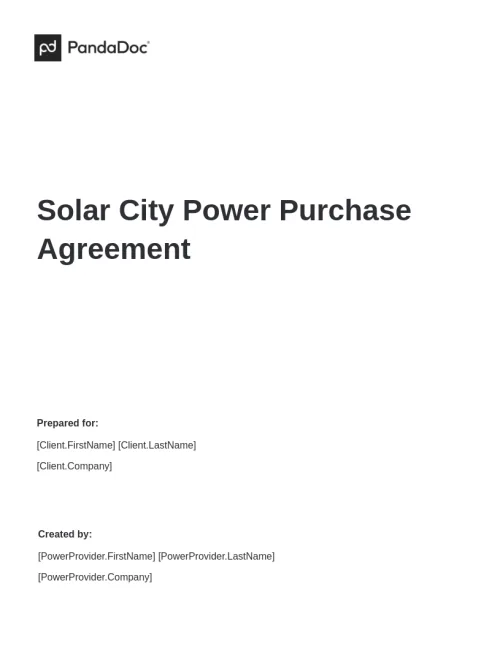
              Solar City Power Purchase Agreement

              Solar City Power Purchase Agreement

              Our fully customizable solar city power purchase agreement will get you started on creating the ideal PPA contract with a municipality or utility company.

              Solar Development Agreement Template

              Solar Development Agreement Template

              A solar development agreement is a legally binding contract between parties that outlines the terms and conditions for the development and operation of a solar energy project.

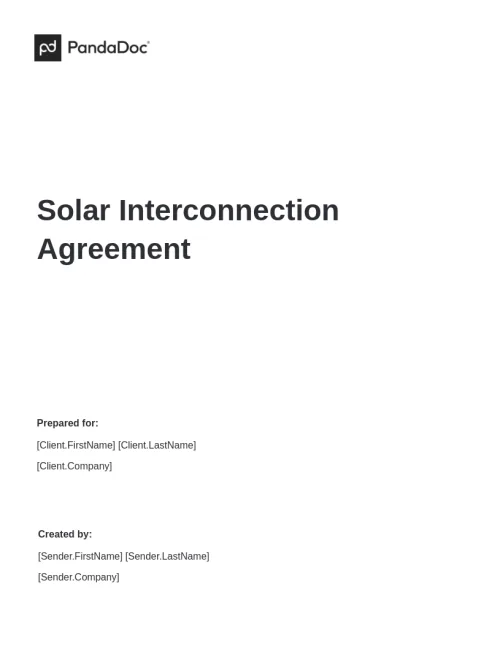
              Solar Interconnection Agreement

              Solar Interconnection Agreement

              Streamline solar interconnection agreements with our efficient customizable template.

              Solar Lease Agreement

              Solar Lease Agreement

              Our solar lease agreement template delivers a fully customizable document to protect legally your solar energy investment.

              TemplatesForms

              Form 5695

              Form 5695 is a crucial document the IRS provides to any homeowner looking into clean energy. This form helps homeowners calculate and claim tax returns on energy-efficient residential properties.

              Use this template

              No credit card required

              Form 5695