Help centerLog inHelp center
Mobile Site Logo
Desktop Site Logo
    • Platform

      • Product overview
      • Contract Management
      • CPQ
      • Enterprise
    • Features

      • Image - Document generation - Icon
        Document generationAutomate document creation with customizable templates
      • Image - Payments - Icon
        PaymentsGenerate error-free quotes
tailored for every buyer
      • Image - Deal room - Icon
        Deal RoomsCollaborate and close deals in one personalized deal room
      • Image - Smart content - Icon
        Smart contentAdapt documents to the recipient's requirements
      • All features
    •  

      • automation icon
        Workflow AutomationsStreamline your workflow and reduce manual tasks
      • Approval workflow
        Approval workflowSimplify internal sign-offs before document delivery
      • Workspaces
        WorkspacesDistribute content across teams and departments
      • Tracking & analytics
        Tracking & analyticsGet insights into how users interact with your document
      • All features
    • Request a demo
    • Contact sales
    Product (Dropdown) - Featured Image
    Compare
    • vs DocuSign
    • vs Dropbox Sign
    • vs Adobe Sign
    • vs Proposify
    • View more
    • Image - Use case - Icon

      Use case

      • eSignatures
      • Proposals
      • Contracts
      • Quotes
      • Payments
      • All use cases
    • Image - Industry - Icon

      Industry

      • Software & technology
      • Professional services
      • Education
      • Healthcare
      • Construction
      • All industries
    • Image - Team - Icon

      Team

      • Sales
      • HR
      • Marketing
      • Customer success
      • Legal
      • All teams
    • Request a demo
    • Contact sales
    Customer stories
    • Image - Solution dropdown - Autodesk
      Autodesk now tracks sales metrics across its entire org
    • Image - Solution dropdown - Nomad
      Nomad cut customer acquisition costs by 20%
    • Image - Solution dropdown - TheKey
      TheKey saves 3,000 hours per year using PandaDoc
    • All customer stories
    • Sales and CRM

      • Hubspot
        Hubspot
      • Salesforce
      • pipedrive
        Pipedrive
      • Monday Logo
        Monday
    • Payment gateways

      • Square Logo
        Square
      • Stripe
        Stripe
      • Authorize Logo
        Authorize.net
      • Paypal Logo
        PayPal
      • QuickBooks Logo
        QuickBooks Payments
      • FreshBooks Logo
        FreshBooks
    • Collaboration and more

      • Zapier
      • Greenhouse
      • QuickBooks Logo
        QuickBooks
      • Slack Logo
        Slack
      • All integrations
    • API
    • Documentation
    Integration (Dropdown) - Featured Image
    CPQ Solutions
    • pipedrive
      Pipedrive CPQ
    • Hubspot
      Hubspot CPQ
    • Salesforce CPQ
      Salesforce CPQ
    • Image - Learn- Icon

      Learn

      • Customer stories
      • Blog
      • Templates
      • Webinars
      • Learning academy
      • Security
      • Resource library
      • AI Skills Lab
    • Image - Support - Icon

      Support

      • Help center
      • Contact us
      • Onboarding services
      • Professional services
      • Premium support
      • Partner Directory
    • Image - Developers - Icon

      Developers

      • API
      • Document embedding
      • Documentation
    • Request a demo
    • Contact sales
    Resources (Dropdown) - Featured Image
    Security & Compliance
    • Signature certificate
    • Two-factor authentication
    • HIPAA compliance
    • View more
  • API
  • Pricing
Contact salesStart a trialContact Sales

How to scale smarter and configure quotes 80% faster

Build guided selling into your quoting workflow 

Get step-by-step instructions for setting up scalable, rep-friendly CPQ workflows that accelerate velocity and reduce errors. 

Download the complete playbook.

G2 Report Cover Image
TomTom
Autodesk
U-Haul
Bonusly
Bosch
HP
Konika Minolta
Lead Forensics
Rakuten
SGS
Sysco

Revenue leaders today aren’t just chasing growth; they’re expected to engineer it. With leaner teams, tighter budgets, and increasingly complex sales motions, the pressure is on to scale without slowing down or breaking the process.

The goal? Build systems that empower sales teams to move fast, give Finance teams confidence in every number, and keep the customer experience airtight, all without adding headcount.

But for many teams, quote generation becomes a roadblock that flies under the radar.

It seems simple on the surface: send a proposal, close the deal. In reality, quoting is often where things break:

  • Sales reps go off-script or over-discount

  • Approval workflows turn into bottlenecks

  • Contracts don’t match what was said in the demo

  • And worse, customers sign agreements they don’t fully understand

It was time to rethink the quoting process

That’s the scenario Emerson McCuin inherited when he stepped in as Head of Revenue Operations at HAAS Alert. Quotes were being created manually, with no checks or automation. Finance had to review every doc before invoicing. And reps were bogged down chasing formatting and line-item accuracy instead of selling.

Quoting wasn’t just time-consuming; it was a liability.

So Emerson rebuilt it.

He created a guided, automated workflow powered by PandaDoc and HubSpot, one that reduced manual effort by 80%, eliminated the need for Finance to manually review every quote or chase down details, and gave reps autonomy with guardrails to create accurate quotes fast.

This is the playbook for how he optimized the sales process to create faster quotes , and how your team can do the same.

Configure quotes faster: The tech stack you need

  • HubSpot CRM — your source of deal truth

  • PandaDoc — for document automation, approvals, and analytics

  • PandaDoc + HubSpot integration — native sync, no middleware

  • PandaDoc CPQ add-on — guided selling, conditional logic, and product catalog integration

Native integration ensures quote data reflects real-time CRM info, removing sync delays and keeping approvals and pricing aligned across teams.

Quoting from HubSpot, start to finish

Hands-on time: 3–5 minutes per quote

Heads up — this isn’t the full playbook

Build guided selling into your quoting workflow

Get step-by-step instructions for setting up scalable, rep-friendly CPQ workflows that accelerate velocity and reduce errors.

Access the playbook
Documents Human

Related posts

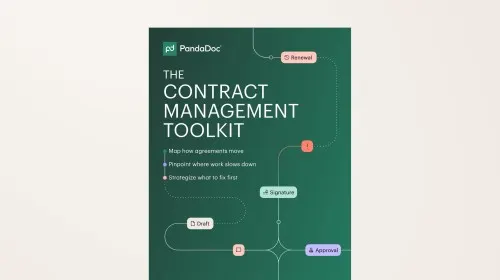
The Contract Management Toolkit

Ebook

The Contract Management Toolkit

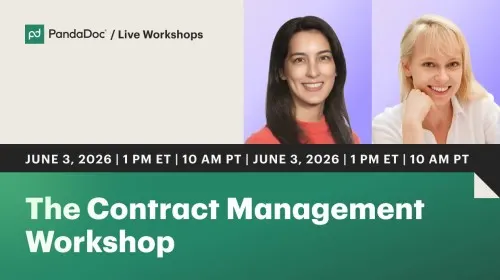
The Contract Management Workshop
Product
  • Pricing
  • Integrations
  • Features
  • Updates
  • Security
  • HIPAA
Use cases
  • Proposals
  • eSignatures
  • Quotes
  • Contracts
  • Payments
  • Forms
  • Notary
  • API
  • CPQ
  • Deal Rooms
  • All use cases
Resources
  • Help center
  • Templates
  • Blog
  • Electronic signature law
  • How to guides
  • Developer center
  • System status
  • Onboarding services
  • Partner Directory
  • Recipes
  • AI Skills Lab
Compare
  • vs DocuSign
  • vs Dropbox Sign
  • vs Adobe Sign
  • vs Proposify
  • vs Docsend
  • All alternatives
Company
  • About us
  • Culture
  • Careers
  • Stand with Ukraine
  • Become a partner
  • Press
  • Contact us
  • Marketing Preferences

© 2026 PandaDoc Inc. All rights reserved.

Privacy Notice
    Legal
        Accessibility Statement
          Do Not Sell My Personal Information
            AI Information

              The following is a preview of the guided selling rep experience in HubSpot. To access the full step-by-step setup guideon how to build this into your workflow, including workflow creation, conditional logic, product catalog mapping, and approvals setup — fill out the form at the top of the page.

              Step 1: Open a deal in HubSpot

              Reps work directly in the deal record. The PandaDoc workflow card lives inside the CRM. No switching tabs or tools.

              Step 2: Start the workflow

              Click Start Workflow on the PandaDoc card. Reps choose the quote type that fits the deal.

              PandaDoc Workflows

              Step 3: Confirm deal data

              Key fields, like company name, deal amount, and contact info, are pulled in automatically. Reps can also switch to a different associated deal if needed.

              Step 4: Complete the guided form

              Reps select products and services via a clean, intuitive form.

              • Conditional logic ensures only relevant options show

              • Yes/No toggles add services like implementation as needed

              • Quantity fields ensure pricing accuracy

              • This guided flow reduces errors and keeps every quote within approved parameters.

              Quote Creating

              Step 5: Review, preview, and customize

              • Reps can reorder items, preview the full quote directly in HubSpot, and apply discounts if permitted.

              Step 6: Route for internal approvals (if required)

              • If a quote meets a predefined threshold (like a large discount), PandaDoc automatically routes it to the correct approver.

              Step 7: Send and sync

              • Once approved, reps send the document via email or link. Line items and deal data sync back to the HubSpot record automatically.

              Emerson McCuin

              PandaDoc CPQ helped us unlock speed without sacrificing control, which is everything for a small RevOps team.

              Emerson McCuin

              Emerson McCuin

              Head of Revenue Operations, HAAS Alert

              The impact: Efficient quoting and faster approval process

              HAAS Alert transformed quote creation from a multi-step process into a scalable, intuitive system their teams trust.

              • Reps generate quotes minutes

              • Quoting time reduced by 80%

              • The approval process happens automatically

              • RevOps can scale quoting and close deals faster without adding headcount

              Webinar

              The Contract Management Workshop

              Library Page - The Deal Velocity Playbook - Featured Image

              Ebook

              The Deal Velocity Playbook