Volunteer forms tend to be simple documents that span no more than a single page. Recruiters will usually only need to know an applicant’s basic personal details, their availability, and any particular skills that will be of benefit to the project. In most cases, volunteer application forms are not legally-important documents.
Application forms designed for volunteers expected to work with children are one exception to this general rule. In these cases, the organization taking on volunteers will likely need to perform background checks. As such, more detailed personal information will be required, along with information about any past criminal convictions or activity. A signature will also be necessary.
Often, the terms “application form”, “registration form”, and “signup form” are used interchangeably, and it is important to be aware of this. That said, they can also be used in specific ways.
Here is a quick overview of the main terms and the ways they are typically used:
Generic application form – Application forms, which may be short or long and tailored to a wide range of situations, enable individuals to “apply” to a particular position. They usually signify the first stage of a broader evaluation process.
Registration form – Registration forms tend to be used for the sole purpose of collecting information. An evaluation does not usually follow their submission. “Registering” for something assumes acceptance, whereas “applying” for something tends to entail further assessment.
Signup form – Signup forms are short, straightforward documents for collecting basic data. Email signup forms are a common example.
Irrespective of their intended use, volunteer application forms tend to follow a standard structure and usually contain the same general sections and entry fields.
Here is a brief overview of the main types of volunteer application forms:
Organizational volunteer application forms – Forms issued by organizations such as charities and organizers of ongoing events are among the most common. They will usually require only basic information about applicant skills and availability.
Community event volunteer or festival application forms – Forms for one-off events are similar to general organizational forms. Because events tend to have a wide range of roles, applicants may be asked how they would like to help, for example, as a cleaner, medic, stagehand, and so on.
Election volunteer application forms– Many election activities, such as canvassing, voter outreach, and vote-taking, rely on volunteers. These forms tend to be similar to volunteer application forms for events.
Volunteer application forms for working with children or young adults– Volunteer application forms for organizations, events, or initiatives that involve working with children or young adults will be longer than other types. This is because checks need to be conducted to ensure that volunteers don’t represent a risk to vulnerable groups. Sometimes, it may be legally necessary, and not optional, to perform background checks.
Because they are straightforward documents, usually with no legal relevance, volunteer application forms tend to be uncomplicated and follow a similar format.
Application forms usually include the following sections:
Description of the organization and potential responsibilities– Volunteer-based organizations will often include a brief “About Us” section and an outline of volunteers’ responsibilities.
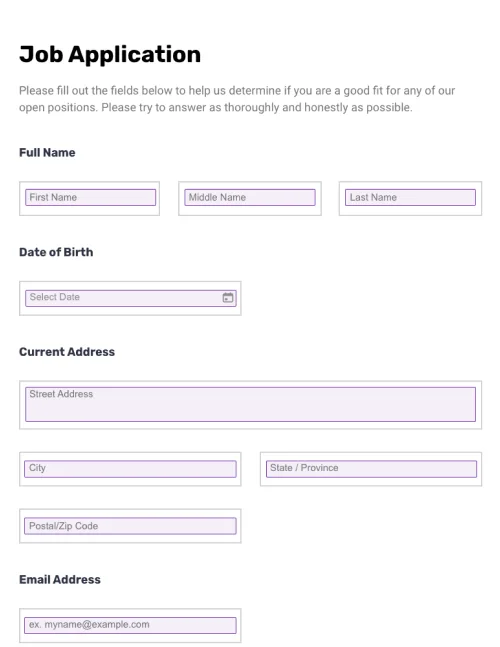
Personal details and contact information– Applicants will be asked for various personal details like their name, home phone number, physical address, date of birth, social security number, emergency contacts, driver’s license, and email address.
Availability– Applicants will usually be required to stipulate which days and hours they are available. One of the primary purposes of volunteer application forms is to collect this data so that it can be entered into a database and volunteers can be assigned to tasks based on their availability.
Skills – Volunteers with specific skillsets that are of benefit to the enlisting organization will be prioritized. It is good practice to format this section as a series of checkboxes next to relevant skills, rather than an open comment field, so redundant information isn’t provided.
Background details– If volunteers will be working with vulnerable groups (such as children), it may be necessary to conduct background checks. In these cases, more detailed histories may be required. Questions such as “Do you have any criminal convictions?” and “Have you ever been accused of neglect or inappropriate behavior with a minor?” may be included.
Additional comments – It is common practice to include a section for any additional comments at the end of the form.
Signature – Signatures are not always necessary. They will usually only be requested from applicants that will be working with children. In such cases, a signature protects the organization. It also reduces the likelihood that false information will be provided because of the legal ramifications of falsifying a document. Electronic signatures can be used for online forms.
Organizations that rely on help from volunteers, particularly charities, nonprofits, religious institutions, and community groups, use volunteer application forms to gather details about potential volunteers, check their suitability, and reach out to them if an opportunity becomes available.
A wide range of organizations uses volunteer forms to enlist the help of new volunteers.
These organizations include charities, festival organizers, election offices, churches, community groups, and more. Volunteer forms are typically straightforward documents that follow a standard format, with only slight modifications based on organizational requirements.
In most cases, it is possible to save significant amounts of time and resources by using a volunteer application form template instead of creating new forms from scratch whenever they are needed.
Creating volunteer application forms from scratch is unnecessary and wastes time and resources. While different volunteer programs, whether events, fundraising initiatives, or organizational openings, may require unique forms, the underlying structure will likely remain the same.
Most organizations can streamline their workflows by utilizing a volunteer application form template. Whenever a new form is required, they can use the template as the base document and make any necessary changes, including for online application templates.
Download the free, fully-customizable generic volunteer application form template provided by PandaDoc to get started. You can modify it and use it to create all of your volunteer application forms moving forward.
Disclaimer
Materials (e.g. templates, educational articles, blog posts and informational content), made available through PandaDoc, including via any integrations, connectors, extensions, plugins, or third-party AI platforms (e.g. ChatGPT, Claude, or similar tools) are for general information purposes only and are provided "as is." These materials do not constitute legal, regulatory, or compliance advice and should not be construed as such. It is your responsibility to ensure materials meet your specific legal requirements. Consult a qualified attorney licensed in your jurisdiction before relying on these materials. PandaDoc disclaims all warranties, express or implied, including fitness for a particular purpose or non-infringement.
Create volunteer application forms in a few clicks. Add electronic signatures, rich media, and drag-and-drop information fields. Streamline your document workflows, find the best volunteers, and save time and resources.
No credit card required