Help centerLog inHelp center
Mobile Site Logo
Desktop Site Logo
    • Platform

      • Product overview
      • Contract Management
      • CPQ
      • Enterprise
    • Features

      • Image - Document generation - Icon
        Document generationAutomate document creation with customizable templates
      • Image - Payments - Icon
        PaymentsGenerate error-free quotes
tailored for every buyer
      • Image - Deal room - Icon
        Deal RoomsCollaborate and close deals in one personalized deal room
      • Image - Smart content - Icon
        Smart contentAdapt documents to the recipient's requirements
      • All features
    •  

      • automation icon
        Workflow AutomationsStreamline your workflow and reduce manual tasks
      • Approval workflow
        Approval workflowSimplify internal sign-offs before document delivery
      • Workspaces
        WorkspacesDistribute content across teams and departments
      • Tracking & analytics
        Tracking & analyticsGet insights into how users interact with your document
      • All features
    • Request a demo
    • Contact sales
    Product (Dropdown) - Featured Image
    Compare
    • vs DocuSign
    • vs Dropbox Sign
    • vs Adobe Sign
    • vs Proposify
    • View more
    • Image - Use case - Icon

      Use case

      • eSignatures
      • Proposals
      • Contracts
      • Quotes
      • Payments
      • All use cases
    • Image - Industry - Icon

      Industry

      • Software & technology
      • Professional services
      • Education
      • Healthcare
      • Construction
      • All industries
    • Image - Team - Icon

      Team

      • Sales
      • HR
      • Marketing
      • Customer success
      • Legal
      • All teams
    • Request a demo
    • Contact sales
    Customer stories
    • Image - Solution dropdown - Autodesk
      Autodesk now tracks sales metrics across its entire org
    • Image - Solution dropdown - Nomad
      Nomad cut customer acquisition costs by 20%
    • Image - Solution dropdown - TheKey
      TheKey saves 3,000 hours per year using PandaDoc
    • All customer stories
    • Sales and CRM

      • Hubspot
        Hubspot
      • Salesforce
      • pipedrive
        Pipedrive
      • monday.com
        Monday
    • Payment gateways

      • Square Logo
        Square
      • Stripe
        Stripe
      • Authorize Logo
        Authorize.net
      • Paypal Logo
        PayPal
      • QuickBooks
        QuickBooks Payments
      • FreshBooks Logo
        FreshBooks
    • Collaboration and more

      • Zapier
      • Greenhouse
        Greenhouse
      • QuickBooks
        QuickBooks
      • Slack Logo
        Slack
      • All integrations
    • API
    • Documentation
    Integration (Dropdown) - Featured Image
    CPQ Solutions
    • pipedrive
      Pipedrive CPQ
    • Hubspot
      Hubspot CPQ
    • Salesforce CPQ
      Salesforce CPQ
    • Image - Learn- Icon

      Learn

      • Customer stories
      • Blog
      • Templates
      • Webinars
      • Learning academy
      • Security
      • Resource library
      • AI Skills Lab
    • Image - Support - Icon

      Support

      • Help center
      • Contact us
      • Onboarding services
      • Professional services
      • Premium support
      • Partner Directory
    • Image - Developers - Icon

      Developers

      • API
      • Document embedding
      • Documentation
    • Request a demo
    • Contact sales
    Resources (Dropdown) - Featured Image
    Security & Compliance
    • Signature certificate
    • Two-factor authentication
    • HIPAA compliance
    • View more
  • API
  • Pricing
Contact salesStart a trialContact Sales

DRAG & DROP EDITOR

Build better documents with drag-and-drop tools

Create stunning, digital documents with a block-based document builder. Quickly add text, multimedia content, e-signature blocks, and other elements to your business documents. No code required.

Request a demo
Start free 14-day trial

No credit card required

G2 Leader Mid-Market
G2 Best Usability Mid-Market
G2 Fastest Implementation Mid-Market
G2 Users Most Likely To Recommend Mid-Market
Drag N Drop

Over 68,000 customers use PandaDoc to build incredible documents

Autodesk
Boeing
SGS
AOL
Konika Minolta
Rakuten
TomTom
HP
PepsiCo
Zoetis
Bonusly
Chick-fil-A

What is a drag-and-drop editor?

Tired of creating documents the old-fashioned way?

Most business documents are created using a combination of tools like a word processor and a desktop publishing platform. Teams create the text, add any relevant images, and then upload the document to an electronic signature platform to start the e-signing process.

PandaDoc takes the simplicity found in easy-to-master, drag-and-drop website builders and uses it to update the entire document generation process.

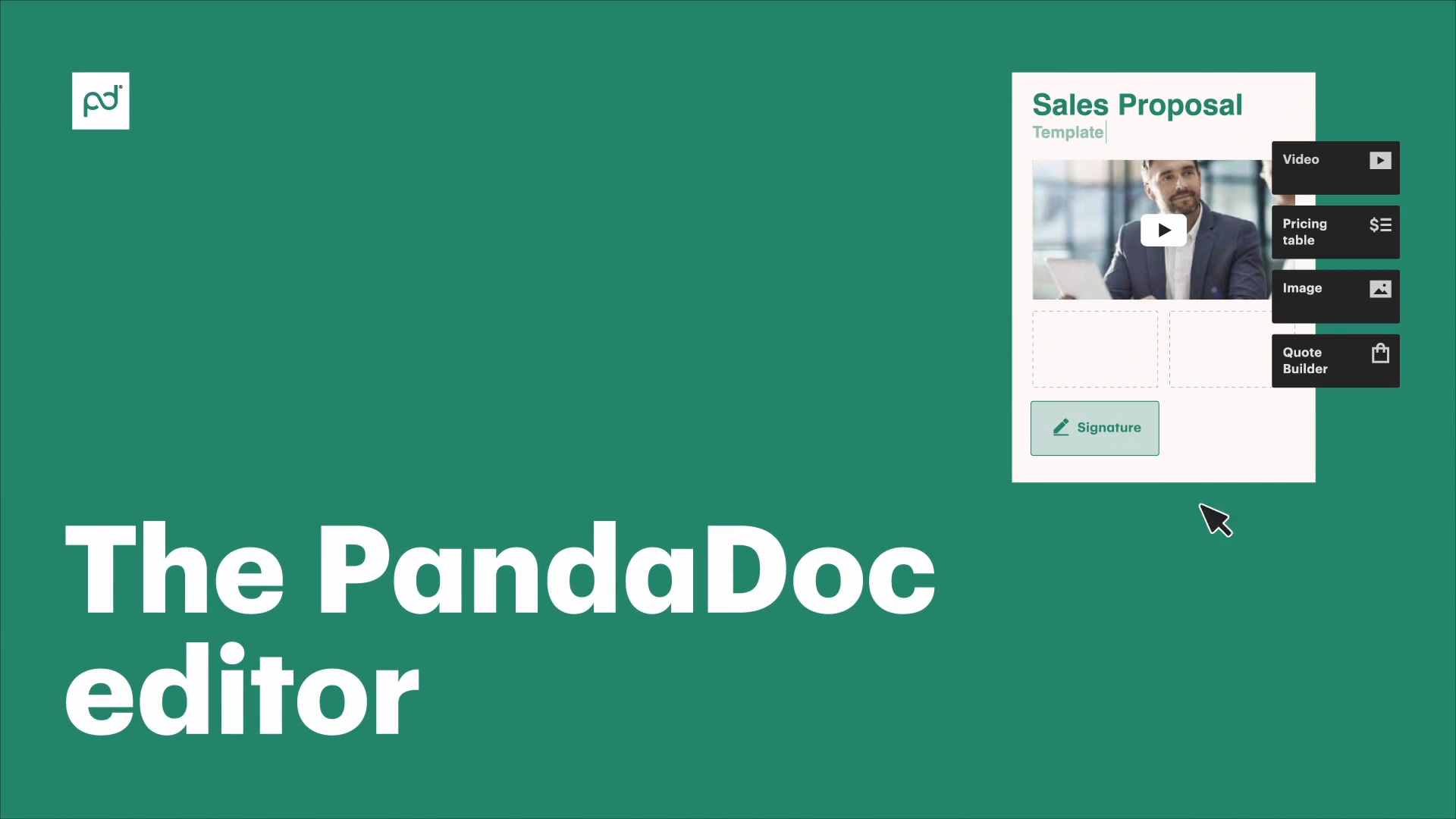
With the PandaDoc editor, users create documents from scratch by dragging content blocks into a real-time editing environment and adding relevant text, images, and media. Every document is fully customizable, from fonts and headers to image placement and formatting.

The best part? PandaDoc is a user-friendly, no-code solution that anyone can use. No HTML or CSS is required to build stunning documents.

A better document creator for all teams

Use no-code tools to build </br> beautiful documents

Use no-code tools to build beautiful documents

Use the functionality built into the PandaDoc editor to add all relevant content to your document.

Collaborate with team members </br> and stakeholders

Collaborate with team members and stakeholders

Build, review, send, and e-sign documents alongside team members and external collaborators without leaving PandaDoc.

Create templates from your best-</br>performing documents

Create templates from your best-performing documents

Use automation tools to save content snippets for fast reuse. Save time without sacrificing the user experience.

Simple tools for superior documents

Design Styles

Build every page with purpose

The PandaDoc editor is a blank slate for document creation.

Teams can create any type of business document — case studies, proposals, invoices, etc. — while using the same set of editing and design tools. Every page can be designed from scratch to meet your specific needs, goals, and brand specifications.

Make every asset count

Text-only documents can come across as flat, dry, and boring.

Spruce up your documents by adding marketing images, videos, logos, and other media to your PandaDoc library. Visuals can be added and adjusted to the pixel using modules within the editor.

Workflow Approval

Consolidate your document workflow

With PandaDoc, the entire document lifecycle happens in one place. Documents can be created, reviewed, approved, sent, negotiated, signed, and transacted without ever leaving the original workspace.

For teams who don’t want to hop between apps or small businesses who don’t want to pay for single-use software tools, PandaDoc offers a one-stop solution for document design and management.

Templates Library

Work faster with templates

Want to jumpstart your document creation process?

Import your old DOCX files or modify a template from the PandaDoc library to build custom documents even faster. When you’re done, save your documents, content blocks, or text snippets as templates for future reuse.

Get started with the PandaDoc Editor

Video thumbnail
Kelsey Boyd

Kelsey Boyd

Director of Business Systems & Processes

Kelsey Boyd brand

PandaDoc is making this so much more efficient than it once was. The Hiring Packages are a breeze to send to candidates… this would’ve been a time-consuming administrative burden if it weren’t for PandaDoc.

Kelsey Boyd

Kelsey Boyd

Director of Business Systems & Processes

Read full story

Tools for every stage of document

creation

Quick Access

From-scratch document builder

PandaDoc helps teams build fully customized documents from scratch in a live-editing environment.

Create transactional documents like invoices, embeddable forms for web pages, or detailed business contracts and proposals using the same set of tools.

No matter your use case, start with a blank slate and end with a complete document.

Ai Generated Content

AI-generated content

Accelerate document composition by using onboard, generative AI to create document text.

Generate usable language within a text block and modify the output to match your specific brand and purpose. Users can also provide additional instructions to further optimize outputs and customize the content.

Security Signature

Electronic signatures

Documents created within or uploaded to PandaDoc can be prepared for e-signing within the onboard editor.

Using drag-and-drop tools, teams can prepare documents for e-signatures from multiple signers, eliminating the need for third-party signature platforms, plugins, or widgets.

Simply add an e-signature block to any document, designate a signer, and send your document to recipients via email or unique link.

Pricing Table

Pricing tables

Need to show price breakdowns and bottom lines?

PandaDoc pricing tables help users display accurate pricing and cost estimates for goods and services in a visually appealing format.

Every table can be built using drag-and-drop tools, which makes it easy to display essential information in easy-to-follow formats.

Documents for every team

  • Sales

    Sales

    Revenue-oriented teams can use PandaDoc’s drag-and-drop editors to create stunning quotes and branded proposals entirely from scratch.

    Automation tools can also reduce document generation time from hours to minutes.

    Using onboarding variables and integrations with CRMs like Salesforce and HubSpot, users can leverage existing customer data to personalize every document while staying on brand.

    Learn more
    Sales
  • Legal

    Legal

    With PandaDoc, legal teams and counterparties can use live editing to negotiate and resolve contentious issues in real time.

    Because documents are live and editable within PandaDoc, collaborators can work together to refine language and create amicable terms without ever leaving the platform.

    When documents are ready for signature, primary stakeholders can lock the document and complete the e-signature process inside the same environment.

    Learn more
    Legal
  • Human resources

    Human resources

    HR users can use PandaDoc’s drag-and-drop tools to build forms for fast and easy data capture during onboarding processes.

    Onboard automation allows form data to be automatically transferred to a new document.

    Fresh hires can fill out the form with all relevant information. PandaDoc will transfer those details to a connected document template, ensuring that all the information is placed correctly.

    All new hires will need to do is e-sign the final document.

    Learn more
    Human resources
  • Customer success

    Customer success

    As a support tool, PandaDoc can help CSMs pass feedback along to teams and effectively communicate company value.

    CSMs can use the onboard PandaDoc editor to build training templates, tutorials, customer onboarding documentation, workshop templates, and more.

    It’s also possible to use forms to expedite onboarding processes and collect essential information that can be used for future product and process optimizations.

    Learn more
    Customer success

Learn how drag-and-drop tools can streamline your document workflow

Link: Learn more
Build with content builder blocks

Build with content builder blocks

Learn more
Link: Learn more
Convert DOCX files into editable documents and templates

Convert DOCX files into editable documents and templates

Learn more
Link: Learn more
Automate with AI-generated content

Automate with AI-generated content

Learn more

Streamline your document workflow

Get a personalized 1:1 demo with our product specialist.

  • Tailored to your needs

  • Answers all your questions

  • No commitment to buy

Request a demo
Demo Call

Frequently asked questions

  • All paid PandaDoc plans include access to the drag-and-drop editor and the standard toolkit.

    Note: Some features that use the PandaDoc editor, such as PandaDoc Forms and pricing tables, may only be available on Business or Enterprise plans.

  • Yes. PandaDoc can convert DOCX files into editable documents within the live editor.

    Other file formats can also be uploaded, but these will be converted to locked PDFs, and editing will be limited to standard document preparation tools, like e-signature blocks.

  • On the whole, drag-and-drop editing is superior to most other forms of document creation.

    Users accustomed to creating mixed media documents in word processors like Microsoft Word or Google Docs will be most familiar with how this style of editing works. Text can be added to the document, and images can be placed using borders, text wrapping, and other formatting designations.

    PandaDoc takes some cues from a word processor but more closely resembles a no-code version of a drag-and-drop website builder. All aspects of the text are inserted, editable blocks that can be added to the page and moved using click-and-drag functionality.

    This approach simplifies page design and provides a level of customization that simply isn’t available on other forms of document generation.

  • In some ways, drag-and-drop tools exchange precision for ease of use.

    For example, in web design, drag-and-drop website builders are easy for mainstream users but are far less code-efficient than simply using a WYSIWYG or HTML editor to build a website.

    With PandaDoc’s editor, new users can be overwhelmed by the amount of customization options available to them. Teams have the ability to create stunning documents, but the power to easily tweak and modify the layout can lead to perfectionism.

    This can be overcome via team permissions that minimize the amount of design modifications a standard user can make to approved templates.
Product
  • Pricing
  • Integrations
  • Features
  • Updates
  • Security
  • HIPAA
Use cases
  • Proposals
  • eSignatures
  • Quotes
  • Contracts
  • Payments
  • Forms
  • Notary
  • API
  • CPQ
  • Deal Rooms
  • All use cases
Resources
  • Help center
  • Templates
  • Blog
  • Electronic signature law
  • How to guides
  • Developer center
  • System status
  • Onboarding services
  • Partner Directory
  • Recipes
  • AI Skills Lab
Compare
  • vs DocuSign
  • vs Dropbox Sign
  • vs Adobe Sign
  • vs Proposify
  • vs Docsend
  • All alternatives
Company
  • About us
  • Culture
  • Careers
  • Stand with Ukraine
  • Become a partner
  • Press
  • Contact us
  • Marketing Preferences

© 2026 PandaDoc Inc. All rights reserved.

Privacy Notice
    Legal
        Accessibility Statement
          Do Not Sell My Personal Information
            AI Information