Help centerLog inHelp center
Mobile Site Logo
Desktop Site Logo
    • Platform

      • Product overview
      • Contract Management
      • CPQ
      • Enterprise
    • Features

      • Image - Document generation - Icon
        Document generationAutomate document creation with customizable templates
      • Image - Payments - Icon
        PaymentsGenerate error-free quotes
tailored for every buyer
      • Image - Deal room - Icon
        Deal RoomsCollaborate and close deals in one personalized deal room
      • Image - Smart content - Icon
        Smart contentAdapt documents to the recipient's requirements
      • All features
    •  

      • automation icon
        Workflow AutomationsStreamline your workflow and reduce manual tasks
      • Approval workflow
        Approval workflowSimplify internal sign-offs before document delivery
      • Workspaces
        WorkspacesDistribute content across teams and departments
      • Tracking & analytics
        Tracking & analyticsGet insights into how users interact with your document
      • All features
    • Request a demo
    • Contact sales
    Product (Dropdown) - Featured Image
    Compare
    • vs DocuSign
    • vs Dropbox Sign
    • vs Adobe Sign
    • vs Proposify
    • View more
    • Image - Use case - Icon

      Use case

      • eSignatures
      • Proposals
      • Contracts
      • Quotes
      • Payments
      • All use cases
    • Image - Industry - Icon

      Industry

      • Software & technology
      • Professional services
      • Education
      • Healthcare
      • Construction
      • All industries
    • Image - Team - Icon

      Team

      • Sales
      • HR
      • Marketing
      • Customer success
      • Legal
      • All teams
    • Request a demo
    • Contact sales
    Customer stories
    • Image - Solution dropdown - Autodesk
      Autodesk now tracks sales metrics across its entire org
    • Image - Solution dropdown - Nomad
      Nomad cut customer acquisition costs by 20%
    • Image - Solution dropdown - TheKey
      TheKey saves 3,000 hours per year using PandaDoc
    • All customer stories
    • Sales and CRM

      • Hubspot
        Hubspot
      • Salesforce
      • pipedrive
        Pipedrive
      • Monday Logo
        Monday
    • Payment gateways

      • Square Logo
        Square
      • Stripe
        Stripe
      • Authorize Logo
        Authorize.net
      • Paypal Logo
        PayPal
      • QuickBooks Logo
        QuickBooks Payments
      • FreshBooks Logo
        FreshBooks
    • Collaboration and more

      • Zapier
      • Greenhouse
      • QuickBooks Logo
        QuickBooks
      • Slack Logo
        Slack
      • All integrations
    • API
    • Documentation
    Integration (Dropdown) - Featured Image
    CPQ Solutions
    • pipedrive
      Pipedrive CPQ
    • Hubspot
      Hubspot CPQ
    • Salesforce CPQ
      Salesforce CPQ
    • Image - Learn- Icon

      Learn

      • Customer stories
      • Blog
      • Templates
      • Webinars
      • Learning academy
      • Security
      • Resource library
      • AI Skills Lab
    • Image - Support - Icon

      Support

      • Help center
      • Contact us
      • Onboarding services
      • Professional services
      • Premium support
      • Partner Directory
    • Image - Developers - Icon

      Developers

      • API
      • Document embedding
      • Documentation
    • Request a demo
    • Contact sales
    Resources (Dropdown) - Featured Image
    Security & Compliance
    • Signature certificate
    • Two-factor authentication
    • HIPAA compliance
    • View more
  • API
  • Pricing
Request a demoStart a trialRequest a demo
Product
  • Pricing
  • Integrations
  • Features
  • Updates
  • Security
  • HIPAA
Use cases
  • Proposals
  • eSignatures
  • Quotes
  • Contracts
  • Payments
  • Forms
  • Notary
  • API
  • CPQ
  • Deal Rooms
  • All use cases
Resources
  • Help center
  • Templates
  • Blog
  • Electronic signature law
  • How to guides
  • Developer center
  • System status
  • Onboarding services
  • Partner Directory
  • Recipes
  • AI Skills Lab
Compare
  • vs DocuSign
  • vs Dropbox Sign
  • vs Adobe Sign
  • vs Proposify
  • vs Docsend
  • All alternatives
Company
  • About us
  • Culture
  • Careers
  • Stand with Ukraine
  • Become a partner
  • Press
  • Contact us
  • Marketing Preferences

© 2026 PandaDoc Inc. All rights reserved.

Privacy Notice
    Legal
        Accessibility Statement
          Do Not Sell My Personal Information
            AI Information

              FORM BUILDER

              Build professional,
              embeddable forms for fast
              data collection

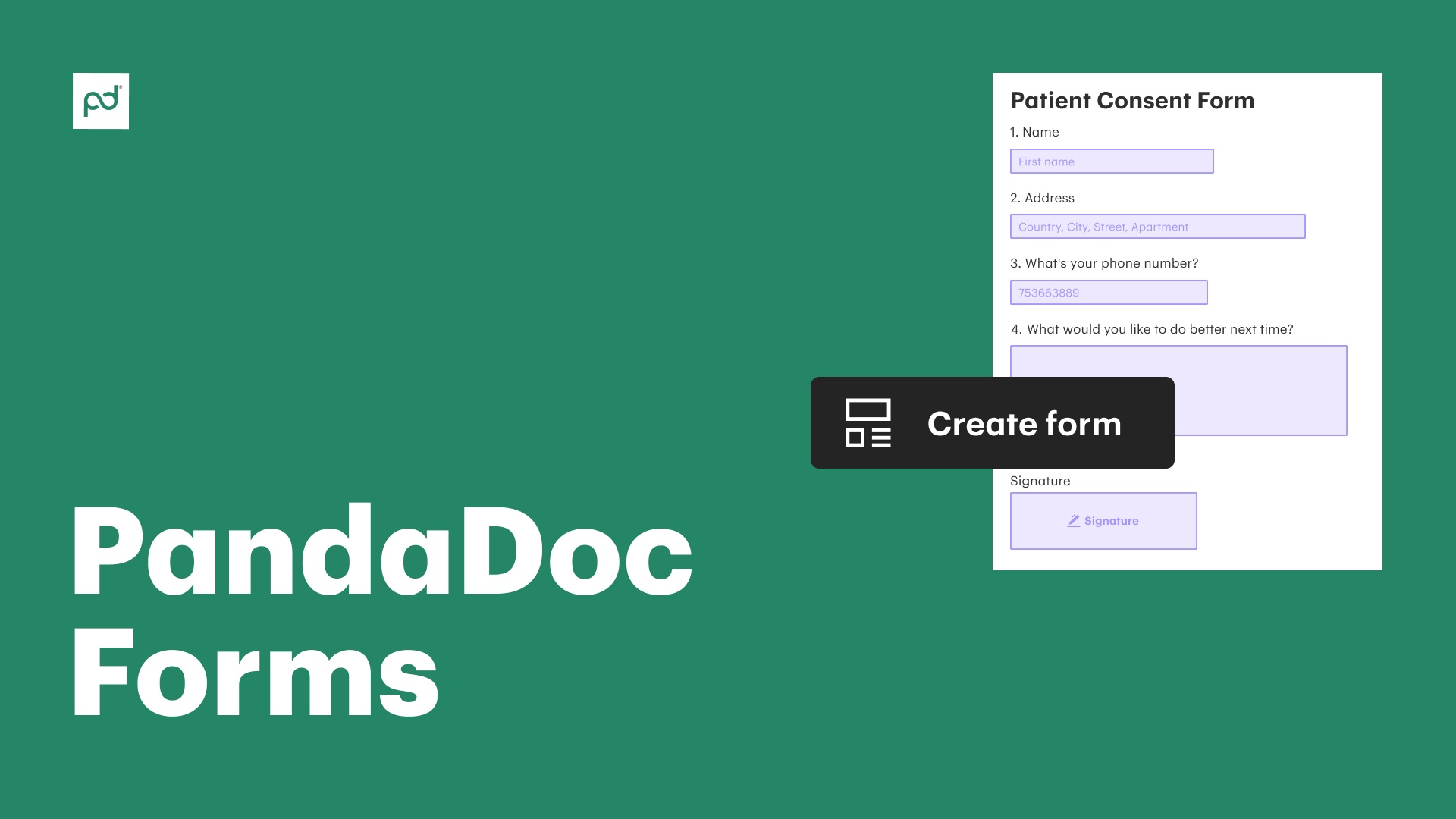
              Gather essential details from leads and customers with PandaDoc Forms. Use no-code, drag-and-drop tools to build bespoke, custom forms suited to your unique needs.

              Share forms with recipients via email or website embed, and use the data you collect to automatically generate documents and agreements.

              Request a demo
              Start free 14-day trial

              No credit card required

              The Best

              Over 68,000+ companies rely on PandaDoc tools for better customer collaboration

              Autodesk
              Boeing
              SGS
              AOL
              Konika Minolta
              Rakuten
              TomTom
              HP
              PepsiCo
              Zoetis
              Bonusly
              Chick-fil-A

              What is an online form builder?

              Online form builders help businesses create digital forms to collect information, feedback, or payments via online channels.

              Often, these forms can be customized and are shared with a link, sent via email, or embedded onto a website. When recipients fill out the form, the collected details are sent back to the form creator.

              PandaDoc Forms helps users do more with their forms. Using the on-platform builder, companies can tailor forms to:

              • Match their brand

              • Add conditional logic for dynamic fields

              • Automate form-based workflows

              • Export response data for deeper analysis

              The best part: PandaDoc Forms are built with the same drag-and-drop document editor used to make contracts, proposals, quotes, and more. No coding knowledge or special skills are required when building with PandaDoc.

              Benefits of PandaDoc’s online form builder software

              Create forms with an intuitive, drag-and-drop builder

              Create forms with an intuitive, drag-and-drop builder

              Build detailed response forms and questionnaires tailored to your specific needs and purpose.

              Gather customer feedback across multiple channels

              Gather customer feedback across multiple channels

              Send forms to specific recipients or embed them on your website to gather info from a broad audience.

              Use form data to auto-populate agreements

              Use form data to auto-populate agreements

              Combine form data with templates and document variables to create personalized documents in seconds.

              A user-friendly form creator for any business need

              Editor Eforms

              Create powerful, no-code forms in seconds

              Generate the forms you need, when you need them. Use PandaDoc’s drag-and-drop tools to create custom forms fit for purpose, no coding knowledge required.

              Build better forms with automation and conditional logic

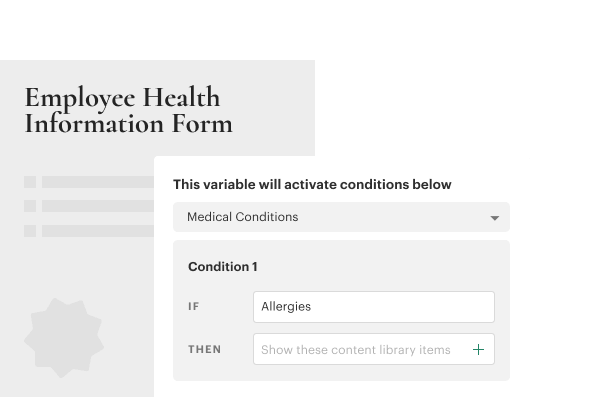
              Take advantage of conditional logic to gather more accurate data from form submissions. Set up forms so that specific responses trigger additional questions or prompt further responses automatically. Save your creations as templates to deploy them faster than ever.

              Learn how to automate your contracting process with renewal notifications

              Video thumbnail

              Purpose-built, powerful forms at your
              fingertips

              Fillable Form

              Contact forms

              Contact forms allow customers to get in touch with you when they want to learn more about your products and services.

              PandaDoc forms can be embedded on your website as contact forms. Responses can filter into your PandaDoc workspace, where teams can recycle the data into other documents when the need arises.

              Teams using CRM integrations can pass customer details collected from forms directly to their CRM so that all customer data stays in one place.

              Registration Form

              Application and registration forms

              Registration and application forms can give your team all the information required to create sales collateral like quotes, proposals, and contracts.

              Once a form template is created, this automation can become part of the standard sales flow, allowing your team to work on other tasks while customers collect and submit these essential details.

              Forms

              Tax forms

              Government forms like tax forms are available for online download, but need to be prepared with custom fields.

              PandaDoc users can import these forms and use built-in tools to prepare them for data entry and e-signature.

              Once the form is prepared, it’s easy to save the prepared form as a template and send a copy to the intended recipients.

              Customer Feedback Form

              Questionnaires and polls

              Want to understand what customers really think about your product? Curious to know what your team should build next?

              Send a quiz or a questionnaire to customers. Use the responses to better understand how teams interact with your products and services, and use that information to build even better solutions.

              Who uses PandaDoc Forms?

              • Sales

                Sales

                Sales and revenue teams can utilize forms and form templates and gather essential customer information more quickly. While this can include the basic details required to prepare quotes and proposals for existing customers, order forms and inquiry forms can also be embedded on websites as a lead generation tool.

                • Lead generation forms

                • Quote request forms

                • Order forms

                • Customer satisfaction surveys

                Learn more
                Sales
              • Marketing

                Marketing

                Marketers can leverage forms to gather valuable insights into customer opinions and feedback on products, services, and more. These responses help marketing teams better understand how products are used and how to best position them.

                Some feedback and responses gathered through forms and surveys may also act as valuable collateral for social media posts and testimonial modules on the company website to directly convey the user experience.

                • Webinar registration forms

                • Event feedback forms

                • Case study request forms

                • Brand awareness surveys

                Learn more
                Marketing
              • Admin and operations

                Admin and operations

                In small businesses like doctor’s offices and legal firms, forms can help teams automate key administrative duties. Intake forms, consent forms, and other necessary collateral can be consolidated into a custom form while still respecting regulations like HIPAA and GDPR.

                • New patient intake forms

                • Consent forms

                • Appointment and booking forms

                • IT request forms

                Learn more
                Admin and operations
              • Legal

                Legal

                Legal professionals can use form building tools to assist with basic project management around a client’s case. Custom templates can assist with client intake, organizing case details, and even dealing with court-approved forms.

                • NDA and confidentiality forms

                • Compliance reporting forms

                • Client intake forms

                • Subpoena response forms

                Learn more
                Legal
              • Finance

                Finance

                Teams working in finance can use forms to collect payment details, manage invoice requests, and streamline vendor onboarding. Forms can make payment processes work more smoothly and allow teams to spend less time handling data entry tasks.

                • Invoice processing forms

                • Purchase order forms

                • Payment authorization forms

                • Vendor payment forms

                Learn more
                Finance

              Learn how to use
              the PandaDoc form builder

              сreate forms

              Create forms with PandaDoc

              Learn how to create forms in seconds using PandaDoc’s versatile document generation tools.

              Learn more

              Frequently asked questions

              • PandaDoc forms is one of the best options on the online form builder software market due to its versatility.

                Where Jotform, Typeform, Wufoo, formstack, and others are purely focused on form generation, PandaDoc offers custom forms as part of its document generation solution.

                This means that you use forms to collect data while also using the software to build documents like proposals and contracts.

                However, PandaDoc isn’t a free online form builder and, unlike some other solutions, it’s not designed to collect anonymized data. That information will always be visible to users within a PandaDoc workspace.

              • No. PandaDoc Forms is a no-code form builder and reporting software.

                Our interface uses drag-and-drop tools, making it easier than ever to build customizable forms using advanced features like conditional logic or payment collection.

                Users who intend to embed their PandaDoc form on a website may need some knowledge of HTML or CSS, but this isn’t required during the form-building process.

              • Both the PandaDoc Business and Enterprise plans allow for unlimited form creation and include 250 documents per year/account.

                Pricing is determined by form responses, rather than form creation. For example, users could create one form and generate 250 responses or two forms and gather 125 responses apiece at no cost.

                Responses beyond the initial 250 can be purchased at $2 per response.

              • Yes! PandaDoc offers native integration with payment gateways like Stripe, Paypal, and Square for fast and easy billing.

                It’s also possible to connect to HubSpot, Salesforce, and other CRMs either directly or via Zapier to streamline workflows, automate data collection, and more.

                Other productivity apps can also connect to the platform, making PandaDoc one of the best online form builder software solutions available today.

              • Yes. Approval workflows ensure that documents are sent to designated approvers before they can be sent to recipients.

                Forms, like other PandaDoc documents, can make use of this functionality. Once a custom form is built and submitted, approvers will be able to review its contents and suggest final changes before it goes live.

              • Forms can be embedded into web pages via an embed code or with the PandaDoc API.

                When forms are published within the PandaDoc interface, users will have the option to share forms directly to intended recipients via a web link or to copy an embed code for use on a web page.

                To embed the form, copy the code and add it to your website builder (like WordPress) at the intended destination. Keep in mind that the form will need to remain active within your PandaDoc library. If the form is no longer active, customers won’t be able to fill it out.
              Employee Health Information Form
              Branding Email

              Stay on brand with bold customization options

              Use the PandaDoc editor to set custom fonts, headers, and colors throughout your form. These details are determined within the editor and will remain even when forms are embedded into your website. Maintain brand integrity with the best form builder software on the market.

              medical verification

              Automatically create documents with smart forms

              Use response data collected from forms to automatically generate and send personalized documents.

              Learn more
              download csv

              Download a CSV of form responses

              Learn how to export form responses via CSV for collation and segmentation in external tools.

              Learn more
              Form Builder
              • Badge 1
              • Badge 2
              • Badge 3
              • Badge 4
              • Badge 5
              • Badge 6
              • Badge 7
              • Badge 8
              • Badge 9
              • Trustradius – Buyers Choice
              • Badge 11
              • Badge 12
              • Badge 13
              • Badge 14
              • Badge 15
              • Badge 16
              Kelsey Boyd brand

              PandaDoc is making this so much more efficient than it once was. The Hiring Packages are a breeze to send to candidates… this would’ve been a time-consuming administrative burden if it weren’t for PandaDoc.

              KB

              Kelsey Boyd

              Director of Business Systems & Processes

              Read full story
              Link: Learn more
              Link: Learn more
              Link: Learn more

              Build better forms with PandaDoc

              Get personalized 1:1 demo with our product specialist.

              • Tailored to your needs

              • Answers all your questions

              • No commitment to buy

              Chili Piper

              ChiliPiper increased their close rate by 28% after implementing PandaDoc.

              Schedule your free live demo

              1. 1Fill out the form
              2. 2Book a time slot
              3. 3Attend a demo

              By submitting this form, I agree that theTerms of ServiceandPrivacy Noticewill govern the use of services I receive and personal data I provide respectively.