Help centerLog inHelp center
Mobile Site Logo
Desktop Site Logo
    • Platform

      • Product overview
      • Contract Management
      • CPQ
      • Enterprise
    • Features

      • Image - Document generation - Icon
        Document generationAutomate document creation with customizable templates
      • Image - Payments - Icon
        PaymentsGenerate error-free quotes
tailored for every buyer
      • Image - Deal room - Icon
        Deal RoomsCollaborate and close deals in one personalized deal room
      • Image - Smart content - Icon
        Smart contentAdapt documents to the recipient's requirements
      • All features
    •  

      • automation icon
        Workflow AutomationsStreamline your workflow and reduce manual tasks
      • Approval workflow
        Approval workflowSimplify internal sign-offs before document delivery
      • Workspaces
        WorkspacesDistribute content across teams and departments
      • Tracking & analytics
        Tracking & analyticsGet insights into how users interact with your document
      • All features
    • Request a demo
    • Contact sales
    Product (Dropdown) - Featured Image
    Compare
    • vs DocuSign
    • vs Dropbox Sign
    • vs Adobe Sign
    • vs Proposify
    • View more
    • Image - Use case - Icon

      Use case

      • eSignatures
      • Proposals
      • Contracts
      • Quotes
      • Payments
      • All use cases
    • Image - Industry - Icon

      Industry

      • Software & technology
      • Professional services
      • Education
      • Healthcare
      • Construction
      • All industries
    • Image - Team - Icon

      Team

      • Sales
      • HR
      • Marketing
      • Customer success
      • Legal
      • All teams
    • Request a demo
    • Contact sales
    Customer stories
    • Image - Solution dropdown - Autodesk
      Autodesk now tracks sales metrics across its entire org
    • Image - Solution dropdown - Nomad
      Nomad cut customer acquisition costs by 20%
    • Image - Solution dropdown - TheKey
      TheKey saves 3,000 hours per year using PandaDoc
    • All customer stories
    • Sales and CRM

      • Hubspot
        Hubspot
      • Salesforce
      • pipedrive
        Pipedrive
      • Monday Logo
        Monday
    • Payment gateways

      • Square Logo
        Square
      • Stripe
        Stripe
      • Authorize Logo
        Authorize.net
      • Paypal Logo
        PayPal
      • QuickBooks Logo
        QuickBooks Payments
      • FreshBooks Logo
        FreshBooks
    • Collaboration and more

      • Zapier
      • Greenhouse
      • QuickBooks Logo
        QuickBooks
      • Slack Logo
        Slack
      • All integrations
    • API
    • Documentation
    Integration (Dropdown) - Featured Image
    CPQ Solutions
    • pipedrive
      Pipedrive CPQ
    • Hubspot
      Hubspot CPQ
    • Salesforce CPQ
      Salesforce CPQ
    • Image - Learn- Icon

      Learn

      • Customer stories
      • Blog
      • Templates
      • Webinars
      • Learning academy
      • Security
      • Resource library
      • AI Skills Lab
    • Image - Support - Icon

      Support

      • Help center
      • Contact us
      • Onboarding services
      • Professional services
      • Premium support
      • Partner Directory
    • Image - Developers - Icon

      Developers

      • API
      • Document embedding
      • Documentation
    • Request a demo
    • Contact sales
    Resources (Dropdown) - Featured Image
    Security & Compliance
    • Signature certificate
    • Two-factor authentication
    • HIPAA compliance
    • View more
  • API
  • Pricing
Contact salesStart a trialContact Sales
Product
  • Pricing
  • Integrations
  • Features
  • Updates
  • Security
  • HIPAA
Use cases
  • Proposals
  • eSignatures
  • Quotes
  • Contracts
  • Payments
  • Forms
  • Notary
  • API
  • CPQ
  • Deal Rooms
  • All use cases
Resources
  • Help center
  • Templates
  • Blog
  • Electronic signature law
  • How to guides
  • Developer center
  • System status
  • Onboarding services
  • Partner Directory
  • Recipes
  • AI Skills Lab
Compare
  • vs DocuSign
  • vs Dropbox Sign
  • vs Adobe Sign
  • vs Proposify
  • vs Docsend
  • All alternatives
Company
  • About us
  • Culture
  • Careers
  • Stand with Ukraine
  • Become a partner
  • Press
  • Contact us
  • Marketing Preferences

© 2026 PandaDoc Inc. All rights reserved.

Privacy Notice
    Legal
        Accessibility Statement
          Do Not Sell My Personal Information
            AI Information
              • LinkedIn
              • Facebook
              • X

              Fill out and notarize the DS-3053 form fast and easily. Get the Passport Form DS-3053 to allow one of the parents to take an underage child abroad if the other parent is unavailable for some reason.

              What Is a DS-3053 Form?

              If you, as a U.S. citizen, plan to travel abroad, the first document you must obtain is a passport. The same is true of your child as well, even when (s)he is a minor that is under 16. But while applying for their passport, you may face the problem in case one of the parents can’t appear in person at the acceptance facility. DS-3053 form, also referred to as Parent Consent Passport Form, is the document that you need to get the child’s passport without the other parent being present there.

              When You Need the DS-3053 Form

              If something prevents one of the parents from coming to the application venue, like being in the hospital, living in another state or abroad, a child may get a passport with just one parent present. DS 3053 Statement of Consent is official permission from such individuals for their child to obtain a passport and travel abroad.

              DS-3053 Form 2023: What You Need to Know

              To enter a foreign country, U.S. citizens can’t use their national I.D. card but are to exhibit a passport, and minors under 16 are subject to this law too.

              Both parents of the child must be present at the acceptance agent when they submit an application to obtain a passport for him/her. If one of them can’t appear there in person, the other should have a notarized DS-3053 form. It is an official statement of consent of the absentee enabling his/her spouse to apply for the child’s passport.

              DS-3053 Form Requirements

              There are some fine points you should be aware of when you are completing the Parent Consent Passport Form.

              • The passport form DS-3053 can be submitted on behalf of both parents or legal guardians who can’t be present during the application procedure. In this case, a third party is authorized to apply in person for a child’s passport.

              • If Item 3 is left blank, the document is valid for the two passport forms (book and card).

              • The consent is signed and dated in front of the notary. You can notarize the DS-3053 Form online in PandaDoc.

              • The notary also dates the form, and both dates should coincide.

              • DS-3053 form is valid within 90 days after it has been notarized.

              Together with the notarized DS 3053 Statement of Consent, the non-applying parent must also submit a clear front and back photocopy of the government-issued identification to the acceptance facility.

              How to Notarize the DS-3053 Form Online

              You may notarize your DS-3053 form online from anywhere, whether you are at home or the office. Remote online notarization platform PandaDoc Notary connects you with an on-demand notary to perform a real-time notarization. Here’s how to get your DS-3053 form ready fast and securely.

              Step 1. Sign up for PandaDoc

              The DS-3053 form template will open in your account. Check your copy template link is in place.

              Step 2. Add signature fields

              Tag the recipients and appoint signature fields to them.

              Step 3. Fill out the USPS 1583 form

              Fill out the doc in person or pass it for e-signature using the link or email. Follow instructions in the section.

              Step 4. Notarize

              Once you’ve signed the form, the notary will reach you with a link to notarization.

              How to Complete the DS-3053 Form

              Here is a foolproof roadmap you should follow to fill out the passport form DS-3053.

              You may complete the form online in PandaDoc where you can further notarize it. Or you can download the DS-3053 form to your computer and print it out to fill out in writing. All its items should be filled out in hand using black ink.

              • Items #1 and 2 – carefully without making any corrections. If you make a mistake, you will have to complete a new form.

              • Item #3 – choose the form of the passport you would like your child to get. A passport card is quicker and less expensive to obtain; however, it can be used if you enter a foreign country by land or sea. That is why it is an option to consider if you are going to visit Mexico, Canada, or the Caribbean. If you are going to travel by air, a passport book is your only choice.

              • Item #4 – add the name of the parent who will be present at the application of the child under 16 must be given.

              • Item #5 – the Statement of Consent section, which is to be filled out by the absentee parent. If you complete a printed document, remember NOT to sign or date it, as it should be done in front of a notary. When completing it online, sign the current date as your notarization follows afterwards within one session.

              • Item #6 – is for the certified notary to fill out.

              The completed and verified by the notary DS-3053 form should be submitted together with the passport application to the U.S. Passport Agency, U.S. Consulate, or U.S. Embassy abroad.

              FAQ

              What is the meaning of the DS-3053 Form?

              By getting it, you, as a parent, give consent for your child to receive a passport and be able to travel abroad. This way, you can get a passport for a child with one parent absent in the U.S. only if the absent parent preliminary fills out the Parent Consent Passport Form.

              Where to get DS-3053 Form?

              You can get the official DS-3053 Form at PandaDoc Notary, which lets you notarize your form online from any device, with on-demand notaries available 24×7. The DS 3053 printable form, as well as general information and recommendations on filling it out, can be downloaded from the official site of the U.S. Department of State.

              Does the DS-3053 Form need to be notarized?

              Yes. Without it, the document won’t be valid. Moreover, you must sign the form in person in the presence of the notary.

              How do I notarize DS-3053 Form?

              You notarize the DS-3053 Form online remotely or visit a local notary. Online notarization is faster and easier to use. Remote notarization platforms like PandaDoc let you complete and sign your document within one 15-minute session on average from your computer or mobile device.

              What is Form DS-3053 statement of consent?

              It is the section of the form where a parent or legal guardian who can’t be personally present at the application procedure enables the second parent/guardian to act on their behalf in getting a passport for their child under 16.

              Disclaimer

              Materials (e.g. templates, educational articles, blog posts and informational content), made available through PandaDoc, including via any integrations, connectors, extensions, plugins, or third-party AI platforms (e.g. ChatGPT, Claude, or similar tools) are for general information purposes only and are provided "as is." These materials do not constitute legal, regulatory, or compliance advice and should not be construed as such. It is your responsibility to ensure materials meet your specific legal requirements. Consult a qualified attorney licensed in your jurisdiction before relying on these materials. PandaDoc disclaims all warranties, express or implied, including fitness for a particular purpose or non-infringement.

              Related templates

              SAP Proposal Template

              SAP Proposal Template

              Annual Report Template – Foreign for Profit

              Annual Report Template – Foreign for Profit

              Use this Annual Report Template for a Foreign For Profit business filing in the U.S.

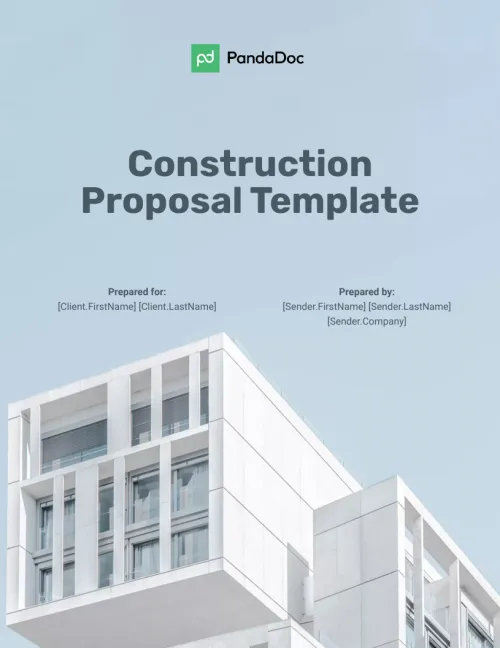
              Construction Proposal Template

              Construction Proposal Template

              Your construction business needs to be on the move or on site. Use this free proposal template to create, send, track, and get the proposal signed anywhere.

              Website Design Proposal Template

              Website Design Proposal Template

              Freelance web designers & firms use this free website design proposal template for standard proposals, Concept Development, Design, Technical, Testing.

              TemplatesForms

              DS-3053 Form (Passport Parent Consent Form)

              Use this template

              No credit card required

              DS-3053 Form (Passport Parent Consent Form)