Help centerLog inHelp center
Mobile Site Logo
Desktop Site Logo
    • Platform

      • Product overview
      • Contract Management
      • CPQ
      • Enterprise
    • Features

      • Image - Document generation - Icon
        Document generationAutomate document creation with customizable templates
      • Image - Payments - Icon
        PaymentsGenerate error-free quotes
tailored for every buyer
      • Image - Deal room - Icon
        Deal RoomsCollaborate and close deals in one personalized deal room
      • Image - Smart content - Icon
        Smart contentAdapt documents to the recipient's requirements
      • All features
    •  

      • automation icon
        Workflow AutomationsStreamline your workflow and reduce manual tasks
      • Approval workflow
        Approval workflowSimplify internal sign-offs before document delivery
      • Workspaces
        WorkspacesDistribute content across teams and departments
      • Tracking & analytics
        Tracking & analyticsGet insights into how users interact with your document
      • All features
    • Request a demo
    • Contact sales
    Product (Dropdown) - Featured Image
    Compare
    • vs DocuSign
    • vs Dropbox Sign
    • vs Adobe Sign
    • vs Proposify
    • View more
    • Image - Use case - Icon

      Use case

      • eSignatures
      • Proposals
      • Contracts
      • Quotes
      • Payments
      • All use cases
    • Image - Industry - Icon

      Industry

      • Software & technology
      • Professional services
      • Education
      • Healthcare
      • Construction
      • All industries
    • Image - Team - Icon

      Team

      • Sales
      • HR
      • Marketing
      • Customer success
      • Legal
      • All teams
    • Request a demo
    • Contact sales
    Customer stories
    • Image - Solution dropdown - Autodesk
      Autodesk now tracks sales metrics across its entire org
    • Image - Solution dropdown - Nomad
      Nomad cut customer acquisition costs by 20%
    • Image - Solution dropdown - TheKey
      TheKey saves 3,000 hours per year using PandaDoc
    • All customer stories
    • Sales and CRM

      • Hubspot
        Hubspot
      • Salesforce
      • pipedrive
        Pipedrive
      • monday.com
        Monday
    • Payment gateways

      • Square Logo
        Square
      • Stripe
        Stripe
      • Authorize Logo
        Authorize.net
      • Paypal Logo
        PayPal
      • QuickBooks
        QuickBooks Payments
      • FreshBooks Logo
        FreshBooks
    • Collaboration and more

      • Zapier
      • Greenhouse
        Greenhouse
      • QuickBooks
        QuickBooks
      • Slack Logo
        Slack
      • All integrations
    • API
    • Documentation
    Integration (Dropdown) - Featured Image
    CPQ Solutions
    • pipedrive
      Pipedrive CPQ
    • Hubspot
      Hubspot CPQ
    • Salesforce CPQ
      Salesforce CPQ
    • Image - Learn- Icon

      Learn

      • Customer stories
      • Community
      • Blog
      • Templates
      • Webinars
      • Learning academy
      • Security
      • Resource library
      • AI Skills Lab
    • Image - Support - Icon

      Support

      • Help center
      • Contact us
      • Onboarding services
      • Professional services
      • Premium support
      • Partner Directory
    • Image - Developers - Icon

      Developers

      • API
      • Document embedding
      • Documentation
    • Request a demo
    • Contact sales
    Resources (Dropdown) - Featured Image
    Security & Compliance
    • Signature certificate
    • Two-factor authentication
    • HIPAA compliance
    • View more
  • API
  • Pricing
Request a demoStart a trialContact Sales
Product
  • Pricing
  • Integrations
  • Features
  • Updates
  • Security
  • HIPAA
Use cases
  • Proposals
  • eSignatures
  • Quotes
  • Contracts
  • Payments
  • Forms
  • Notary
  • API
  • CPQ
  • Deal Rooms
  • All use cases
Resources
  • Help center
  • Community
  • Templates
  • Blog
  • Electronic signature law
  • How to guides
  • Developer center
  • System status
  • Onboarding services
  • Partner Directory
  • Recipes
  • AI Skills Lab
Compare
  • vs DocuSign
  • vs Dropbox Sign
  • vs Adobe Sign
  • vs Proposify
  • vs Docsend
  • All alternatives
Company
  • About us
  • Culture
  • Careers
  • Stand with Ukraine
  • Become a partner
  • Press
  • Contact us
  • Marketing Preferences

© 2026 PandaDoc Inc. All rights reserved.

Privacy Notice
    Legal
        Accessibility Statement
          Do Not Sell My Personal Information
            AI Information
              • LinkedIn
              • Facebook
              • X

              What is an IT service ticket form?

              ‌An IT service ticket form is a support request form that allows IT products’ end-users to communicate with your IT help desk regarding issues.

              In the form, customers can provide their name, contact information, urgency level, and any other information that can indicate the nature of the problem further.

              It’s a type of business application form through which customers can conveniently relay their experience using your product. An IT service request form optimizes your IT service desk’s workflow by eliminating error-prone paper trails.

              By using PandaDoc’s IT service request forms, customers can simply enter their name, email address, and a brief description of the problem and have it sorted out as soon as possible.

              Why does your business need an IT service ticket form?

              ‌An IT ticketing system is more than a troubleshooting start point. It’s a great CRM tool that helps you increase efficiency through automation while providing personalized customer support.

              Thanks to such a system, you can increase your help desk’s efficiency, as well as track, monitor, and measure customer service standards.

              You also get to achieve a well-organized customer support system that increases customer satisfaction and loyalty.

              What information should an IT service ticket form have?

              An IT service ticket form should have all the information your IT support needs to evaluate and solve the issue. It should also include the details identifying the customers for more personalized customer support.

              Ideally, your support team should be able to quickly identify what needs solving at a glance.

              Here are good examples of what info to include in an IT support request form: customer name, email and phone number for follow-ups if needed, a description of the problem, date and time, a section to drag and drop screenshots of the problem, and a submit button.

              You may also want to include the ticket type and the urgency level — also known as the priority level — of the issue.

              Priority levels help your service desk determine how fast a new ticket should be handled. They also power automation so that your team is not pulled in different directions all at once and customers can get answers quickly.

              Why should I use PandaDoc’s IT service ticket form format?

              ‌PandaDoc’s IT service ticket forms are professional support request application forms that allow seamless customer support.

              Our form builder software will allow you to create contact forms embedded with dropdown custom fields so that you can develop a solution that’s unique to your business needs.

              You may find details that your customers may not have known they should include in their support requests, making the interactions more productive and helpful.

              Our IT service ticket forms are also laid out in a friendly format so that your business can save time customizing them for your specific business requirements.

              Once your IT service form takes on your preferred aesthetic and format and contains all the important details, you can then save it as a custom template and use it for both in-office and customer IT troubleshooting needs.

              ‌

              FAQ

              Should you use a template to create an IT service ticket form? 

              ‌The average person is not well-versed with the intricacies of their IT software or gadget. That’s why they need a clear, easy-to-follow contact form to help them reach out to your IT support team.

              You can even customize our form fields and add whatever details best reflect your specific relationship with your customers.

              With a template to work with, your customers can quickly document the problem they’re facing, which saves time. The faster they can do so, the faster they can get a solution. This enhances customer satisfaction and loyalty.

              Who can benefit from an IT service ticket form template? 

              Whether you work in cloud services, computer or mobile device management, cybersecurity, IT consulting, data backup and restoration, monitoring services, or consumer products, you can benefit from PandaDoc’s IT service ticket form template. ‌

              Whatever your niche may be, PandaDoc’s drag-and-drop technology allows your service desk to troubleshoot your customers’ problems in no time.

              Is it safe to collect sensitive customer data using PandaDoc’s IT service ticket form? 

              ‌PandaDoc is GDPR, HIPAA, and FERPA compliant. Whether it’s our servers or software, clients can be confident of the highest security and privacy standards.

              In addition, all data is secured with encryption technology so that regardless of which type of your industry you’re in, you can use PandaDoc securely.

              What are the types of IT ticketing?

              IT ticketing can be classified into four types: event, alert, question or request, and incident. Events refer to maintenance, alerts refer to errors, incident refer to performance issues, and requests refer to general queries. IT service tickets are also classified under different names such as service requests, support cases, trouble tickets, etc.

              Disclaimer

              Materials (e.g. templates, educational articles, blog posts and informational content), made available through PandaDoc, including via any integrations, connectors, extensions, plugins, or third-party AI platforms (e.g. ChatGPT, Claude, or similar tools) are for general information purposes only and are provided "as is." These materials do not constitute legal, regulatory, or compliance advice and should not be construed as such. It is your responsibility to ensure materials meet your specific legal requirements. Consult a qualified attorney licensed in your jurisdiction before relying on these materials. PandaDoc disclaims all warranties, express or implied, including fitness for a particular purpose or non-infringement.

              Related templates

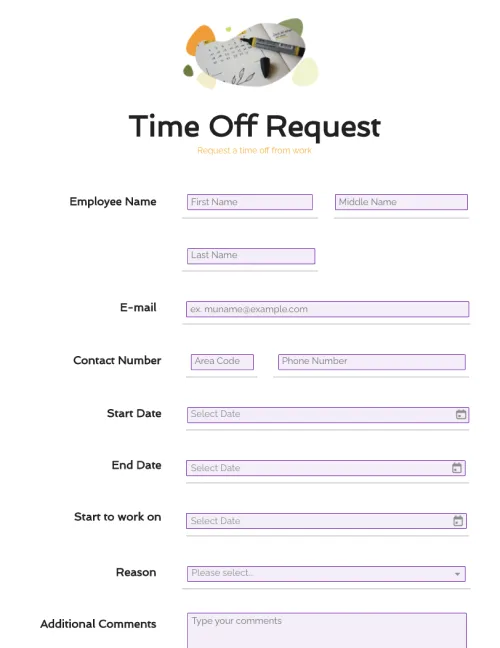
              Time Off Request Form

              Time Off Request Form

              Customize your time off request form easily with drag-and-drop form fields. Streamline employee time-off requests with complete information. Create a printable form or keep it digital.

              Expense Report Form

              Expense Report Form

              Download PandaDoc’s free expense report form template to streamline your document workflows, and save time and resources.

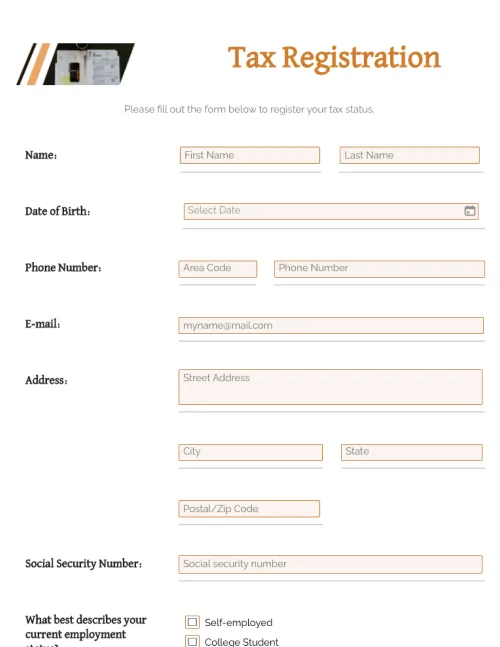
              Tax Registration Form

              Tax Registration Form

              Edit forms with a single click. Collect and submit all information needed. Register as an individual or business taxpayer. Stay compliant with tax regulations.

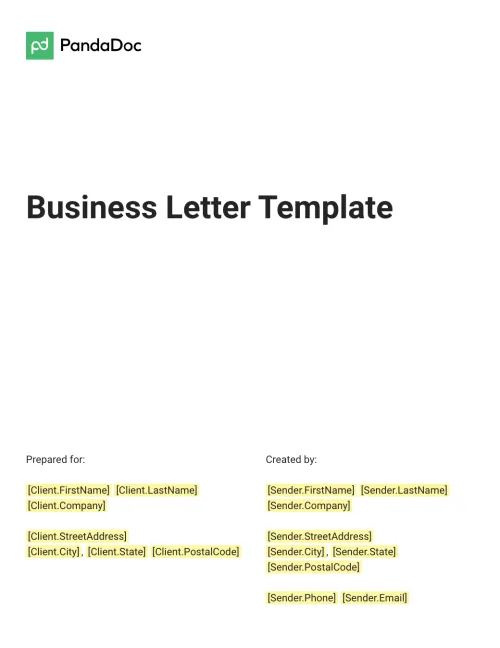
              Business Letter Template

              Business Letter Template

              You want to make your company shine. Use this sample Business Letter Template to put your best format forward.

              TemplatesForms

              IT Service Ticket Form

              Improve productivity and efficiency with easy-to-use IT support ticket templates. Organize IT service requests from customers for timely responses.

              Use this template

              No credit card required

              IT Service Ticket Form