Yes. Telehealth forms are legally binding documents. Most telehealth companies will be required by legislation and their insurance companies to obtain consent forms from patients.
While telehealth consent forms tend to be short, they should be drafted in conjunction with legal professionals and tailored to your organization’s specific requirements. Often, healthcare providers in the telehealth sector will ask patients to sign two forms, one for the initial consultation and one signifying acceptance of the terms of a more long-term treatment plant.
Various pieces of legislation and state laws, such as the Health Insurance Portability and Accountability Act (HIPAA) in the United States, have been created to safeguard sensitive client information and ensure confidentiality protections. Because of this, organizations collecting confidential data via online forms must have secure storage facilities. You will likely be required to sign a Business Associate Agreement (BAA) with any third-party cloud storage providers.
Telehealth consent forms are most commonly used as preliminary documentsfor gaining client consent. They allow medical organizations to access a patient’s medical records and also signify agreement on the part of the patient to undertake an initial consultation. Telehealth consent forms can also be used to collect important client details, such as symptoms, pre-existing health conditions, lifestyle habits (smoking, drinking, exercise, etc.), along with contact details.
Generally speaking, telehealth consent forms enable healthcare providers to do the following:
Gather client details – Telehealth providers will usually need to gather specific contact details, along with information about the patient’s current condition, mental health, and medical history, before a consultation. Medicaid details may also be asked for.
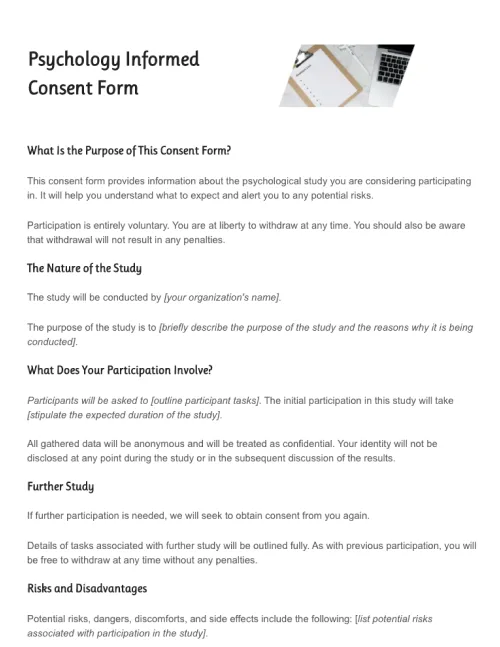
Ensure client consent – Telehealth consent forms express a client’s agreement to participate in a consultation or proposed treatment plan. They also permit telehealth providers to request and access confidential medical documents. If there are any potential risks associated with a particular service, telehealth consent forms will make patients fully aware of these.
Provide legal protection – Telehealth consent forms are essential legal documents. If any issues arise, a telehealth consent will help determine if the terms of an agreement have been broken.
Because telehealth forms are almost always hosted online, they provide an efficient way of completing all of the tasks described above. Sometimes, healthcare providers will use different consent forms for the various stages of the patient-provider relationship.
It is vital to remember that telehealth consent forms must adhere to the regulations of your jurisdiction. Unlike more straightforward business documents, telehealth consent forms are best drafted in conjunction with legal experts.
If a problem does arise further down the line, it is crucial that medical organizations are fully legally protected and all relevant procedures were followed.
That said, while specific details will vary to suit the needs of individual telehealth service providers, consent forms do follow a similar general format. Here are the main sections that will usually need to be included:
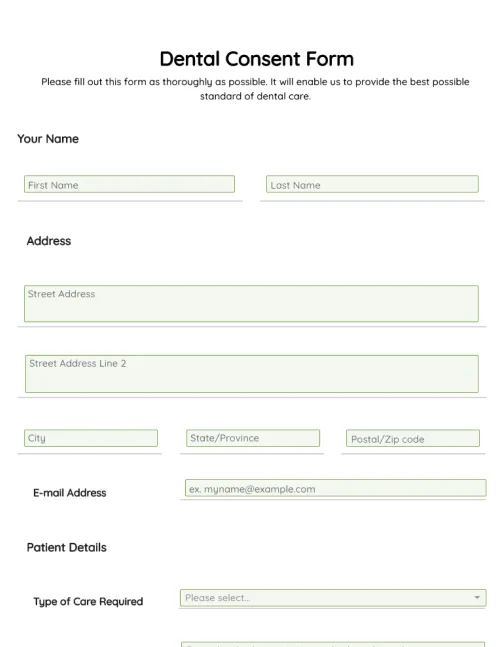
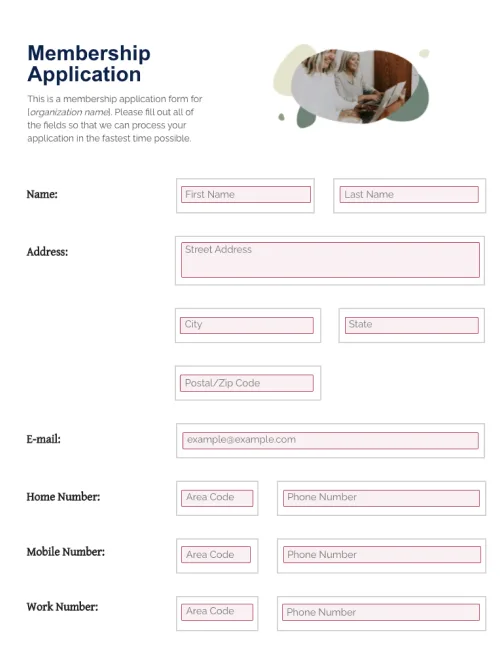
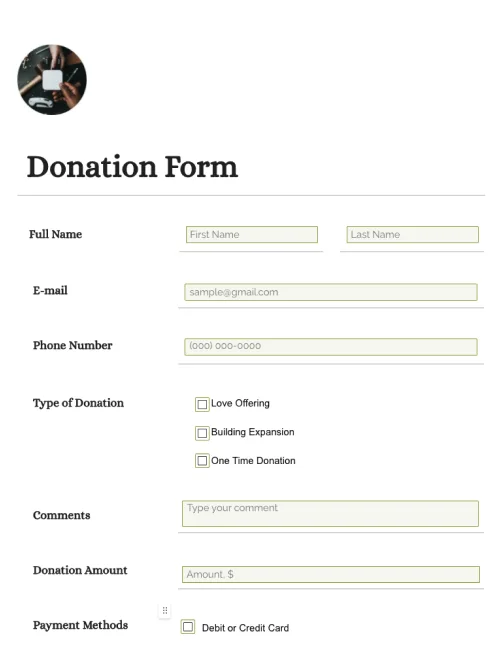
Patient details– Fields for a client’s basic details, like their name, address, email, and phone number, should be included at the top of the form.
Preliminary health information – Ask for any details relevant to the treatment the client is seeking. You may need information about symptoms, lifestyle habits like smoking and drinking, pre-existing conditions, and so on.
Terms of the “doctor-patient” agreement – This is the legal section of the form. It will include information about the healthcare provider’s responsibilities, patient rights, an outline of risks, a description of how sensitive data will be handled, plans for future care, and any other pertinent legal points.
Signature fields – Because a telehealth consent form is a legal document, it is essential to include signature fields.
Templates can dramatically cut down on the time it takes to draft telehealth consent forms. Because consent forms must usually undergo numerous rounds of verification by multiple individuals within an organization, including members of the legal department, the drafting process tends to be quite involved. Templates cut out repetitive parts of this process, saving significant amounts of employee time and financial resources in the process.
Download the free template from PandaDoc to get started. It’s free, fully customizable, and be used as the basis for an assortment of different telehealth consent forms.
Before looking at consent forms directly, it’s first necessary to understand the field of “telehealth”. In broad terms, telehealth is the provision of medical care, including (but not limited to) consultations, diagnoses, treatment plans, and follow-up packages, via remote technology such as video conferencing software.
Telehealth consent forms are legal documents that a patient or client signs to express informed consent to receive telehealth services. By clearly stipulating both the client and the provider’s responsibilities, telehealth consent forms will protect all parties involved if any disputes arise.
A whole range of businesses, including doctor’s offices, dentists, dermatologists, alternative medicine providers, physical therapists, dieticians, and more, use telehealth consent forms regularly to obtain patient consent, gather medical information, and outline possible risks.
In many cases, medical organizations are unnecessarily wasting time and money by relying on inefficient workflows. Simple changes, such as working from a template, leveraging reusable text authorized by the legal department, and automating information storage, can lead to significant cost and time savings.
There are two main types of telehealth consent forms: preliminary consent forms and detailed consent forms. Generally speaking, preliminary consent forms are signed by patients to signify agreement to an initial telehealth consultation (or “telehealth visit”) and to give the provider limited access to medical records. If treatment, either short-term or ongoing, is offered, a more detailed, even personalized, telehealth consent form may be required.
Because telehealth services are almost always provided remotely using the internet, it is very uncommon for patients to be asked to fill out handwritten forms. Virtually all telehealth providers will ask new clients to fill out an online form. Patient data is usually stored securely in the cloud.
Telehealth consent differs from country to country and state to state. Some US states do not require telehealth consent, but it is highly recommended on government websites that you have it. They also suggest your legal team screens your consent forms and you use easy-to-understand language to communicate your clients’ rights.
Disclaimer
Materials (e.g. templates, educational articles, blog posts and informational content), made available through PandaDoc, including via any integrations, connectors, extensions, plugins, or third-party AI platforms (e.g. ChatGPT, Claude, or similar tools) are for general information purposes only and are provided "as is." These materials do not constitute legal, regulatory, or compliance advice and should not be construed as such. It is your responsibility to ensure materials meet your specific legal requirements. Consult a qualified attorney licensed in your jurisdiction before relying on these materials. PandaDoc disclaims all warranties, express or implied, including fitness for a particular purpose or non-infringement.
Create legally-robust telehealth consent forms with PandaDoc’s drag-and-drop form builder and automated approval and collaboration tools.
No credit card required