Help centerLog inHelp center
Mobile Site Logo
Desktop Site Logo
    • Platform

      • Product overview
      • Contract Management
      • CPQ
      • Enterprise
    • Features

      • Image - Document generation - Icon
        Document generationAutomate document creation with customizable templates
      • Image - Payments - Icon
        PaymentsGenerate error-free quotes
tailored for every buyer
      • Image - Deal room - Icon
        Deal RoomsCollaborate and close deals in one personalized deal room
      • Image - Smart content - Icon
        Smart contentAdapt documents to the recipient's requirements
      • All features
    •  

      • automation icon
        Workflow AutomationsStreamline your workflow and reduce manual tasks
      • Approval workflow
        Approval workflowSimplify internal sign-offs before document delivery
      • Workspaces
        WorkspacesDistribute content across teams and departments
      • Tracking & analytics
        Tracking & analyticsGet insights into how users interact with your document
      • All features
    • Request a demo
    • Contact sales
    Product (Dropdown) - Featured Image
    Compare
    • vs DocuSign
    • vs Dropbox Sign
    • vs Adobe Sign
    • vs Proposify
    • View more
    • Image - Use case - Icon

      Use case

      • eSignatures
      • Proposals
      • Contracts
      • Quotes
      • Payments
      • All use cases
    • Image - Industry - Icon

      Industry

      • Software & technology
      • Professional services
      • Education
      • Healthcare
      • Construction
      • All industries
    • Image - Team - Icon

      Team

      • Sales
      • HR
      • Marketing
      • Customer success
      • Legal
      • All teams
    • Request a demo
    • Contact sales
    Customer stories
    • Image - Solution dropdown - Autodesk
      Autodesk now tracks sales metrics across its entire org
    • Image - Solution dropdown - Nomad
      Nomad cut customer acquisition costs by 20%
    • Image - Solution dropdown - TheKey
      TheKey saves 3,000 hours per year using PandaDoc
    • All customer stories
    • Sales and CRM

      • Hubspot
        Hubspot
      • Salesforce
      • pipedrive
        Pipedrive
      • monday.com
        Monday
    • Payment gateways

      • Square Logo
        Square
      • Stripe
        Stripe
      • Authorize Logo
        Authorize.net
      • Paypal Logo
        PayPal
      • QuickBooks
        QuickBooks Payments
      • FreshBooks Logo
        FreshBooks
    • Collaboration and more

      • Zapier
      • Greenhouse
        Greenhouse
      • QuickBooks
        QuickBooks
      • Slack Logo
        Slack
      • All integrations
    • API
    • Documentation
    Integration (Dropdown) - Featured Image
    CPQ Solutions
    • pipedrive
      Pipedrive CPQ
    • Hubspot
      Hubspot CPQ
    • Salesforce CPQ
      Salesforce CPQ
    • Image - Learn- Icon

      Learn

      • Customer stories
      • Blog
      • Templates
      • Webinars
      • Learning academy
      • Security
      • Resource library
      • AI Skills Lab
    • Image - Support - Icon

      Support

      • Help center
      • Contact us
      • Onboarding services
      • Professional services
      • Premium support
      • Partner Directory
    • Image - Developers - Icon

      Developers

      • API
      • Document embedding
      • Documentation
    • Request a demo
    • Contact sales
    Resources (Dropdown) - Featured Image
    Security & Compliance
    • Signature certificate
    • Two-factor authentication
    • HIPAA compliance
    • View more
  • API
  • Pricing
Request a demoStart a trialContact Sales
Product
  • Pricing
  • Integrations
  • Features
  • Updates
  • Security
  • HIPAA
Use cases
  • Proposals
  • eSignatures
  • Quotes
  • Contracts
  • Payments
  • Forms
  • Notary
  • API
  • CPQ
  • Deal Rooms
  • All use cases
Resources
  • Help center
  • Templates
  • Blog
  • Electronic signature law
  • How to guides
  • Developer center
  • System status
  • Onboarding services
  • Partner Directory
  • Recipes
  • AI Skills Lab
Compare
  • vs DocuSign
  • vs Dropbox Sign
  • vs Adobe Sign
  • vs Proposify
  • vs Docsend
  • All alternatives
Company
  • About us
  • Culture
  • Careers
  • Stand with Ukraine
  • Become a partner
  • Press
  • Contact us
  • Marketing Preferences

© 2026 PandaDoc Inc. All rights reserved.

Privacy Notice
    Legal
        Accessibility Statement
          Do Not Sell My Personal Information
            AI Information
              • LinkedIn
              • Facebook
              • X

              What’s the use of screening for the COVID-19?

              Screening for the coronavirus can help slow the spread of the pandemic. Based on the answers to the questionnaire, you can legally deny access to your business if a customer or employee has a high risk of carrying or transmitting COVID-19.

              In practice, this may mean asking employees to work remotely if they answer certain screening questions in the affirmative, or it may mean rescheduling appointments or offering appointments via video chat if clients seem to have a high risk of carrying COVID-19.

              All of these steps can help slow the spread of coronavirus and keep your customers and employees as safe as possible during this pandemic.

              Why customize a COVID-19 questionnaire with PandaDoc?

              Although you can receive generic COVID-19 questionnaires online, these questionnaires don’t have all the features of PandaDoc’s forms. With PandaDoc, you can customize your questionnaire to include your brand’s logos and preferred colors, which can set your business apart from the countless other businesses doing screenings right now.

              More importantly, using PandaDoc’s customizable forms allows you to integrate questionnaire responses directly into your business’s system. This means you can follow up with customers or employees who seem to be at high risk of having or transmitting COVID-19.

              How does PandaDoc work in conjunction with COVID-19 questionnaires?

              One of the best things about using PandaDoc’s forms to create your COVID-19 screening questionnaire is the incorporated automation tools we include.

              For example, you can set up automated emails that go out with your questionnaire 24 hours before a client has an appointment in your building. Based on the responses to the questionnaire, you can then send out an automated email which either welcomes them to your facility with instructions for where to go or an email which states their appointment will need to be rescheduled.

              Automation tools mean that you only have to come up with these responses once, and PandaDoc’s tools can analyze questionnaire responses and send the appropriate reply without your employees having to lift a finger. Instead of spending their days monitoring answers to questionnaires and fielding calls about which entrance to use, your employees can do the jobs you hired them for.

              Is it legal to screen customers and employees for COVID-19?

              Yes! Although you should warn third parties, such as customers or vendors, that you have new screening practices in place, it is legal to screen for COVID-19 as long as you do so consistently with everyone who comes into your building. It is also legal to deny access to your building if people fail your screening questions or refuse to cooperate. While businesses cannot discriminate based on things like race, nationality, or sexual orientation, you can have rules that prevent people from coming into your establishment for safety reasons.

              Although you can also require employees to undergo screening, you should take caution before disciplining employees for refusing to do so. This is especially true if their refusal is based on religious reasons. However, you can ask employees to work remotely while mandatory screening is in place in lieu of being screened or to work remotely if their screening shows they’re at risk of having COVID-19.

              FAQ

              What’s a COVID-19 questionnaire? 

              A COVID-19 questionnaire is a form that includes a series of questions to help pre-emptively screen clients for COVID-19. Although screening questions are not as definitive as COVID-19 tests in determining whether someone has the virus, they can evaluate whether your customers or employees are at high risk for carrying and transmitting the disease.

              What are the most important screening questions for COVID-19? 

              Some of the most important COVID-19 screening questions include:

              • Are you fully vaccinated against COVID-19?

              • Have you recovered from a documented COVID-19 infection in the last 3 months?

              • Do you currently have any symptoms of COVID-19?

              • Have you recently been exposed to anyone who has tested positive for this coronavirus or is exhibiting symptoms of COVID-19?

              • Have you recently traveled outside of the state?

              • Are you currently isolating or quarantining due to a positive COVID-19 test?

              Is it safe to send and receive COVID-19 screening questions? 

              Yes, PandaDoc follows all HIPAA regulations, so you can safely ask screening questions and receive responses without worrying that someone else may be able to access this sensitive health data.

              Disclaimer

              Materials (e.g. templates, educational articles, blog posts and informational content), made available through PandaDoc, including via any integrations, connectors, extensions, plugins, or third-party AI platforms (e.g. ChatGPT, Claude, or similar tools) are for general information purposes only and are provided "as is." These materials do not constitute legal, regulatory, or compliance advice and should not be construed as such. It is your responsibility to ensure materials meet your specific legal requirements. Consult a qualified attorney licensed in your jurisdiction before relying on these materials. PandaDoc disclaims all warranties, express or implied, including fitness for a particular purpose or non-infringement.

              Related templates

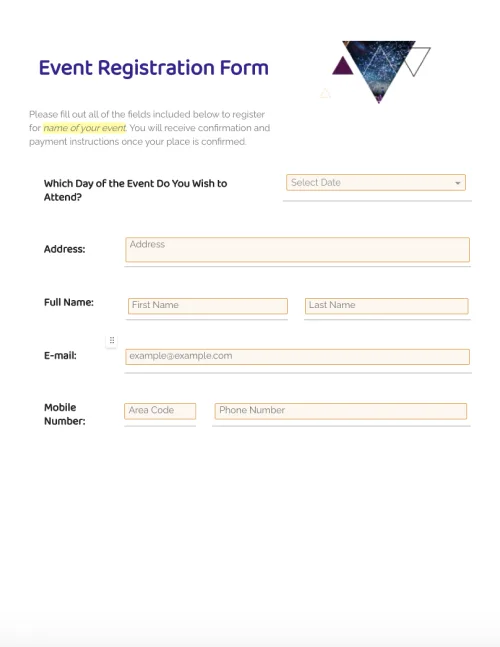
              Event Registration Form

              Event Registration Form

              Customize registration forms for your upcoming events quickly and easily. UsePandaDoc’s drag-and-drop form builder to streamline your whole form creation workflow.

              Case Study Proposal Template

              Case Study Proposal Template

              Convertible Note Agreement Template

              Convertible Note Agreement Template

              Startups can negotiate and raise seed funding and angel funding easily with this legal Convertible Note template.

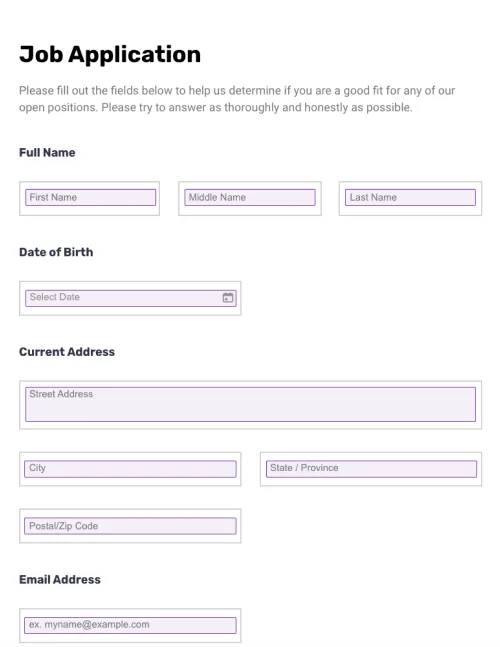
              Job Application Form

              Job Application Form

              Streamline your recruitment processes and create job application forms quickly and easily with PandaDoc’s suite of document creation tools.

              TemplatesForms

              COVID-19 Questionnaire

              Customize your COVID-19 Questionnaire. Record, and store important information online. Easily access data from any device.

              Use this template

              No credit card required

              COVID-19 Questionnaire