Help centerLog inHelp center
Mobile Site Logo
Desktop Site Logo
    • Platform

      • Product overview
      • Contract Management
      • CPQ
      • Enterprise
    • Features

      • Image - Document generation - Icon
        Document generationAutomate document creation with customizable templates
      • Image - Payments - Icon
        PaymentsGenerate error-free quotes
tailored for every buyer
      • Image - Deal room - Icon
        Deal RoomsCollaborate and close deals in one personalized deal room
      • Image - Smart content - Icon
        Smart contentAdapt documents to the recipient's requirements
      • All features
    •  

      • automation icon
        Workflow AutomationsStreamline your workflow and reduce manual tasks
      • Approval workflow
        Approval workflowSimplify internal sign-offs before document delivery
      • Workspaces
        WorkspacesDistribute content across teams and departments
      • Tracking & analytics
        Tracking & analyticsGet insights into how users interact with your document
      • All features
    • Request a demo
    • Contact sales
    Product (Dropdown) - Featured Image
    Compare
    • vs DocuSign
    • vs Dropbox Sign
    • vs Adobe Sign
    • vs Proposify
    • View more
    • Image - Use case - Icon

      Use case

      • eSignatures
      • Proposals
      • Contracts
      • Quotes
      • Payments
      • All use cases
    • Image - Industry - Icon

      Industry

      • Software & technology
      • Professional services
      • Education
      • Healthcare
      • Construction
      • All industries
    • Image - Team - Icon

      Team

      • Sales
      • HR
      • Marketing
      • Customer success
      • Legal
      • All teams
    • Request a demo
    • Contact sales
    Customer stories
    • Image - Solution dropdown - Autodesk
      Autodesk now tracks sales metrics across its entire org
    • Image - Solution dropdown - Nomad
      Nomad cut customer acquisition costs by 20%
    • Image - Solution dropdown - TheKey
      TheKey saves 3,000 hours per year using PandaDoc
    • All customer stories
    • Sales and CRM

      • Hubspot
        Hubspot
      • Salesforce
      • pipedrive
        Pipedrive
      • monday.com
        Monday
    • Payment gateways

      • Square Logo
        Square
      • Stripe
        Stripe
      • Authorize Logo
        Authorize.net
      • Paypal Logo
        PayPal
      • QuickBooks
        QuickBooks Payments
      • FreshBooks Logo
        FreshBooks
    • Collaboration and more

      • Zapier
      • Greenhouse
        Greenhouse
      • QuickBooks
        QuickBooks
      • Slack Logo
        Slack
      • All integrations
    • API
    • Documentation
    Integration (Dropdown) - Featured Image
    CPQ Solutions
    • pipedrive
      Pipedrive CPQ
    • Hubspot
      Hubspot CPQ
    • Salesforce CPQ
      Salesforce CPQ
    • Image - Learn- Icon

      Learn

      • Customer stories
      • Blog
      • Templates
      • Webinars
      • Learning academy
      • Security
      • Resource library
      • AI Skills Lab
    • Image - Support - Icon

      Support

      • Help center
      • Contact us
      • Onboarding services
      • Professional services
      • Premium support
      • Partner Directory
    • Image - Developers - Icon

      Developers

      • API
      • Document embedding
      • Documentation
    • Request a demo
    • Contact sales
    Resources (Dropdown) - Featured Image
    Security & Compliance
    • Signature certificate
    • Two-factor authentication
    • HIPAA compliance
    • View more
  • API
  • Pricing
Contact salesStart a trialContact Sales
Product
  • Pricing
  • Integrations
  • Features
  • Updates
  • Security
  • HIPAA
Use cases
  • Proposals
  • eSignatures
  • Quotes
  • Contracts
  • Payments
  • Forms
  • Notary
  • API
  • CPQ
  • Deal Rooms
  • All use cases
Resources
  • Help center
  • Templates
  • Blog
  • Electronic signature law
  • How to guides
  • Developer center
  • System status
  • Onboarding services
  • Partner Directory
  • Recipes
  • AI Skills Lab
Compare
  • vs DocuSign
  • vs Dropbox Sign
  • vs Adobe Sign
  • vs Proposify
  • vs Docsend
  • All alternatives
Company
  • About us
  • Culture
  • Careers
  • Stand with Ukraine
  • Become a partner
  • Press
  • Contact us
  • Marketing Preferences

© 2026 PandaDoc Inc. All rights reserved.

Privacy Notice
    Legal
        Accessibility Statement
          Do Not Sell My Personal Information
            AI Information
              • LinkedIn
              • Facebook
              • X

              Who needs to complete a job observation form?

              ‌If you are an employer who is required to conduct safety inspections and follow industry standards that are set by the Occupational Safety and Health Administration (OSHA), you should use a job observation form to collect your findings.

              Managers are often expected to perform these observations using checklists that have separate sections for each safety topic.

              A job observation form template is recommended for jobs with high injury or illness rates and jobs in which one human error could lead to a severe accident or injury. One of the most common places safety observation forms are used is construction sites.

              What is a job observation form used for?

              ‌A job observation form should be used to simplify the safety observation process. Safety observations count the number of safe and unsafe actions or conditions in a work area during a specific period of time.

              After the observation concludes, the form can be used to communicate with employees about their behaviors in a way that encourages improvement without the threat of punishment for mistakes.

              As part of the employee risk assessment, the form should include a place for you to report both good and bad behaviors, as well as areas in which the employee excels.

              To create a positive and safe work environment, you need to acknowledge and reward safe behavior and correct unsafe behavior.

              Only focusing on the negative could increase the risk of workplace injuries. Your goal should be to identify and record any risky employee behavior and use that data to implement corrections that improve safety.

              What should a job observation form include?

              ‌A safety observation template should feature various fields related to safety checking, task observation, and other relevant health and safety standard practices.

              Your form should also include areas to check for compliance with your safe work procedures. The form should provide a survey of the entire work area.

              Fields on the form should provide space to describe:

              • how the employee is performing the work

              • safety hazards

              • whether the employee is wearing personal protective equipment

              • how the task is being performed

              • any risk behaviors

              • opinions from the employee about possible risks associated with the task

              • feedback from the inspector about unsafe behavior

              Should you use a template to create a job observation form?

              Safety observations are important to track and improve your business’ safety standards. Increasing employee participation in reporting safety observations will promote a safety culture in your workplace and ensure your BBS program is succeeding.

              Using a template, you can easily send forms directly to employees so they can review areas for improvement.

              Job safety observation forms could also help you avoid serious fines for not complying with safety standards.

              Since safety observations are critical and need to be completed frequently, it’s necessary to have easy-to-use software that ensures forms are filled out consistently and accurately.

              PandaDoc allows you to capture required data with minimal room for error with drag-and-drop features. You can customize your job safety observation form by adding your company’s logo and tailoring the form’s criteria to increase your inspection efficiency.

              You can even use PandaDoc’s mobile app to complete observations from your mobile device.

              Is a job safety observation form the same as a safety audit form?

              A safety observation is different from a safety audit, although they both assess employee behavior as part of a workplace safety plan.

              Safety observations look for hazards, risks, and other factors that may prevent a company from operating safely, while safety audits examine whether programs and strategies are meeting a company’s safety goals.

              Safety observation forms are typically feedback forms meant for follow-up, while safety audits are more akin to business forms or audit reports. You can include a similar checklist in both forms with relevant OSHA standards and best practices.

              OSHA does not require safety audits or inspections, but companies use safety observation forms to keep up with industry standards. OSHA may request an audit as part of an ongoing review to determine whether an employer corrected hazardous conditions listed in previous safety observations. ‌

              FAQ

              How do you write a job safety observation card?

              ‌Begin your job safety observation form by mentioning the steps to properly observe and review the site. Next, your safety form will require details such as the name of the observer, the employee, the site, and the task. Add details about the health and safety standards, including comments on equipment, behaviour, repetitive tasks, etc. End the form with recommendations for corrective actions.

              How many steps are there in safety observation?

              The number of steps differ with every program. However, the key steps are to

              1. ask permission to observe

              2. review Safe Work Service Procedure (SWSP)

              3. communicate with the team

              4. wear a PPE and minimise distractions

              5. observe the entire area

              6. conclude findings and share observations.

              What is a job observation form?

              ‌A job safety observation form is used by businesses to document hazards and track the overall safety of the workplace.

              Companies use safety observation templates to monitor the effectiveness of behavior-based safety (BBS) programs, audit employee behavior, and improve workplace safety.

              You can use templates to bring attention to employees’ safety behavior and make them aware of unsafe conditions.
              Disclaimer

              Materials (e.g. templates, educational articles, blog posts and informational content), made available through PandaDoc, including via any integrations, connectors, extensions, plugins, or third-party AI platforms (e.g. ChatGPT, Claude, or similar tools) are for general information purposes only and are provided "as is." These materials do not constitute legal, regulatory, or compliance advice and should not be construed as such. It is your responsibility to ensure materials meet your specific legal requirements. Consult a qualified attorney licensed in your jurisdiction before relying on these materials. PandaDoc disclaims all warranties, express or implied, including fitness for a particular purpose or non-infringement.

              Related templates

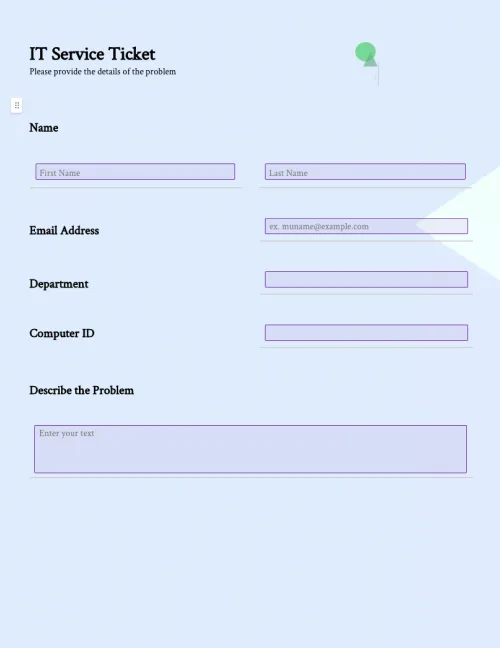
              IT Service Ticket Form

              IT Service Ticket Form

              Improve productivity and efficiency with easy-to-use IT support ticket templates. Organize IT service requests from customers for timely responses.

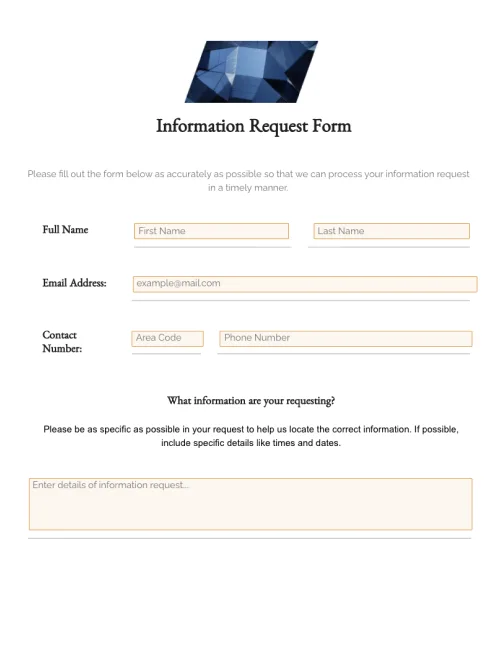
              Information Request Form

              Information Request Form

              Create information request forms quickly and easily with drag-and-drop form fields, automated workflows, and secure data storage.

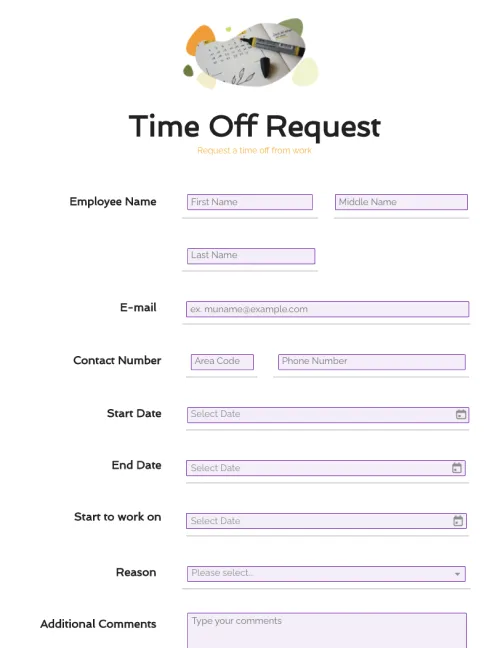
              Time Off Request Form

              Time Off Request Form

              Customize your time off request form easily with drag-and-drop form fields. Streamline employee time-off requests with complete information. Create a printable form or keep it digital.

              Expense Report Form

              Expense Report Form

              Download PandaDoc’s free expense report form template to streamline your document workflows, and save time and resources.

              TemplatesForms

              Job Safety Observation Form

              Easily customize job safety observation forms to increase inspection efficiency. Complete observations in the workplace with PandaDoc's easy-to-use mobile app to improve workplace safety.

              Use this template

              No credit card required

              Job Safety Observation Form