

Free Electronic TD1AB Form (TD1 Alberta)
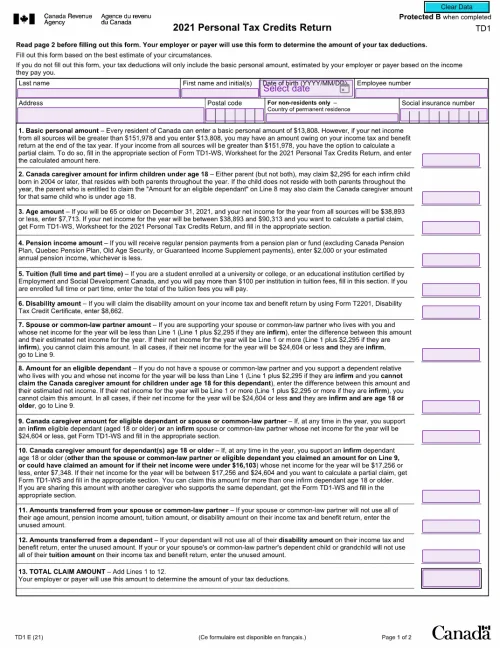
Use this electronic template of the TD1AB (Alberta Personal Tax Credits Return) for 2021 to create forms and distribute them to your employees through a secure online portal. Collecting tax information from your workers in this way is much quicker than relying on paper forms.
No credit card required

Do all employees need to fill out a TD1AB?
All employees should fill out a TD1AB form if they are receiving monetary compensation for their work. Failure to complete the relevant TD1 documentation, which includes a personal tax credits return for Alberta, within seven days of a change in circumstances that affect tax benefits can result in fines, so it’s imperative that all forms are submitted in a timely manner.
If you are unsure if either you or one of your employees needs to fill out a TD1AB form, check if one of the following conditions apply:
You’ve been put on the payroll of a new employer.
You have undergone a change of circumstances that has affected your tax credit entitlement. You may, for example, be caring for dependants or elderly relatives when you previously weren’t.
You move to a new province. In this case, you will need to fill out the applicable local TD1 form (not the TD1AB form).
You wish to increase the amount of tax that you pay on recurrent earnings. If you have income from other sources in addition to your main job, you can ask the CRA to make higher deductions. This means you won’t have to pay more in the form of a lump sum when you file your annual tax return.
How can employers provide their workers with TD1AB forms?
Employers have two options when it comes to distributing a TD1AB form to their employees. They can send a link to the relevant web page of the Canada.gov site, or they can create their own form and host it to be filled out online.
From 2020 onwards, organizations are advised to send an online link to their employees rather than a paper form. Employees should then fill out the form and send either a printed or digital copy to the Human Resources (HR) or Accounting department. Tax information must then be processed manually for recurring payroll obligations.
Alternatively, organizations have the option to create their own custom forms (this applies to both TD1s and TD1ABs). These forms must mirror government-issued documents and it is a requirement that employee tax data be stored in accordance with certain regulations.
Custom forms streamline the process of data collection. A digital TD1AB can be hosted online using a service like PandaDoc and synced to a backend database, where employee information can be accessed quickly when needed.
What are the tax credit entitlements in Alberta for 2021?
Alberta tax credits for 2021 can be found in the TD1AB. In addition, the worksheet provided by the CRA (see the “Useful Links” section below) can be used to calculate income-dependent entitlements.
Here are the tax credits stipulated in the TD1AB form for 2021:
Basic personal amount – $19,369
Aged over 65 with net income lower than $40,179 – $5,397
Pension income amount – $1,491 (or full pension amount if it is lower)
Disability amount – $14,940
Spouse or common-law partner amount (if you are supporting them) – $19,369 minus their income
Caregiver amount for related dependant earning $17,826 or less – $11,212
Amount for infirm dependents aged over 18 – $11,212
Useful links
FAQ
What is a TD1AB?
A TD1AB, also referred to as an “Alberta Personal Tax Credits Return”, is a form published by the Canada Revenue Agency (CRA). It allows organizations to collect tax information from their workers – specifically, their entitlements to tax credits. Employers are then expected to apply these tax credits to employees’ regular earnings when conducting payroll tasks.
The three-letter reference “TD1” indicates that the form is a tax credits return. The abbreviation “AB” refers to the province to which the form is relevant, in this case Alberta. All TD1 forms for Canadian provinces, along with supplementary worksheets, are published online.
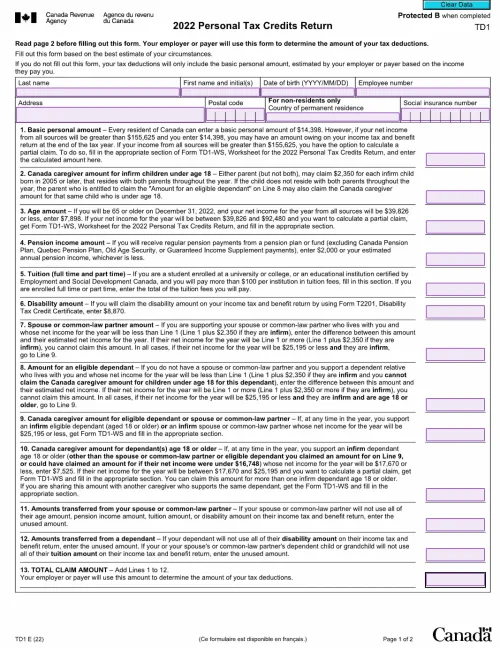
If you are an employer, you should provide all new members of your workforce with both a provincial and a federal TD1 form, either by sending them a link to the relevant web pages of the Canada.gov website or by creating and distributing your own form (which must mirror the official document).
Is a TD1AB different from a generic TD1?
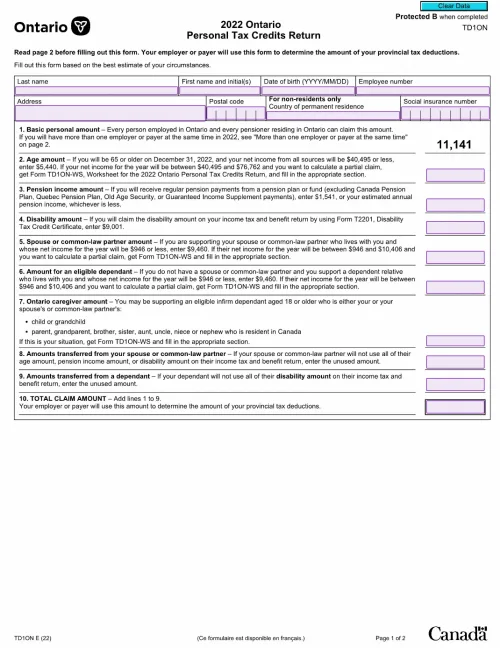
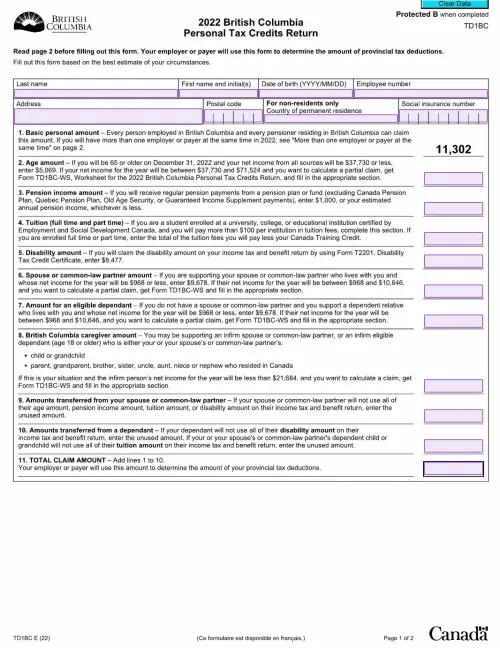
Yes. TD1ABs are not the same as federal TD1 forms. Canadian citizens are required to pay federal andprovincial taxes. Organizations use TD1 forms to calculate the amount of federal tax that needs to be given to the CRA, while local TD1 forms, such as the TD1AB, are for determining province-specific taxes.
It is also worth noting that neither provincial nor federal TD1 forms cover all possible tax entitlements. As a result, it may be necessary for individuals to fill out additional documentation for some credits.
For example, if somebody wishes to claim medical, employment, or child care expenses, they will need to submit a T1213 form directly to the CRA, which will grant their employer permission to further reduce tax deductions on regular earnings. If you need to fill out additional forms to claim your full tax credit entitlement, you can find PDFs on the Canadian government website.
Can employers use a service like PandaDoc to create their own TD1 forms?
Using a service like PandaDoc to create and host a TD1AB form for your employees carries a number of benefits.
Because PandaDoc can sync to a database on your or a third-party’s servers, the process of data entry is streamlined significantly. PandaDoc also provides numerous tools to ensure that self-created forms meet regulations set by the CRA. You can add confirmation buttons, record submission dates, make forms available to the CRA, store information securely, and more.
Templates, including the TD1AB for 2021, are available on all PandaDoc plans. Try a free trialtoday to see if we’re a fit for your business.
Disclaimer
Materials (e.g. templates, educational articles, blog posts and informational content), made available through PandaDoc, including via any integrations, connectors, extensions, plugins, or third-party AI platforms (e.g. ChatGPT, Claude, or similar tools) are for general information purposes only and are provided "as is." These materials do not constitute legal, regulatory, or compliance advice and should not be construed as such. It is your responsibility to ensure materials meet your specific legal requirements. Consult a qualified attorney licensed in your jurisdiction before relying on these materials. PandaDoc disclaims all warranties, express or implied, including fitness for a particular purpose or non-infringement.