Help centerLog inHelp center
Mobile Site Logo
Desktop Site Logo
    • Platform

      • Product overview
      • Contract Management
      • CPQ
      • Enterprise
    • Features

      • Image - Document generation - Icon
        Document generationAutomate document creation with customizable templates
      • Image - Payments - Icon
        PaymentsGenerate error-free quotes
tailored for every buyer
      • Image - Deal room - Icon
        Deal RoomsCollaborate and close deals in one personalized deal room
      • Image - Smart content - Icon
        Smart contentAdapt documents to the recipient's requirements
      • All features
    •  

      • automation icon
        Workflow AutomationsStreamline your workflow and reduce manual tasks
      • Approval workflow
        Approval workflowSimplify internal sign-offs before document delivery
      • Workspaces
        WorkspacesDistribute content across teams and departments
      • Tracking & analytics
        Tracking & analyticsGet insights into how users interact with your document
      • All features
    • Request a demo
    • Contact sales
    Product (Dropdown) - Featured Image
    Compare
    • vs DocuSign
    • vs Dropbox Sign
    • vs Adobe Sign
    • vs Proposify
    • View more
    • Image - Use case - Icon

      Use case

      • eSignatures
      • Proposals
      • Contracts
      • Quotes
      • Payments
      • All use cases
    • Image - Industry - Icon

      Industry

      • Software & technology
      • Professional services
      • Education
      • Healthcare
      • Construction
      • All industries
    • Image - Team - Icon

      Team

      • Sales
      • HR
      • Marketing
      • Customer success
      • Legal
      • All teams
    • Request a demo
    • Contact sales
    Customer stories
    • Image - Solution dropdown - Autodesk
      Autodesk now tracks sales metrics across its entire org
    • Image - Solution dropdown - Nomad
      Nomad cut customer acquisition costs by 20%
    • Image - Solution dropdown - TheKey
      TheKey saves 3,000 hours per year using PandaDoc
    • All customer stories
    • Sales and CRM

      • Hubspot
        Hubspot
      • Salesforce
      • pipedrive
        Pipedrive
      • monday.com
        Monday
    • Payment gateways

      • Square Logo
        Square
      • Stripe
        Stripe
      • Authorize Logo
        Authorize.net
      • Paypal Logo
        PayPal
      • QuickBooks
        QuickBooks Payments
      • FreshBooks Logo
        FreshBooks
    • Collaboration and more

      • Zapier
      • Greenhouse
        Greenhouse
      • QuickBooks
        QuickBooks
      • Slack Logo
        Slack
      • All integrations
    • API
    • Documentation
    Integration (Dropdown) - Featured Image
    CPQ Solutions
    • pipedrive
      Pipedrive CPQ
    • Hubspot
      Hubspot CPQ
    • Salesforce CPQ
      Salesforce CPQ
    • Image - Learn- Icon

      Learn

      • Customer stories
      • Blog
      • Templates
      • Webinars
      • Learning academy
      • Security
      • Resource library
      • AI Skills Lab
    • Image - Support - Icon

      Support

      • Help center
      • Contact us
      • Onboarding services
      • Professional services
      • Premium support
      • Partner Directory
    • Image - Developers - Icon

      Developers

      • API
      • Document embedding
      • Documentation
    • Request a demo
    • Contact sales
    Resources (Dropdown) - Featured Image
    Security & Compliance
    • Signature certificate
    • Two-factor authentication
    • HIPAA compliance
    • View more
  • API
  • Pricing
Request a demoStart a trialRequest a demo
Product
  • Pricing
  • Integrations
  • Features
  • Updates
  • Security
  • HIPAA
Use cases
  • Proposals
  • eSignatures
  • Quotes
  • Contracts
  • Payments
  • Forms
  • Notary
  • API
  • CPQ
  • Deal Rooms
  • All use cases
Resources
  • Help center
  • Templates
  • Blog
  • Electronic signature law
  • How to guides
  • Developer center
  • System status
  • Onboarding services
  • Partner Directory
  • Recipes
  • AI Skills Lab
Compare
  • vs DocuSign
  • vs Dropbox Sign
  • vs Adobe Sign
  • vs Proposify
  • vs Docsend
  • All alternatives
Company
  • About us
  • Culture
  • Careers
  • Stand with Ukraine
  • Become a partner
  • Press
  • Contact us
  • Marketing Preferences

© 2026 PandaDoc Inc. All rights reserved.

Privacy Notice
    Legal
        Accessibility Statement
          Do Not Sell My Personal Information
            AI Information
              TemplatesAccounting and tax

              W-9 Tax Forms

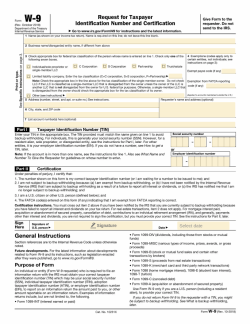
              The W9 tax form also called the "Request for Taxpayer Identification Number and Certification" form, is a document in the US income tax system used by a third party who must file an information return with the IRS.

              Use this template

              No credit card required

              W-9 forms by type

              W9 Form Template - Tabs - 1 - Image
              Open in PandaDoc
              • LinkedIn
              • Facebook
              • X
              W-9 Tax Forms - hero-template-form - cover-image

              Who needs to complete a W-9 form?

              Independent contractors

              As an independent contractor, you’re required to pay taxes on the income you earn and you must file a tax return with the IRS each year.

              Your employer will not retain money for taxes, in the same way, they would for permanent employees, so you’re responsible for doing the accounting yourself.

              To do that, you’ll need a 1099 form from each company that you’ve completed contract work.

              To ensure that you receive your 1099s in time for tax season, you’ll need to submit a completed W-9 tax form to each company prior to working on projects for them.

              This guarantees that they have all of the information they need to file their taxes with the IRS, and to generate and send your 1099 for your personal income tax return.

              Form W-9 will need information such as the contractor’s full name, the business’ name, what kind of business it is, and the tax identification number/Social Security number (depending on whether the contractor is a business or a sole proprietor).

              You will also need to include information about your ‘backup withholding’ status.

              It’s unlikely you’ll be subject to backup withholding, however, if you are the contractee then you will need to withhold tax from your pay. This is typically a fixed rate of 24% for the 2018 to 2025 tax years.

              Employers

              If you manage payroll or taxes for a company, it’s important that you keep a completed W-9 on file for each active working employee and contractor.

              You’ll use W-9 tax forms to set up payroll for employees and to create W-2s and 1099 forms for every employee and contractor during the federal tax season every year.

              Tips and Instructions for use

              You may be sent a W-9 by your employer, otherwise, you can easily access an up to date copy via the IRS website (irs.gov).

              IRS form W-9 is a four-page document, but all fillable fields are on the first page.

              In the top section, the employee or contractor should write or type their personal information, including their name, business name (if applicable), address, and tax classification:

              • Individual

              • C Corporation

              • S Corporation,

              • Limited Liability Company (LLC)

              • Corporation

              • trust/estate, or other.

              In the second section, the individual filling out the W-9 tax form must add their Social Security or employer identification number (EIN).

              The W-9 needs a signature and date in the final section. Once the form is complete, send it back to the person or company who requested it, at which point it needs to be completed entirely.

              You’ll need a new W-9 form if any of your relevant information has changed since your last form was submitted.

              This could include information like your Social Security number, tax identification number, name, business name, address, or anything else on the form.

              Make sure that you definitely need to fill out a W-9, not any other kind of tax document.

              For example, permanent and full-time employees generally need form W-4, not a W-9. This is used to help employers determine the amount of money to withhold for the taxman, and is not suited for freelancers.

              Helpful information

              If you’re a freelancer, it can be difficult to procure a 1099-MISC form from everyone you work for in a given year.

              The IRS recognizes this, and as a result, does not require companies to send you a 1099 if they paid you less than $600 in a single year. Meaning you won’t have to send a W-9 tax form to companies for those small projects you completed.

              It’s also very important to treat the completed form as a sensitive document, as it contains information about yourself (and possibly the hiring company) that could be used fraudulently (such as your tax identification or Social Security number).

              Always protect the information and take general privacy precautions. Do not leave it unattended or save it on a public computer, and always send the completed form in a secure manner.

              For the same reasons, confirm you know the business or person that’s requesting a W-9 from you.

              If you’re not sure who they are, or why they are asking you for one, you should find out if there is a legitimate reason before handing over any personal, potentially sensitive information.

              FAQ

              What is a W-9 tax form?

              Form W-9 is a tax-related document that employees fill out as part of their onboarding process providing the employer with important information such as the employee’s name, business entity, Social Security number, taxpayer identification number, and address.

              It’s the form you’ll need to fill out if you work in the United States as an independent contractor hired on a contractual basis for a company. For example, this encompasses many kinds of self-employed workers and freelancers.

              As an employer, you should use form W-9 to keep records for each relevant contractor. You won’t need to send these forms to the Internal Revenue Service (IRS), but you will need them to complete an employee’s form W-2 or 1099-MISC form each year.

              What is a W-9 tax form used for?

              Independent contractors, employees, and companies must ensure that W-9 tax forms are completed, filed, and updated.

              The tax requirements vary for different types of people, so you’ll need to check that you are a worker that requires the use of a W-9. Generally, if you’re an independent contractor, freelancer or sole proprietor, you will need to execute an IRS W-9 form.

              Can I create my own W-9?

              You can create your own W-9 form, as long as you include all the information required by law. You can also use a professionally made legally compliant template from a third party, for example PandaDoc. In either case, it would be as legal as the form that the IRS suggests.

              Disclaimer

              Parties other than PandaDoc may provide products, services, recommendations, or views on PandaDoc’s site (“Third Party Materials”). PandaDoc is not responsible for examining or evaluating such Third Party Materials, and does not provide any warranties relating to the Third Party Materials. Links to such Third Party Materials are for your convenience and does not constitute an endorsement of such Third Party Materials.

              Disclaimer

              Materials (e.g. templates, educational articles, blog posts and informational content), made available through PandaDoc, including via any integrations, connectors, extensions, plugins, or third-party AI platforms (e.g. ChatGPT, Claude, or similar tools) are for general information purposes only and are provided "as is." These materials do not constitute legal, regulatory, or compliance advice and should not be construed as such. It is your responsibility to ensure materials meet your specific legal requirements. Consult a qualified attorney licensed in your jurisdiction before relying on these materials. PandaDoc disclaims all warranties, express or implied, including fitness for a particular purpose or non-infringement.


              Related Business Documents

              Template - Page - Amendment To Operating Agreement

              Amendment To Operating Agreement

              Easily adapt your LLC to changes with our comprehensive amendment to operating agreement template. Ensure proper modifications and legal compliance.

              Template - Page - Manager Managed LLC Operating Agreement

              Manager Managed LLC Operating Agreement

              Utilize our manager-managed LLC operating agreement template, which covers all essential elements from organization to dissolution and ensures compliance with regulations.

              Template - Page - Lease to Purchase Agreement Template

              Lease to Purchase Agreement Template

              A residential lease to purchase agreement template is the ideal contract if you want to rent a property with the option to buy it at the end of your term.

              Template - Page - SLA Cloud Computing Template

              SLA Cloud Computing Template

              Employ this SLA Cloud Computing template when formalizing the terms and expectations between a cloud service provider and a client.

              Related templates

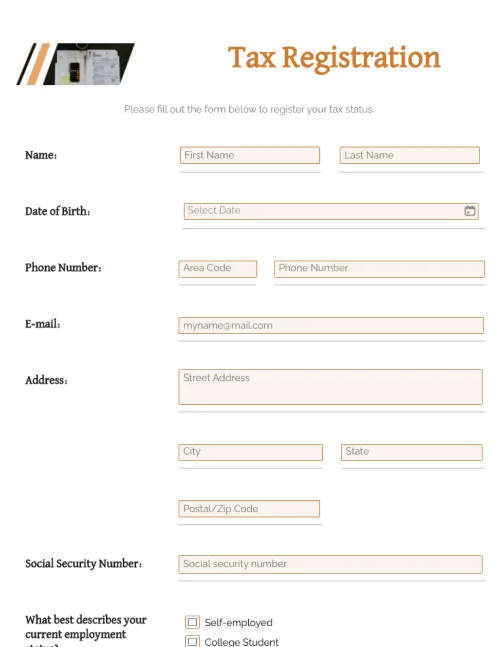
              Tax Registration Form

              Tax Registration Form

              Edit forms with a single click. Collect and submit all information needed. Register as an individual or business taxpayer. Stay compliant with tax regulations.

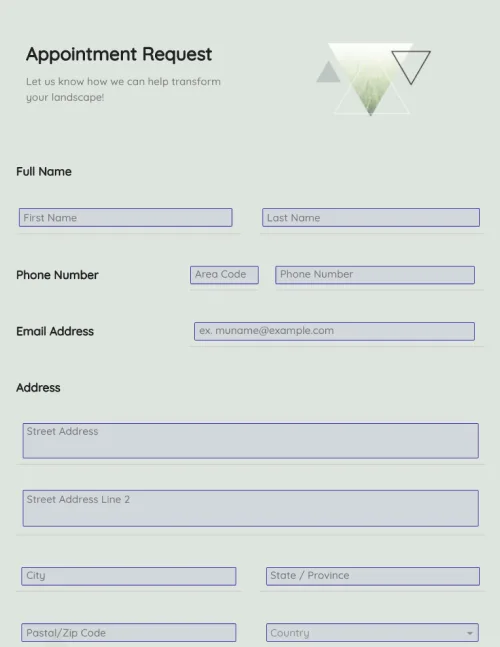
              Appointment Request Form

              Appointment Request Form

              Create appointment request forms in a few clicks. Add electronic signatures, rich media, and drag-and-drop information fields. Streamline your document workflows.

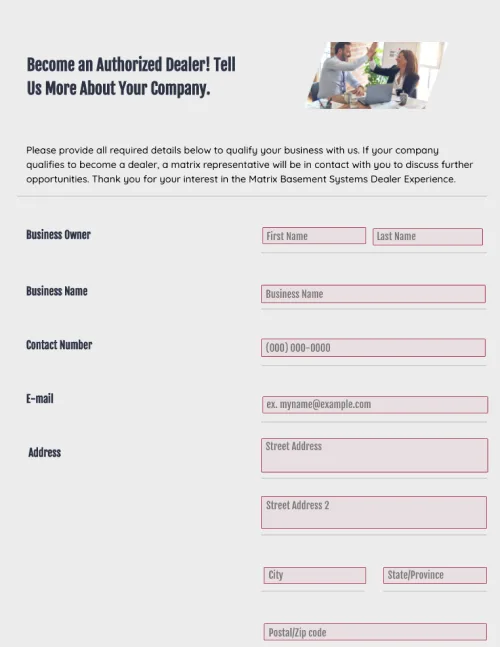
              Dealer Registration Form

              Dealer Registration Form

              Use this dealer registration form template in your organization to collect information from third-party vendors. Cut down on administrative tasks, and stay ahead of your competitors.

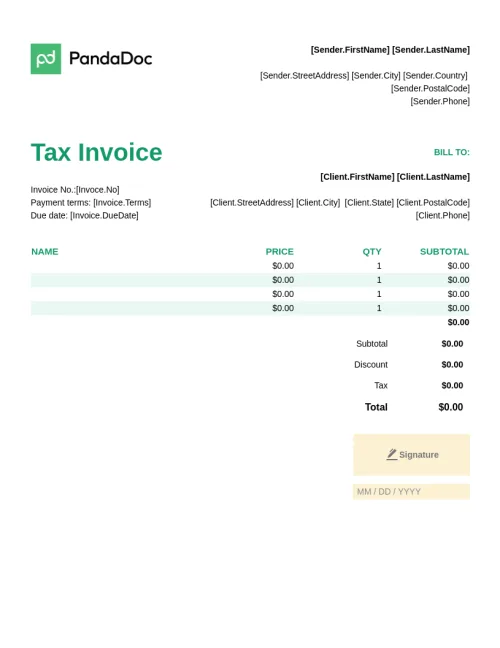
              Tax Invoice Template

              Tax Invoice Template

              This is a free example of a standard tax invoice template that you can edit for the purposes of charging VAT or sales tax.