Help centerLog inHelp center
Mobile Site Logo
Desktop Site Logo
    • Platform

      • Product overview
      • Contract Management
      • CPQ
      • Enterprise
    • Features

      • Image - Document generation - Icon
        Document generationAutomate document creation with customizable templates
      • Image - Payments - Icon
        PaymentsGenerate error-free quotes
tailored for every buyer
      • Image - Deal room - Icon
        Deal RoomsCollaborate and close deals in one personalized deal room
      • Image - Smart content - Icon
        Smart contentAdapt documents to the recipient's requirements
      • All features
    •  

      • automation icon
        Workflow AutomationsStreamline your workflow and reduce manual tasks
      • Approval workflow
        Approval workflowSimplify internal sign-offs before document delivery
      • Workspaces
        WorkspacesDistribute content across teams and departments
      • Tracking & analytics
        Tracking & analyticsGet insights into how users interact with your document
      • All features
    • Request a demo
    • Contact sales
    Product (Dropdown) - Featured Image
    Compare
    • vs DocuSign
    • vs Dropbox Sign
    • vs Adobe Sign
    • vs Proposify
    • View more
    • Image - Use case - Icon

      Use case

      • eSignatures
      • Proposals
      • Contracts
      • Quotes
      • Payments
      • All use cases
    • Image - Industry - Icon

      Industry

      • Software & technology
      • Professional services
      • Education
      • Healthcare
      • Construction
      • All industries
    • Image - Team - Icon

      Team

      • Sales
      • HR
      • Marketing
      • Customer success
      • Legal
      • All teams
    • Request a demo
    • Contact sales
    Customer stories
    • Image - Solution dropdown - Autodesk
      Autodesk now tracks sales metrics across its entire org
    • Image - Solution dropdown - Nomad
      Nomad cut customer acquisition costs by 20%
    • Image - Solution dropdown - TheKey
      TheKey saves 3,000 hours per year using PandaDoc
    • All customer stories
    • Sales and CRM

      • Hubspot
        Hubspot
      • Salesforce
      • pipedrive
        Pipedrive
      • monday.com
        Monday
    • Payment gateways

      • Square Logo
        Square
      • Stripe
        Stripe
      • Authorize Logo
        Authorize.net
      • Paypal Logo
        PayPal
      • QuickBooks
        QuickBooks Payments
      • FreshBooks Logo
        FreshBooks
    • Collaboration and more

      • Zapier
      • Greenhouse
        Greenhouse
      • QuickBooks
        QuickBooks
      • Slack Logo
        Slack
      • All integrations
    • API
    • Documentation
    Integration (Dropdown) - Featured Image
    CPQ Solutions
    • pipedrive
      Pipedrive CPQ
    • Hubspot
      Hubspot CPQ
    • Salesforce CPQ
      Salesforce CPQ
    • Image - Learn- Icon

      Learn

      • Customer stories
      • Blog
      • Templates
      • Webinars
      • Learning academy
      • Security
      • Resource library
      • AI Skills Lab
    • Image - Support - Icon

      Support

      • Help center
      • Contact us
      • Onboarding services
      • Professional services
      • Premium support
      • Partner Directory
    • Image - Developers - Icon

      Developers

      • API
      • Document embedding
      • Documentation
    • Request a demo
    • Contact sales
    Resources (Dropdown) - Featured Image
    Security & Compliance
    • Signature certificate
    • Two-factor authentication
    • HIPAA compliance
    • View more
  • API
  • Pricing
Contact salesStart a trialContact Sales
Product
  • Pricing
  • Integrations
  • Features
  • Updates
  • Security
  • HIPAA
Use cases
  • Proposals
  • eSignatures
  • Quotes
  • Contracts
  • Payments
  • Forms
  • Notary
  • API
  • CPQ
  • Deal Rooms
  • All use cases
Resources
  • Help center
  • Templates
  • Blog
  • Electronic signature law
  • How to guides
  • Developer center
  • System status
  • Onboarding services
  • Partner Directory
  • Recipes
  • AI Skills Lab
Compare
  • vs DocuSign
  • vs Dropbox Sign
  • vs Adobe Sign
  • vs Proposify
  • vs Docsend
  • All alternatives
Company
  • About us
  • Culture
  • Careers
  • Stand with Ukraine
  • Become a partner
  • Press
  • Contact us
  • Marketing Preferences

© 2026 PandaDoc Inc. All rights reserved.

Privacy Notice
    Legal
        Accessibility Statement
          Do Not Sell My Personal Information
            AI Information
              • LinkedIn
              • Facebook
              • X

              What is a HIPAA authorization form?

              A HIPAA authorization form is a crucial form for healthcare providers, their business associates, and any other HIPAA-covered entities.

              The HIPAA Privacy Rule instituted specific requirements for all uses and disclosures of health information. These requirements included strict rules for how health information can be disclosed, when it can be shared, and how it can be used.

              Violating HIPAA can lead to significant legal and financial penalties for HIPAA-covered organizations. If a healthcare provider or associate needs to share health information about a patient for research or other reasons not covered under HIPAA, an authorization form can help.

              The HIPAA guidelines prevent sharing information in many ways unlessthe patient grants the organization permission.

              A HIPAA privacy authorization form is the simplest way to get that permission and keep it on record. A signed HIPAA authorization form protects healthcare organizations from costly legal penalties for actions taken during regular business activities.

              What is a HIPAA authorization form used for?

              Medical professionals in various fields will structure their HIPAA release of information authorization form differently depending on their exact needs.

              However, the purpose of all HIPAA privacy authorization forms is the same: to allow healthcare providers to share health information about their patients in circumstances outside the narrow provisions of HIPAA.

              Typical scenarios where sharing private health information requires a HIPAA consent form include:

              • Research purposes

              • Using patient recoveries in marketing materials

              • Helping other family members make health decisions

              The connecting thread is that none of these scenarios helps treat or bill the patient whose information is being shared. That’s why the HIPAA release is necessary.

              What should a HIPAA authorization form include?

              As a legal document, a general HIPAA authorization form needs to include some specific elements:

              • A description of what private health information is covered by the form and how it will be shared.

              • The identities of the people or groups who will be able to share the information.

              • The identities of the people or groups who will be able to request the information.

              • Why the information will be shared.

              • An expiration date (“None” is a valid expiration date).

              • An explanation of the individual’s right to revoke their authorization and any exceptions to that right.

              • Any conditions that may apply if the person does or does not sign the form (In most cases, there are no conditions if the person does not sign).

              • The potential for information disclosed under the authorization to be subject to re-disclosure by the recipient.

              • Necessary legal language for different state release forms and types of treatment.

              Should you use a template to create a HIPAA authorization form?

              If your organization is required to follow HIPAA rules, then using a template to produce your blank HIPAA authorization form is almost certainly a good idea.

              A template provider such as PandaDoc offers access to a content library full of snippets of legally robust text and legally required language.

              This makes it easy to put together everything you need for a HIPAA form while still customizing individual fields.

              PandaDoc in-depth and fully customizable sample HIPAA consent form can help you streamline your workflow while still generating a legally sound final result.

              HIPAA releases should always be drafted with help from your legal team. Because HIPAA documents are intended to protect you from legal liability, they can help you transform a template form into the precise document your organization needs.

              Combining a well-designed template and your legal team’s advice will generate a document that you can use for all your future patients.

              FAQ

              Do HIPAA privacy authorization forms need to be notarized?

              No, HIPAA authorization forms do not need to be notarized. These documents need to be signed by the patient or their caretaker. Still, there is no need for an official witness or notary to confirm their signature.

              That allows HIPAA forms to be signed anywhere, anytime, as long as the signature can be verified. Using an e-form provider like PandaDoc can help HIPAA-covered organizations remain in compliance with the privacy rule.

              The e-signature functionality is a secure, safe way to capture legal signatures for HIPAA forms.

              E-forms remove the need for paper documents and costly mailing and storage solutions while remaining legally binding.

              If you want to create a HIPAA authorization form, get started today with PandaDoc’s free, fully customizable template and form sample. You have the power to modify it and use it to make any online HIPAA privacy forms you need moving forward.

              Who needs to complete a HIPAA authorization form?

              Most people need to complete HIPAA request forms regularly. Many healthcare providers have people sign HIPAA privacy consent documents before they begin treatment.

              Whenever a medical professional accepts a new patient, it’s good practice to have them sign a HIPAA release to minimize the risk of legal liability in the future.

              Patients may complete the forms themselves if they are competent legal adults. If a patient has a legal caretaker or a power of attorney, that caretaker will need to sign the form for them instead.

              Is a HIPAA authorization form the same as a medical consent form?

              A medical consent form is not the same thing as a HIPAA privacy authorization form. Medical consent forms cover specific procedures and medical actions a patient will undergo.

              A HIPAA privacy form, on the other hand, covers the sharing of medical and health information.

              For example, a medical consent form might cover a patient’s consent to removing their wisdom teeth at a particular dental surgical center.

              Without a signed HIPAA consent document, that surgical center would not be able to share information about the patient’s surgery with other healthcare providers. The HIPAA form permits sharing the information, not the medical procedure itself.

              When must HIPAA authorization be obtained?

              A HIPAA authorization must be obtained if a company plans to use the patient’s information for marketing purposes. Other situations where an authorization form may be needed are for research purposes, sale of medical information, disclosure of psychotherapy notes, etc.

              Disclaimer

              Materials (e.g. templates, educational articles, blog posts and informational content), made available through PandaDoc, including via any integrations, connectors, extensions, plugins, or third-party AI platforms (e.g. ChatGPT, Claude, or similar tools) are for general information purposes only and are provided "as is." These materials do not constitute legal, regulatory, or compliance advice and should not be construed as such. It is your responsibility to ensure materials meet your specific legal requirements. Consult a qualified attorney licensed in your jurisdiction before relying on these materials. PandaDoc disclaims all warranties, express or implied, including fitness for a particular purpose or non-infringement.

              Related templates

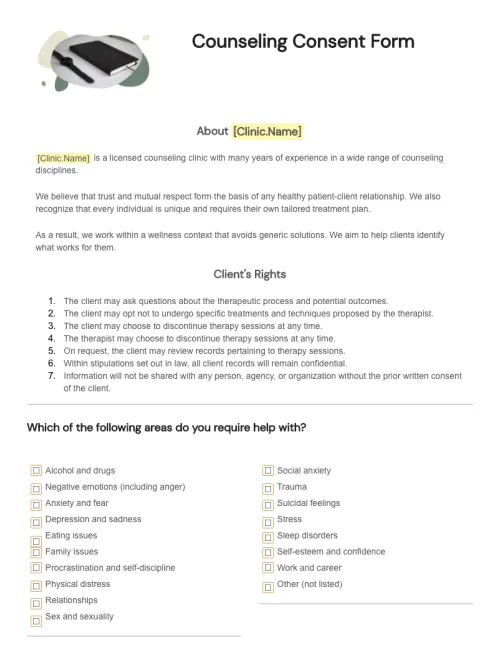
              Counseling Consent Form

              Counseling Consent Form

              Use PandaDoc’s free, customizable template to create counseling consent forms with just a few clicks. Streamline your healthcare organization’s entire document workflow.

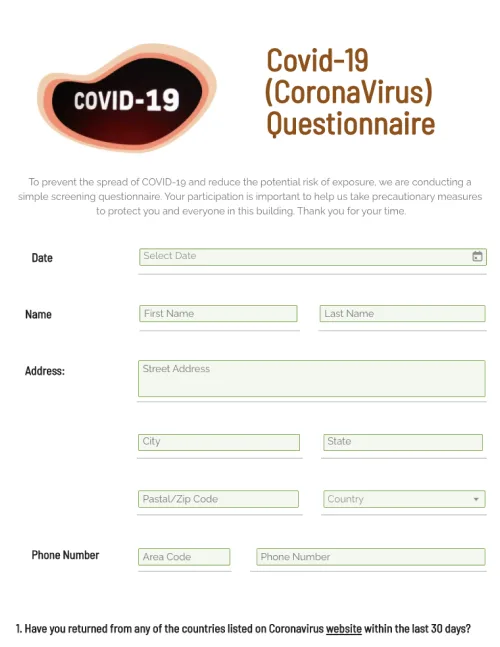
              COVID-19 Questionnaire

              COVID-19 Questionnaire

              Customize your COVID-19 Questionnaire. Record, and store important information online. Easily access data from any device.

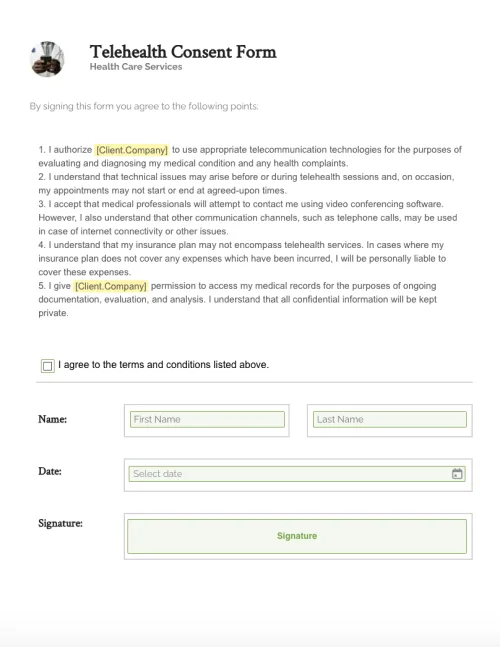
              Telehealth Consent Form

              Telehealth Consent Form

              Create legally-robust telehealth consent forms with PandaDoc’s drag-and-drop form builder and automated approval and collaboration tools.

              Internet Service Agreement Template

              Internet Service Agreement Template

              Quickly customize and download an Internet Service Agreement from PandaDoc. This agreement can be used as a sample for internet advertising services.

              TemplatesForms

              HIPAA Authorization Form

              Edit HIPAA authorization forms in a single click. Customize documents with intuitive drag-and-drop tools. Collect eSignatures and payments in real-time.

              Use this template

              No credit card required

              HIPAA Authorization Form