

Pandadoc VS Hellosign
Looking for a Dropbox Sign (formerly HelloSign) alternative?
Teams switching from Dropbox Sign (HelloSign) to PandaDoc can create, edit, and e-sign documents with pre-built templates, advanced analytics, 24/7 support, and much more.
Join 68,000+ companies already accelerating workflows with PandaDoc
Why customers choose PandaDoc
over Dropbox Sign

Choose from 1000+ templates
Save time creating personalized documents while giving your customers an outstanding user experience every time.

Manage all your document workflows
Use PandaDoc’s workflow automation software to build more efficient processes and manage important docs securely and instantly.
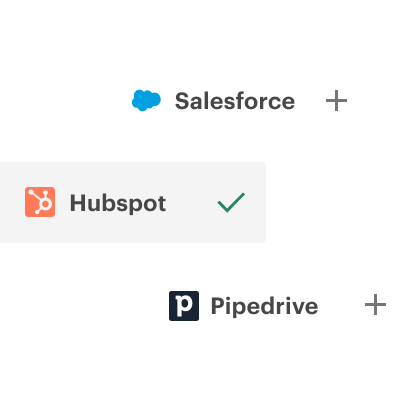
Get seamless CRM integrations
Connect the tools you love with PandaDoc. Build customized workflows without leaving the applications you’re already working in.
"We’re saving 3,000 hours annually and we’re three times more efficient…In the past year, we’ve been able to 10x our document management efficiency because of our partnership with PandaDoc. I’ve never been more impressed with customer support. They respond to me in less than an hour, even if there’s not a fix needed. It makes me feel like they’re always there for us."
Read full story
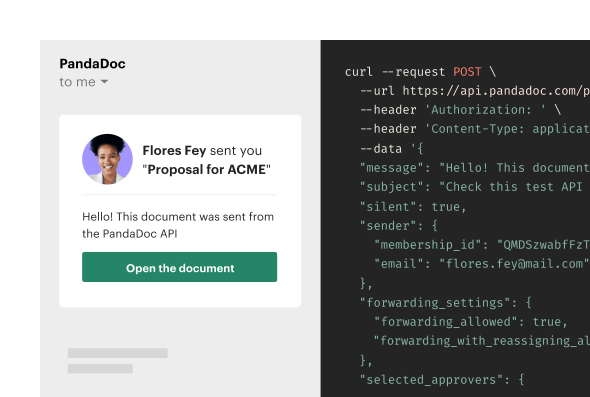
Create winning proposals with PandaDoc API
Generate branded proposals from your CRM data, track progress, and get deals signed faster from your existing tools.
- Auto-fill from CRM data
- Track status in real-time
- Build templates once, reuse forever
- Control who reviews and signs
Why switch from Dropbox Sign to PandaDoc?
Build better documents with minimal effort
Dropbox Sign can help you capture e-signatures, but only PandaDoc can help teams create professional documents. With our drag-and-drop editor, teams can build proposals, contracts, and quotes from a blank page, a template, or an imported DOCX file. Using smart fields, dynamic pricing tables, and content snippets, personalize every document using autofill data (names, company info, pricing, etc.) from a CRM or data tool before sending for a secure e-signature. Plus, with bulk send, teams can deliver dozens of personalized documents in a single click.

Smarter insights and reporting
PandaDoc lets you track document status and user activity through the entire document process. Using built-in document analytics and reporting tools, track engagement, view open rates, and see how long recipients spend on each page. Real-time activity notifications help teams follow up at the right time, while team-level reporting shows what’s working and where deals stall. With these features, leadership teams can make smarter, data-driven decisions across the entire sales process.

Integrate your entire tech stack
PandaDoc connects with the apps and services you already use. Native integrations with HubSpot, Salesforce, Slack, Pipedrive, and other apps make it easy to automate workflows across marketing, sales, and operations. Exchange customer data via two-way syncing, trigger document creation automation, and send real-time stats updates without leaving your workspace. Plus, when connected with document storage and payment solutions like Google Drive and Stripe, you have an end-to-end document creation solution for every aspect of your business.

PandaDoc is the G2 top-rated solution
Loved and trusted by top revenue teams
Secure e-signing and KBA tools
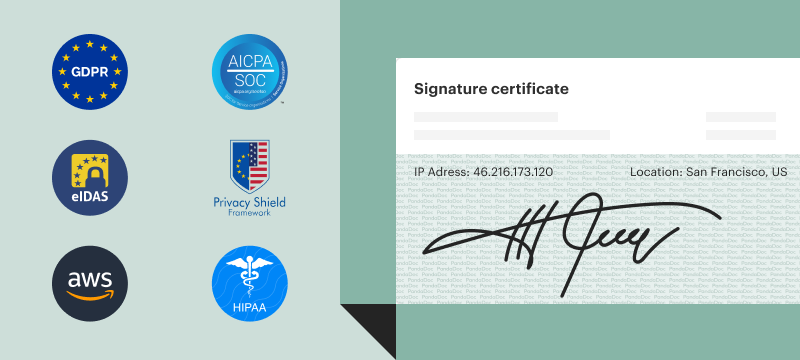
Similar to Dropbox Sign, PandaDoc offers various levels of secure e-signing, including Advanced Electronic Signatures (AES) and Qualified Electronic Signatures (QES) as defined by eIDAS. These protocols both comply with and exceed the standards set by the U.S.-based UETA and ESIGN Act. In PandaDoc, the QES process is integrated with the regular signing process. Service providers are assigned by country, and users simply validate their signatures as a final step in the signing process. This, combined with other identity verification features, HIPAA compliance, and others gives PandaDoc users all the tools necessary to ensure the validity of every signed document.

Real-time collaboration for every team
PandaDoc reduces confusion by keeping all documents in a shared workspace. Teams have access to unlimited workspaces, custom user roles, approval workflows, and much more through its admin console. When editing, all editors and recipients can collaborate and negotiate in a shared workspace on a single version of the document. Because every document is kept inside the platform, users navigate to the document rather than sending copies via email. This prevents users from working in outdated documents and streamlines the e-signing process so that recipients can’t accidentally sign out of order.

24/7/365 human-powered chat support
PandaDoc customers can access round-the-clock chat support on every plan, not just on premium tiers. That means real people are available 24/7/365 to help with setup, troubleshooting, and workflow optimizations. For larger teams, premium support packages also include phone support and a dedicated account manager for hands-on guidance. With PandaDoc, you’ll never wait days for a reply. Just click the Contact Support button and start chatting with product experts in seconds!

"PandaDoc’s HubSpot integration is second to none in comparison to competitors. It allows us to get a lot of information from the CRM directly into PandaDoc."
92%
reduction in proposal creation time
20%
reduction in customer acquisition costs

25%
more documents sent per month
46x
faster to get a signature compared to Docusign


Built to integrate with
all your favorite tools
Streamline your document workflow
Get personalized 1:1 demo with our product specialist.
- Tailored to your needs
- Answers all your questions
- No commitment to buy
Schedule your free live demo
- Fill out the form
- Book a time slot
- Attend a demo
By submitting this form, I agree that the Terms of Service and Privacy Notice will govern the use of services I receive and personal data I provide respectively.
Related content